

Welcome new WooCommerce subscribers and add them to FluentCRM
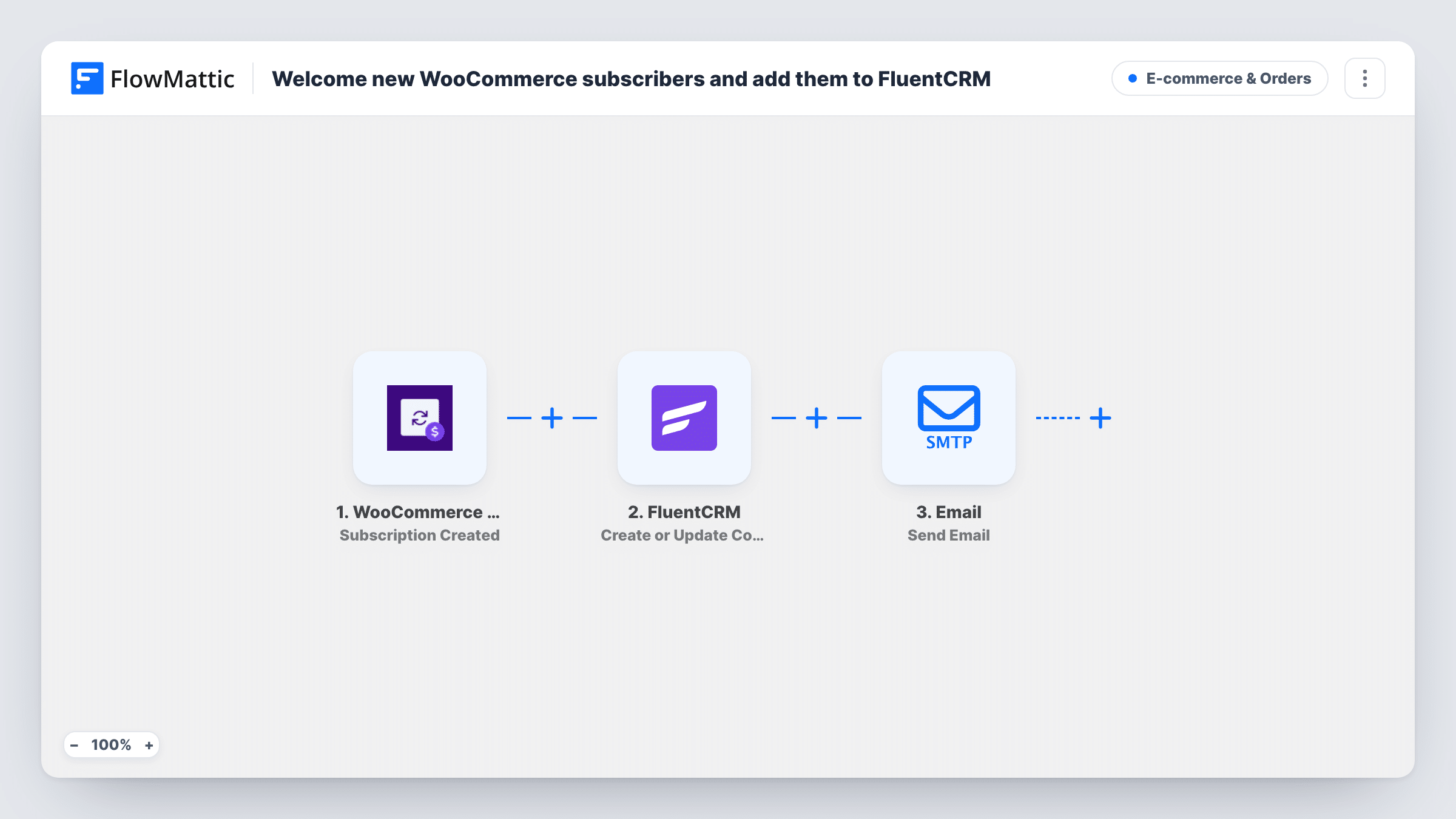
When a WooCommerce Subscriptions subscription is created, the subscriber is added to FluentCRM with their billing name and email, and a welcome email goes to that billing address.
 WooCommerce Subscriptions
 FluentCRM
 Email
Email3 steps Setup ~5 min Used on 1.7k sites Revenue Ops Free to import
What this workflow does
A new subscriber is someone you will email again and again, so they belong in your CRM from day one. They also expect a note that explains what they signed up for. This workflow takes care of both when the subscription starts, using the billing details from the subscription itself.
The WooCommerce Subscriptions trigger runs each time a subscription is created. FlowMattic passes the billing email, first name and last name to FluentCRM, which creates the contact or updates it if that email is already there. The Email step then writes to the same billing email with a welcome subject line.
The email body in the template is a starting line only: "Thanks for subscribing" followed by a lead-in to what the subscriber now has access to. Finish it before going live, with your own list of benefits, login details or links. FlowMattic sends it through the SMTP connection you set up for the Email step.
A monthly coffee or snack box
New box subscribers go into FluentCRM for future campaigns, and the welcome email tells them when the first box ships and how to change their flavours.
A paid membership with members-only content
Each new member is stored as a FluentCRM contact, and the email explains where to log in and which pages they can now open.
Software sold on a yearly plan
Subscribers become contacts you can email about updates, and the welcome message points them to the download page and setup guide.
How this workflow runs
What happens at each step once the workflow is on, and what you need before you import it.
 WooCommerce Subscriptions Subscription Created
Runs when a new subscription is created with WooCommerce Subscriptions. The subscriber's billing email, first name and last name are passed on to FluentCRM and the Email step.
- FluentCRM Create or Update Contact
Creates a FluentCRM contact from the billing email, first name and last name, or updates the contact that already has that email, so repeat subscribers are not duplicated.
 Email Send Email
Sends a welcome email to the subscriber's billing email. The body is a short placeholder that begins with thanks for subscribing; replace it with your own welcome text before you turn the workflow on.
What you need
- FlowMatticCore
- WooCommerce Subscriptions PluginPlugin
- FluentCRM PluginPlugin
After importing, map your own data. To keep the template universal, not every step is pre-filled. Open each step in the builder and connect your accounts and fields (channels, lists, sheets, recipients) before you switch the workflow on.
Make it yours
Changes worth making after you import it.
- Write the full welcome message in the Email step, and include the subscriber's first name from the trigger so it doesn't read like a form letter.
- Add a Filter after the trigger if you sell several subscription products and only some should get this welcome, using a value a test subscription shows you.
- Put a short Delay before the Email step if you want the welcome to arrive after WooCommerce's own order emails rather than alongside them.
Questions about this workflow
Does this replace the emails WooCommerce Subscriptions already sends?
No. Your store's own order and subscription emails go out as usual. This workflow adds a separate welcome email on top of them.
What happens if the subscriber is already a FluentCRM contact?
The Create or Update Contact step updates the existing contact with the billing name instead of creating a second one with the same email.
Do renewals trigger another welcome email?
The trigger is Subscription Created, which is about new subscriptions. Renewal payments on an existing subscription are a different event and do not start this workflow.
Do I need WooCommerce Subscriptions, or is WooCommerce enough?
You need the WooCommerce Subscriptions extension, since the trigger listens for its subscription events. FluentCRM must be on the same WordPress site as FlowMattic.
More E-commerce & Orders workflows
Other ready-to-import templates from the same category.





Import this workflow into your WordPress site
Download the JSON, import it from the Workflows screen and connect your accounts. Every run stays on your server, with no per-task fees.
30-day money-back guarantee Unlimited workflows and runs Self-hosted