

AI agent that extracts action items from meeting notes
Paste meeting notes into a Fluent Forms form and an AI agent reads them, with ClickUp, Notion and Slack tools it can use to create action items, save a summary page and post highlights.
 Fluent Forms
 AI Agent
 ClickUp
 Notion
 Slack
Slack5 steps Setup ~8 min Used on 1.0k sites Productivity Free to import
What this workflow does
After a meeting, someone has to turn rough notes into tasks, write them up somewhere the team can find, and tell everyone what was decided. That job often slips. This workflow hands it to an AI agent the moment the notes are submitted.
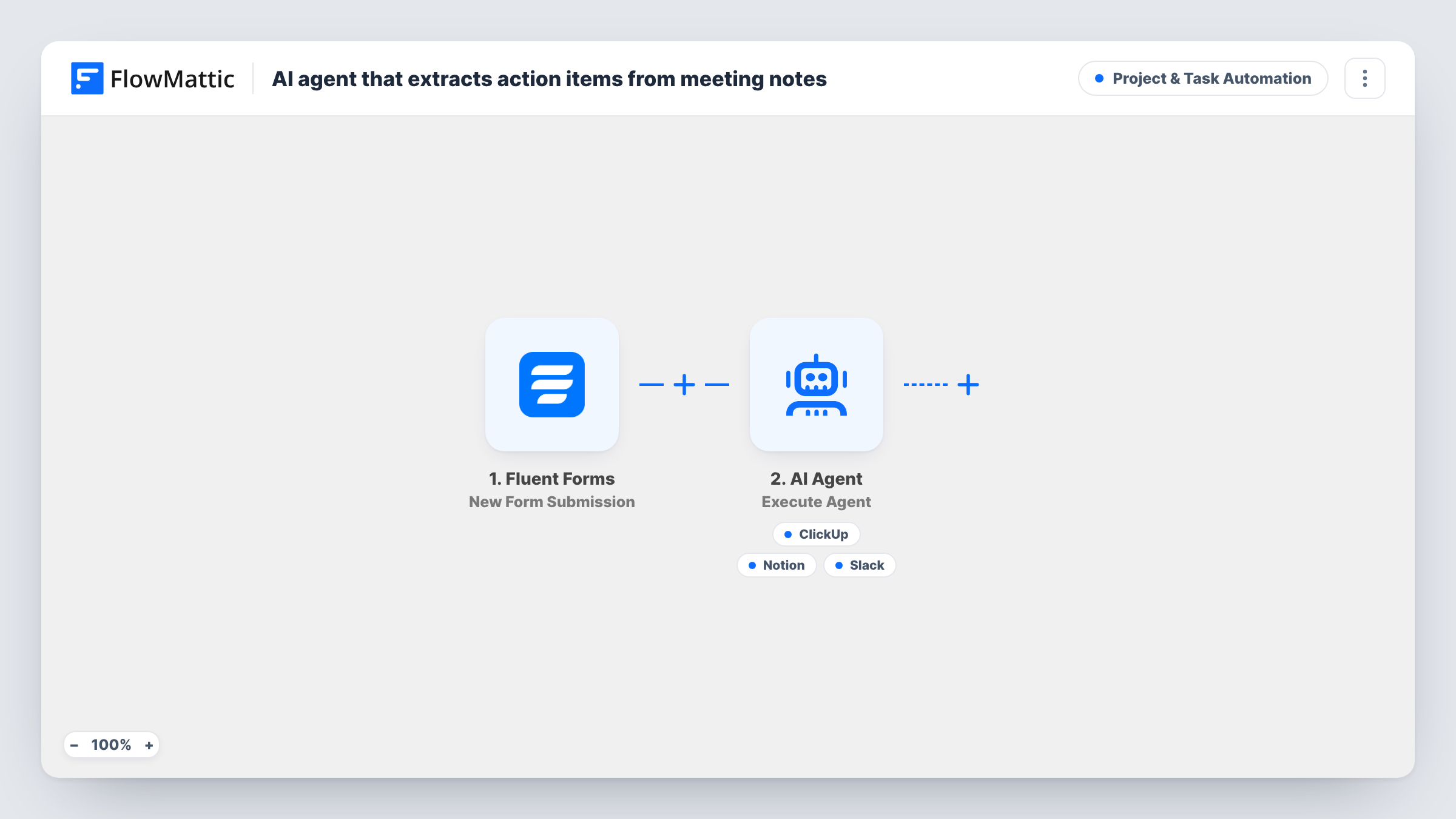
You paste the notes into a Fluent Forms form with a field named notes. FlowMattic passes them to an AI Agent step running GPT-4o through OpenAI. Its instructions are short: extract action items from the notes into ClickUp tasks, save a clean summary to Notion, and post highlights. The agent receives the notes as its input and has three tools it can call: ClickUp Create Task, Notion Create Page and Slack Send Channel Message.
The agent writes the content for each tool itself, so it decides the task names, the page title and the Slack text. It also decides which tools to use and how many times, so one set of notes might produce several tasks and another none. Read the first few runs in Task History before you rely on the output, and tighten the instructions if the results drift.
The notes leave your site twice: once to OpenAI for the agent, and again to ClickUp, Notion and Slack when a tool runs.
Weekly team stand-up
The note-taker pastes the stand-up notes into the form once the call ends. The agent can turn each commitment into a ClickUp task and keep a dated summary in Notion.
Client calls at an agency
An account manager submits notes from a client call. The agent can create ClickUp tasks for the follow-ups and post the main points to the client's Slack channel for the delivery team.
Project kickoff meetings
Kickoff notes tend to be long and scattered. The agent can pull out the first actions as tasks and save a tidier write-up to Notion that new team members read later.
How this workflow runs
What happens at each step once the workflow is on, and what you need before you import it.
 Fluent Forms New Form Submission
Starts the moment the meeting notes form in Fluent Forms is submitted. The workflow reads a field named notes, so use that name for the notes box or remap it in the AI Agent step.
- AI Agent Execute Agent
Sends the notes to an AI agent on OpenAI GPT-4o, told to extract action items into ClickUp, save a summary to Notion and post highlights. It picks which of its three tools to call and what to write in each.
- ClickUp Create Task
Agent tool for creating a ClickUp task. The agent writes the task name and description from the notes. It can call this once per action item it finds, or not at all.
- Notion Create Page
Agent tool for creating a Notion page. The agent writes the page title and the content, which the instructions describe as a clean summary of the meeting.
- Slack Send Channel Message
Agent tool for posting a Slack channel message. The agent writes the message text, meant to carry the highlights of the meeting for the team.
What you need
- FlowMatticCore
- Fluent Forms PluginPlugin
- AI ProviderAccount
- ClickUp AccountAccount
- Notion AccountAccount
- Slack AccountAccount
After importing, map your own data. To keep the template universal, not every step is pre-filled. Open each step in the builder and connect your accounts and fields (channels, lists, sheets, recipients) before you switch the workflow on.
Make it yours
Changes worth making after you import it.
- Edit the agent's instructions to set rules it should follow, such as one ClickUp task per person with their name in the title, or a fixed heading layout for the Notion summary.
- Add a dropdown for the project or client to the form and include it in the agent's input, so the agent can name it in tasks, the Notion title and the Slack post.
- Remove a tool from the agent if your team doesn't use that app. The agent then works only with the tools that remain.
- Submit a short set of sample notes after import and check Task History to see which tools the agent called and what it wrote.
Questions about this workflow
Will the agent always create ClickUp tasks, a Notion page and a Slack post?
It is told to do all three, but the agent chooses when to use each tool. Notes with no clear actions may produce no tasks, and the agent can occasionally skip a step. Check Task History for what each run did.
Do I need an OpenAI account to run this meeting notes agent?
The template is set to OpenAI GPT-4o, so you need an OpenAI connection in FlowMattic for the AI Agent step to run.
Can I submit notes from Google Docs or a transcript?
Yes, as long as the text is pasted into the form's notes field. The workflow only reads what is submitted through Fluent Forms.
Who is the ClickUp task assigned to?
The template only has the agent fill the task name and description. Run a test to see how the task is created in your ClickUp workspace, and adjust the tool if you need assignees.
More Project & Task Automation workflows
Other ready-to-import templates from the same category.




Import this workflow into your WordPress site
Download the JSON, import it from the Workflows screen and connect your accounts. Every run stays on your server, with no per-task fees.
30-day money-back guarantee Unlimited workflows and runs Self-hosted