

Thank WooCommerce customers now and ask for a review a week later
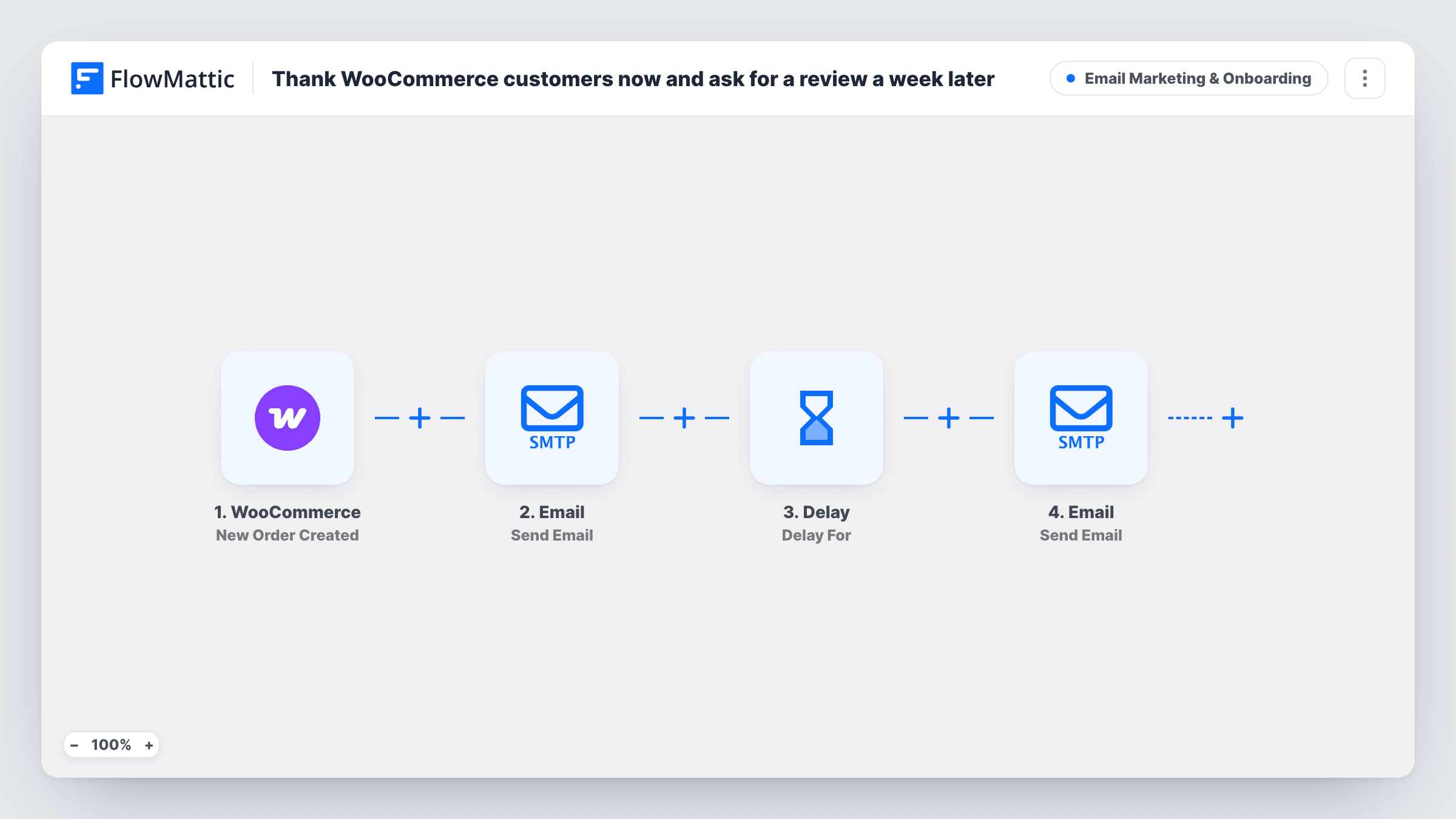
Each new WooCommerce order triggers a thank-you email to the buyer with their order number, then, after a seven-day Delay, a second email asking them to review their purchase.
 WooCommerce
 Email
Email
 Delay
Delay4 steps Setup ~8 min Used on 2.7k sites Marketing Free to import
What this workflow does
A short personal thank-you after checkout and a review request once the order has had time to arrive are two emails most shops mean to send and then forget. This workflow sends both for every order, using the buyer's billing details from WooCommerce.
When a WooCommerce order is created, the first Email step writes to the billing email address. The subject thanks the customer by first name and the body confirms the order number. The Delay step then waits seven days. After that wait, a second email asks how the order went and invites the customer to leave a review.
These emails are separate from WooCommerce's own order emails, which still go out as before. The flow reacts to every new order and does not check the order status, so a cancelled or failed order still gets both emails. Add a link to your review page in the second email body, since the template text does not include one.
Small shop collecting product reviews
A week after each purchase, every buyer gets a personal note asking for a review of what they bought, and you never have to send it yourself.
Handmade or made-to-order goods
The buyer hears from you as soon as they order, and the review request comes a week later, once a handmade item has had time to reach them.
Subscription box store
Each new order gets a friendly confirmation from the owner and, a week later, a request for feedback on that box.
How this workflow runs
What happens at each step once the workflow is on, and what you need before you import it.
 WooCommerce New Order Created
Runs as soon as a new order is created in WooCommerce. The billing email, billing first name and order number are passed to the email steps.
 Email Send Email
Emails the buyer a thank-you with their first name in the subject and the order number in the body. Edit the wording to match your shop's voice.
- Delay Delay For
Waits seven days before the review request. Shorten or lengthen the wait to suit how long your orders take to arrive.
- Email Send Email
Sends the customer a second email asking for a review of their recent purchase. Add a link to the product page or review form in the body.
What you need
- FlowMatticCore
- WooCommerce PluginPlugin
After importing, map your own data. To keep the template universal, not every step is pre-filled. Open each step in the builder and connect your accounts and fields (channels, lists, sheets, recipients) before you switch the workflow on.
Make it yours
Changes worth making after you import it.
- Add a Filter after the trigger that continues only when the order status is processing or completed, so failed or cancelled orders don't get either email.
- If your orders take longer to ship, raise the Delay to ten or fourteen days so the review request arrives after the parcel.
- Place an order with your own email after import to check both messages. Set the Delay to a few minutes while testing, then put it back to seven days.
Questions about this workflow
Does this replace the WooCommerce order confirmation email?
No. WooCommerce still sends its own order emails. The thank-you from this workflow is an extra, more personal message on top of them.
Will a refunded WooCommerce order still get the review request?
Yes, as imported. The flow does not check the order again after the Delay, so the second email goes out seven days later whatever has happened to the order.
Can the review email link to the product the customer bought?
The template body has no link. Add your review page URL, or map a product field from the WooCommerce trigger if a test run shows one.
How do I send the review request after three days instead of seven?
Open the Delay step and change the value from 7 to 3, keeping days as the unit. Test with a new order to confirm the timing.
More Email Marketing & Onboarding workflows
Other ready-to-import templates from the same category.






Import this workflow into your WordPress site
Download the JSON, import it from the Workflows screen and connect your accounts. Every run stays on your server, with no per-task fees.
30-day money-back guarantee Unlimited workflows and runs Self-hosted