

When a HappyFox ticket is created, log it in Google Sheets and alert the team in Slack
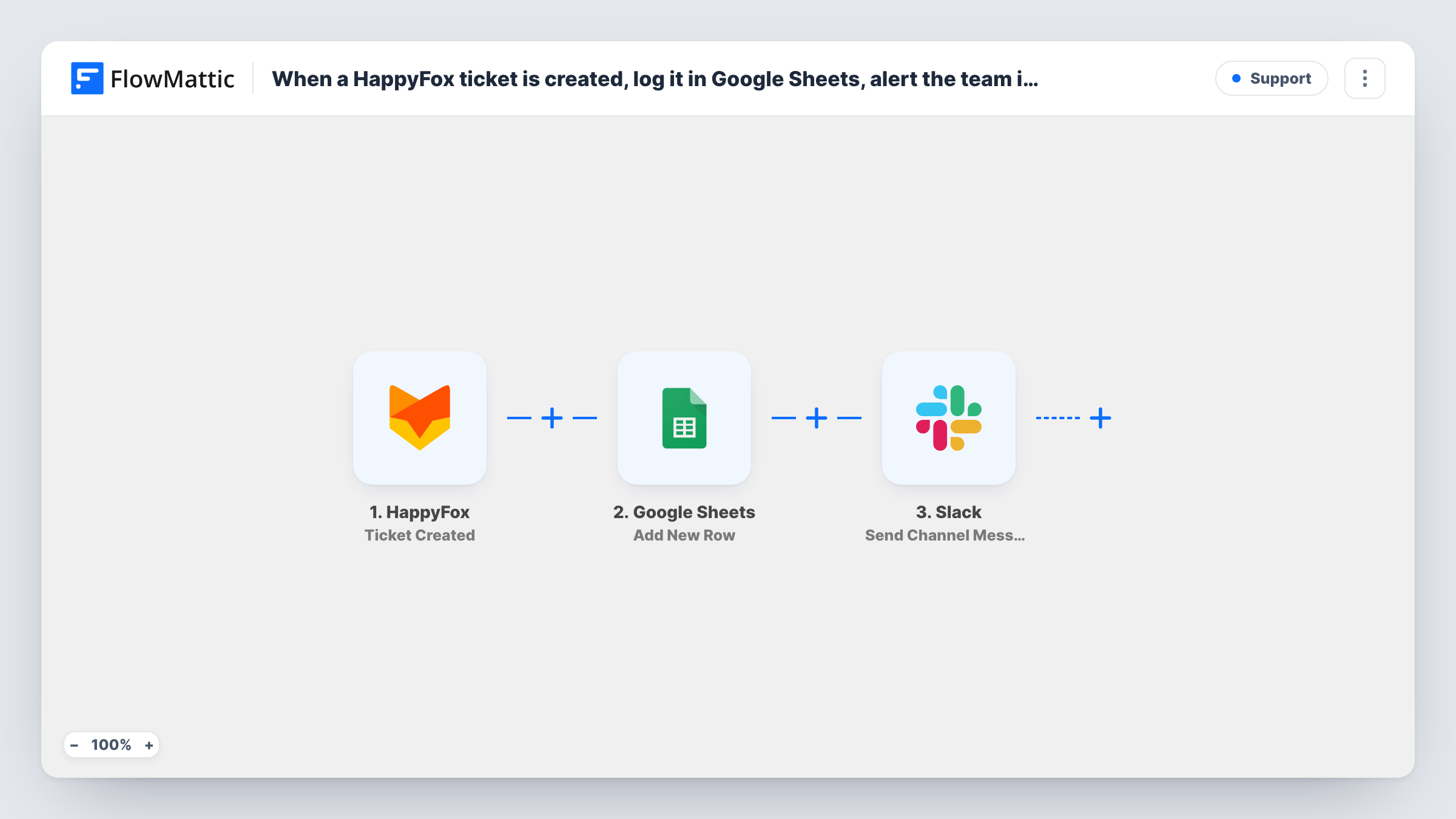
Each new HappyFox ticket is added as a row in your Google Sheets log, then a Slack message tells the support team a ticket has arrived, with the details you choose.
 HappyFox
 Google Sheets
 Slack
3 steps Setup ~5 min Used on 3.4k sites Free to import
What this workflow does
HappyFox is where your agents work tickets, but managers and other teams often want a simple running list they can sort, chart or share, plus a heads-up when something new comes in. This workflow gives you both from the same ticket.
The HappyFox Ticket Created trigger fires when a ticket is created. The ticket's data, such as its subject, category, priority and the contact who raised it, is passed to the next steps for mapping. Run a test ticket to see exactly which fields your HappyFox account sends.
The Google Sheets step adds a row for the ticket. It ships unmapped, so after import you pick the spreadsheet and sheet and match ticket fields to your columns. Then a Slack message goes to a channel. That step is unmapped too: choose the channel and write the alert, mapping in the ticket subject or number.
Every new ticket produces one row and one Slack message. Updates and replies on an existing ticket don't start a run, because the trigger only fires on creation.
Ticket volume report for managers
A support lead charts the sheet by week and category to show leadership how many tickets came in and where, without giving everyone HappyFox access.
Shared channel for a small help desk
A three-person team gets a Slack alert for each new ticket in their channel, so whoever is free can pick it up in HappyFox.
Product feedback in one place
A product manager filters the Google Sheets log for feature requests and bug categories while the support team keeps working in HappyFox.
How this workflow runs
What happens at each step once the workflow is on, and what you need before you import it.
 HappyFox Ticket Created
Runs each time a ticket is created in HappyFox. Its subject, category, priority, contact and other ticket data become available to the Sheets and Slack steps.
- Google Sheets Add New Row
Adds a row for the ticket to your spreadsheet. Nothing is mapped in the template, so connect Google, pick the sheet and match ticket fields to columns.
- Slack Send Channel Message
Posts an alert about the new ticket to a Slack channel. The message and channel are left for you to set; map in the subject, ticket number or priority.
What you need
- FlowMatticCore
- HappyFox AccountAccount
- Google Sheets AccountAccount
- Slack AccountAccount
After importing, map your own data. To keep the template universal, not every step is pre-filled. Open each step in the builder and connect your accounts and fields (channels, lists, sheets, recipients) before you switch the workflow on.
Make it yours
Changes worth making after you import it.
- Map the ticket number and a link to the ticket in HappyFox into the Slack text, so agents can open it in one click.
- Put a Filter between the Google Sheets step and the Slack step that continues only when the priority is high or urgent. Every ticket still gets its row, and only the pressing ones reach Slack.
- Add a column for the date the ticket was created, so the sheet can be sorted and grouped by day or week.
- Use Slack's Send Private Channel Message action instead if ticket details should only be seen by the support team.
Questions about this workflow
Which HappyFox ticket fields go into the Google Sheet?
Only those you map. The Add New Row step ships empty, so you choose the columns, such as subject, category, priority and contact email, after import.
Do updates to a HappyFox ticket add another row?
No. The trigger fires when a ticket is created. Status changes, replies and reassignments don't start a run, so the sheet holds one row per ticket.
Can the Slack alert go to one agent instead of a channel?
Yes. Swap the step for Slack's Send Direct Message action and pick the person who should hear about new tickets.
Will tickets created before the import be logged?
No. Only tickets created while the workflow is on start a run. Export older tickets from HappyFox if you want them in the sheet.
More Support workflows
Other ready-to-import templates from the same category.






Import this workflow into your WordPress site
Download the JSON, import it from the Workflows screen and connect your accounts. Every run stays on your server, with no per-task fees.
30-day money-back guarantee Unlimited workflows and runs Self-hosted