

When a customer places an enquiry in StoreHippo, create a support ticket in Fluent Support
Each enquiry a customer places in your StoreHippo store opens a new ticket in Fluent Support on your WordPress site, so product questions are answered and tracked in your helpdesk instead of a store inbox.
 StoreHippo
 Fluent Support
2 steps Setup ~5 min Used on 2.2k sites Free to import
What this workflow does
Store enquiries are often pre-sale questions: does this come in another size, can it ship by Friday. If they sit in the StoreHippo admin while your support team works in Fluent Support, they get answered late or twice. This workflow brings every enquiry into the helpdesk as a ticket.
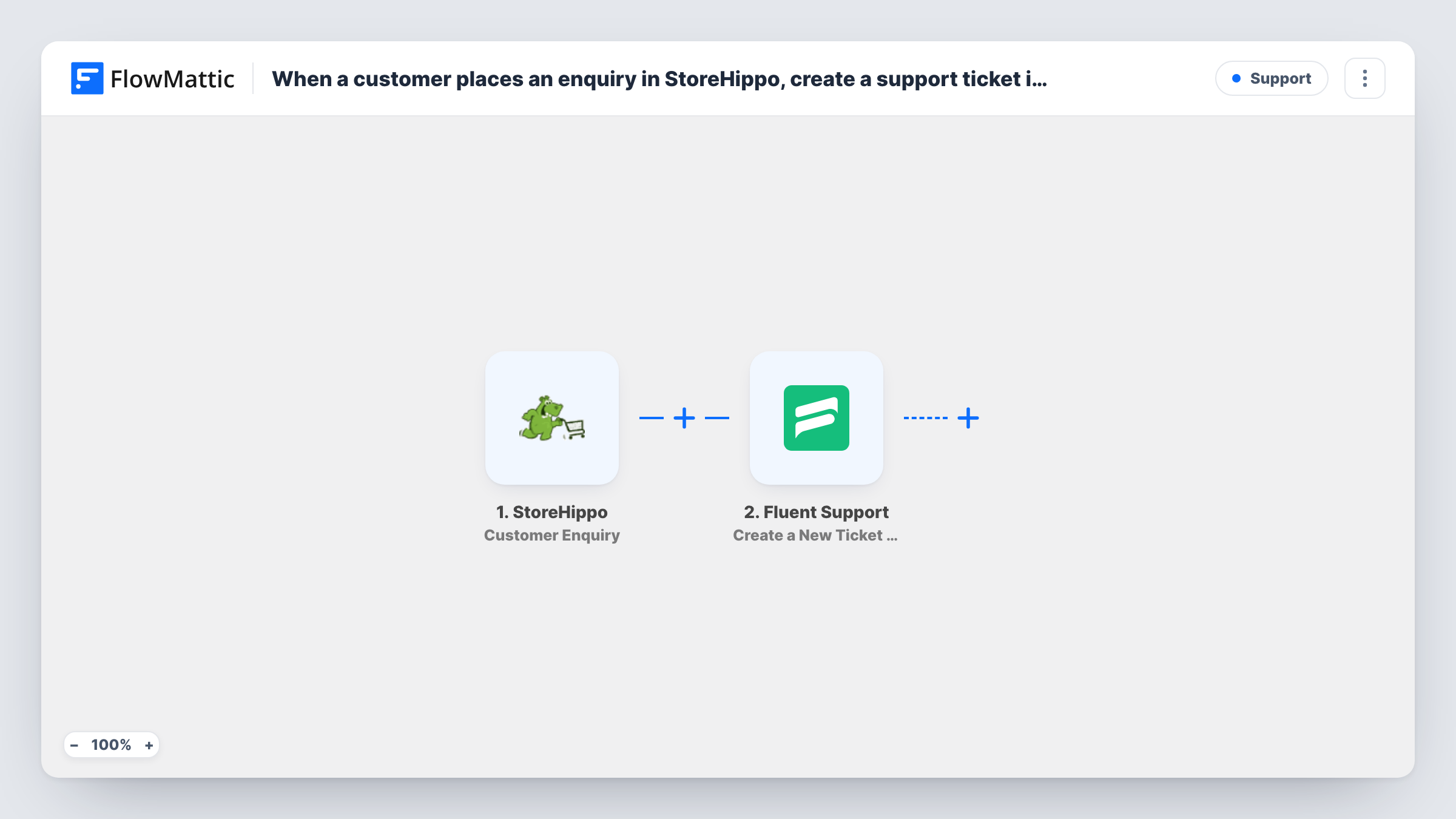
The StoreHippo trigger, Customer Enquiry, fires when a customer places an enquiry in your store. The enquiry details become data you can map. The Fluent Support step, Create a New Ticket Using Customer, then opens a ticket on behalf of that customer, with the title and content you map from the enquiry.
Fluent Support needs to know which customer the ticket belongs to, so map the customer's email from the StoreHippo enquiry. If an enquiry arrives without one, the ticket step may fail for that run, and Task History shows the error. Fluent Support runs on the same WordPress site as FlowMattic, so the ticket is created there.
Pre-sale product questions
A furniture store gets questions about dimensions and materials through StoreHippo enquiries. Each one becomes a Fluent Support ticket the sales team answers from the helpdesk.
Bulk order requests
Business buyers use the enquiry option to ask for volume pricing, and each request becomes a ticket your team can assign and track to a reply.
One helpdesk for store and site
If your WordPress site already handles support in Fluent Support, store enquiries join the same queue, so agents work from one list.
How this workflow runs
What happens at each step once the workflow is on, and what you need before you import it.
 StoreHippo Customer Enquiry
Fires when a customer places an enquiry in your StoreHippo store. The enquiry's details, including who sent it, are passed on for the Fluent Support step.
- Fluent Support Create a New Ticket Using Customer
Opens a Fluent Support ticket for the customer who sent the enquiry. Map their email and name from StoreHippo, then the enquiry text into the ticket's content.
What you need
- FlowMatticCore
- StoreHippo AccountAccount
- Fluent Support PluginPlugin
After importing, map your own data. To keep the template universal, not every step is pre-filled. Open each step in the builder and connect your accounts and fields (channels, lists, sheets, recipients) before you switch the workflow on.
Make it yours
Changes worth making after you import it.
- Start the ticket title with a fixed word such as Store enquiry, followed by the product name if StoreHippo sends it, so agents can spot these tickets in the Fluent Support list.
- Send a test enquiry from your storefront after import, then check Task History to see which StoreHippo fields arrived before you finish mapping the ticket.
- Add a Filter after the trigger that continues only when the enquiry has an email, so runs without a customer address stop before the Fluent Support step.
Questions about this workflow
Does the StoreHippo customer need a Fluent Support account first?
The step creates the ticket for the customer you map, identified by the details you pass from StoreHippo, usually the email. Test with one enquiry to confirm the ticket shows the right customer.
Will replies from Fluent Support reach the StoreHippo customer?
Replies are sent the way your Fluent Support setup sends them, usually by email to the ticket's customer. Nothing is posted back into StoreHippo.
Are older StoreHippo enquiries turned into tickets?
No. Only enquiries placed after you turn the workflow on create tickets. Earlier ones stay in StoreHippo.
Is Fluent Support required on the WordPress site?
Yes. Fluent Support is a WordPress helpdesk plugin, and it must be installed on the site where FlowMattic runs for the ticket step to work.
More Support workflows
Other ready-to-import templates from the same category.








Import this workflow into your WordPress site
Download the JSON, import it from the Workflows screen and connect your accounts. Every run stays on your server, with no per-task fees.
30-day money-back guarantee Unlimited workflows and runs Self-hosted