

When a Freshdesk ticket is created, generate a QR code for ticket tracking URL in QR Generator, then notify the team in Slack
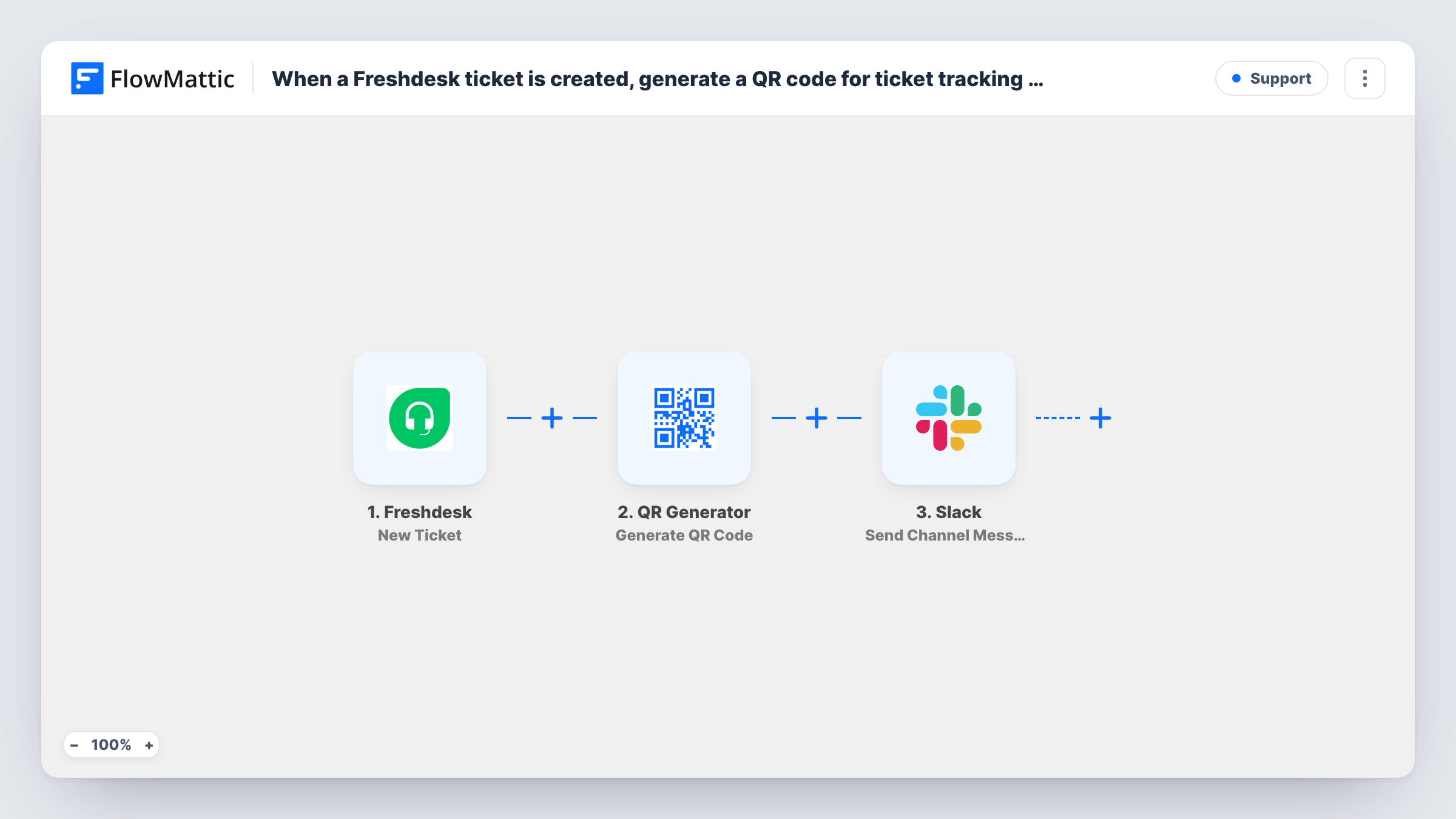
When a ticket is created in Freshdesk, this workflow generates a QR code for the ticket’s URL with QR Generator, saves it to your WordPress media library, and posts a Slack message about the ticket.
 Freshdesk
 QR Generator
 Slack
Slack3 steps Setup ~5 min Used on 3.1k sites Free to import
What this workflow does
Some support teams work away from a desk: in a warehouse, on a shop floor, or out on site visits. A QR code for each ticket lets someone open it on a phone by scanning a printed sheet or a screen. This workflow makes that code for every new ticket and tells the team in Slack.
The Freshdesk trigger fires when a new ticket is created. FlowMattic passes the ticket data to QR Generator, where you build the ticket's tracking URL from your Freshdesk address and the ticket ID. QR Generator turns that URL into a QR code and saves the image to your WordPress media library. The Slack step then posts to the channel you set, with ticket details and the QR code's details from the previous step mapped into the text.
The template doesn't build the URL for you, so you set it up once after import. Task History shows each run, including the QR Generator output you can map into Slack.
Field service job sheets
Technicians print the QR code from the media library onto a job sheet and scan it on site to open the Freshdesk ticket on their phone.
Repair desk intake
A repair shop logs each device as a Freshdesk ticket, sticks the QR code on the device, and the team sees each new job announced in Slack.
Warehouse returns
Return requests become tickets, and the generated code goes on the parcel label so staff can scan it to find the ticket when the item arrives.
How this workflow runs
What happens at each step once the workflow is on, and what you need before you import it.
 Freshdesk New Ticket
Runs when a new ticket is created in Freshdesk. The ticket data, including its ID, is passed on to build the URL and the Slack message.
- QR Generator Generate QR Code
Generates a QR code with QR Generator and saves it to your WordPress media library. Enter the ticket URL as the content, combining your Freshdesk address with the ticket ID from the trigger.
- Slack Send Channel Message
Posts to the Slack channel you set for new tickets. Connect your workspace, choose the channel, and write a message using the ticket details and the QR code output from step 2.
What you need
- FlowMatticCore
- Freshdesk AccountAccount
- Slack AccountAccount
After importing, map your own data. To keep the template universal, not every step is pre-filled. Open each step in the builder and connect your accounts and fields (channels, lists, sheets, recipients) before you switch the workflow on.
Make it yours
Changes worth making after you import it.
- Create a test ticket in Freshdesk after import, then check Task History to see what QR Generator returns, such as a link to the saved image, before writing the Slack message.
- If only some tickets need a QR code, for example one type or one group, put a Filter between the Freshdesk trigger and the QR Generator step using a value Freshdesk sends. Other tickets then get no code and no Slack post.
- If your support channel is private, replace the Slack step with Send Private Channel Message so the alert can reach it.
Questions about this workflow
Where are the Freshdesk ticket QR codes stored?
In your WordPress media library on the site where FlowMattic runs. QR Generator saves each image there, so the codes pile up over time and you may want to clear old ones.
Does the QR code open the ticket for customers?
It opens whichever URL you put into the QR Generator step. An agent link needs a Freshdesk login. Use your customer portal's ticket link if customers should scan it.
Does the Slack message show the QR image itself?
It shows what you put in the message text. Map the image link from the QR Generator output into it, and check a test run to see how Slack displays it.
Do I need to set anything in the QR Generator step after import?
Yes. The step ships without content, so enter the ticket URL yourself: your Freshdesk address followed by the ticket ID mapped from the trigger. Create a test ticket and scan the code to check it opens the right ticket.
More Support workflows
Other ready-to-import templates from the same category.







Import this workflow into your WordPress site
Download the JSON, import it from the Workflows screen and connect your accounts. Every run stays on your server, with no per-task fees.
30-day money-back guarantee Unlimited workflows and runs Self-hosted