

When a new file is uploaded in Google Drive, generate alt text in AltTextLab
When a new file appears in Google Drive, this workflow sends it to AltTextLab to generate alt text. Use it as the first half of an image pipeline, then add a step that saves or uses the description.
 Google Drive
 AltTextLab
2 steps Setup ~5 min Used on 1.8k sites Free to import
What this workflow does
Writing alt text for every image is slow, so it gets skipped, and images end up on websites with no description for screen readers. If your images pass through Google Drive before they are published, that is a good point to draft the text. This workflow asks AltTextLab for alt text each time a new file arrives in Drive.
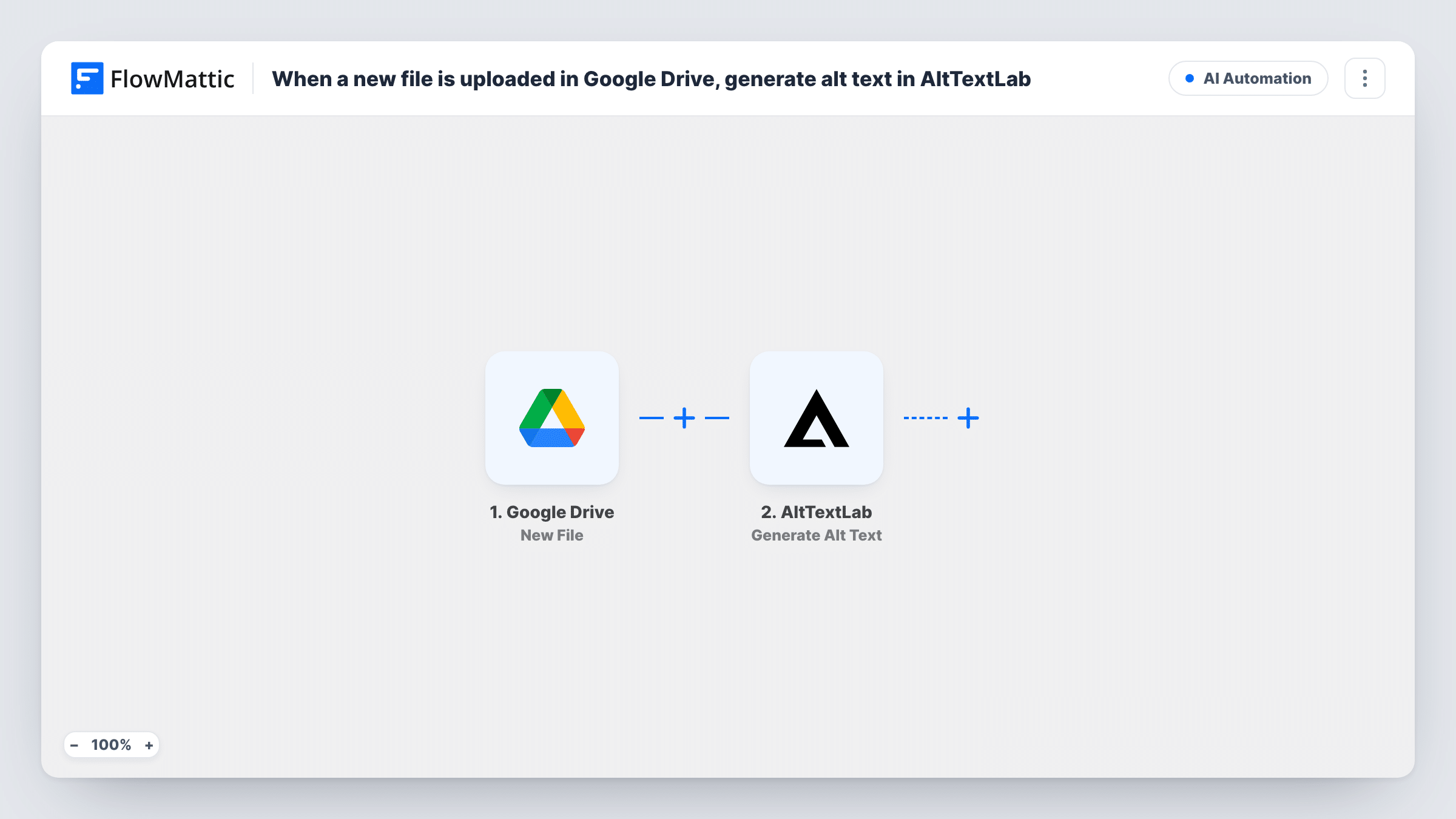
The Google Drive trigger runs when a new file is added and passes its details to FlowMattic. The AltTextLab step then uses Generate Alt Text on the image you map from the Drive data. The generated text comes back to FlowMattic as data for later steps.
As imported, the workflow ends after AltTextLab, so the text is visible only in Task History. It also runs for every new file, including documents that are not images. Add a Filter for image files and a step that stores the result, such as a Google Sheets row, before relying on it.
Product photos for an online shop
Photographers drop finished product shots into Drive. With a Google Sheets step added, each image gets a row with draft alt text your shop editor can review and paste in.
Blog images for a content team
Writers save article images in a shared Drive folder, and AltTextLab drafts a description for each one before the post goes live.
Catching up on accessibility for a media library
Upload a batch of images to Drive and let each new file get alt text, giving you a starting point instead of a blank field.
How this workflow runs
What happens at each step once the workflow is on, and what you need before you import it.
 Google Drive New File
Runs when a new file is added to your Google Drive. The file's details are passed on so the image can be mapped into AltTextLab.
- AltTextLab Generate Alt Text
Generates alt text for the image with AltTextLab. Connect your AltTextLab account and map the image from the Drive data. A test run shows what the step needs and what text comes back.
What you need
- FlowMatticCore
- Google Drive AccountAccount
- AltTextLab AccountAccount
After importing, map your own data. To keep the template universal, not every step is pre-filled. Open each step in the builder and connect your accounts and fields (channels, lists, sheets, recipients) before you switch the workflow on.
Make it yours
Changes worth making after you import it.
- Add a Filter right after the Drive trigger that continues only when the file type value your test run shows is an image type, so documents and spreadsheets are not sent to AltTextLab.
- Add a Google Sheets step after AltTextLab that records the file name and the generated text, giving editors a list to review.
- Drop one test image into Drive after import and look at the run in Task History to see which Drive value points to the image.
Questions about this workflow
Where does the AltTextLab text go after it is generated?
As imported, it stays in the run and is shown in Task History. Add a step after AltTextLab, such as Google Sheets or an email, to save or send it.
Will non-image files in Google Drive be sent to AltTextLab?
Yes, as imported, since the trigger runs for any new file. Add a Filter that checks the file type so only images reach the AltTextLab step.
Does this add the alt text to the image in WordPress?
No. Neither step touches your media library. Copy the text into WordPress yourself, or add a step that updates the image there if your setup allows it.
Do I need an AltTextLab account to generate the alt text?
Yes. The Generate Alt Text step runs through your AltTextLab account, which you connect in FlowMattic.
More AI Automation workflows
Other ready-to-import templates from the same category.







Import this workflow into your WordPress site
Download the JSON, import it from the Workflows screen and connect your accounts. Every run stays on your server, with no per-task fees.
30-day money-back guarantee Unlimited workflows and runs Self-hosted