

When a SumoQuote report is signed, create a Google Sheets row and alert the team in Slack
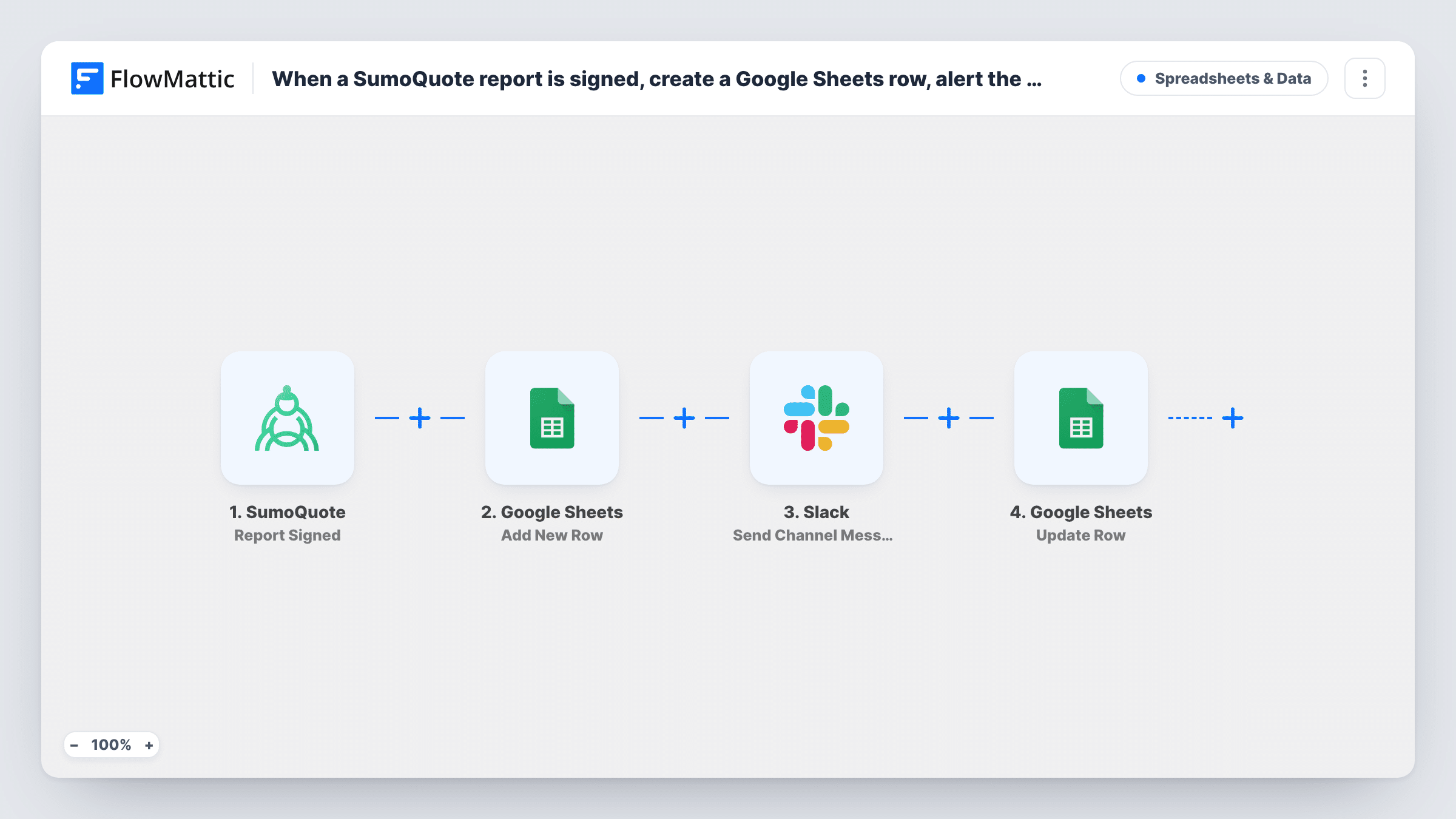
Each time a SumoQuote report is signed, FlowMattic adds a row to your Google Sheet with the job details, then posts a message in a Slack channel so the team knows the work is won.
 SumoQuote
 Google Sheets
 Slack
3 steps Setup ~5 min Used on 1.5k sites Free to import
What this workflow does
For roofing, solar and other contractors, a signed SumoQuote report is the moment a quote becomes a job. Office staff need it on the schedule, crews want to know what's coming, and the owner wants a running list of signed work. This workflow records each signature in a sheet and tells the team in Slack in one go.
The SumoQuote Report Signed trigger starts a run when a report is signed. The report and project details SumoQuote sends, are passed on; a test run shows exactly which ones.
Step two adds a new row in Google Sheets. The template doesn't map any columns, so after import you pick the spreadsheet and sheet and decide which report fields fill which columns. Step three posts to a Slack channel. You choose the channel and write the message, mapping in details from the signed report so the post says which job it is.
Every signed report adds one row and one Slack post. Sign a test report, or wait for the next real one, and check Task History to see the fields SumoQuote sent before you finish the mapping.
Roofing jobs ready for scheduling
A roofing company logs each signed SumoQuote report in a sheet the scheduler works from, and the Slack post tells the crew lead a new job is coming.
Sales wins channel
A solar installer posts every signed report in a Slack wins channel with the rep's name, so the team sees deals close as they happen.
Signed-work ledger for the owner
An exteriors business keeps a sheet of every signed report and sorts it by month to compare signed work against what was quoted.
How this workflow runs
What happens at each step once the workflow is on, and what you need before you import it.
 SumoQuote Report Signed
Fires when a SumoQuote report is signed. The report's details, including the customer and project information SumoQuote includes, become available to the next two steps.
- Google Sheets Add New Row
Adds a new row to your Google Sheet for the signed report. Columns aren't mapped in the template: choose the spreadsheet and sheet, then map report fields such as customer, address and date.
- Slack Send Channel Message
Announces the signed report in a Slack channel. The step ships unmapped: choose the channel and write the text, mapping the customer name and address from the signed report.
What you need
- FlowMatticCore
- SumoQuote AccountAccount
- Google Sheets AccountAccount
- Slack AccountAccount
After importing, map your own data. To keep the template universal, not every step is pre-filled. Open each step in the builder and connect your accounts and fields (channels, lists, sheets, recipients) before you switch the workflow on.
Make it yours
Changes worth making after you import it.
- Add a column for the job value in the sheet and map it from the report, if SumoQuote sends it, so you can total signed work per month.
- Use Slack's Send Private Channel Message action instead if the post should go to a private channel, such as one for managers only.
- To announce only some reports, put a Filter between the Google Sheets step and the Slack step on a report field you pick, such as the sales rep if SumoQuote sends one. Every signed report still gets its row.
- Map the date the report was signed into its own column, so the sheet can be sorted by signing date rather than by row order.
Questions about this workflow
Does this run for reports that were sent but not yet signed in SumoQuote?
No. Report Signed only runs on signed reports. SumoQuote also has Report Sent and Quote Sent for Signature triggers in FlowMattic if you want to track earlier stages in another workflow.
Which SumoQuote fields can I put in the sheet and the Slack message?
Whatever the Report Signed trigger sends. Look at a run in Task History to see the field names, then map the ones you need into your columns and the message text.
Will a SumoQuote report with several signers create several rows?
Report Signed runs when the report is signed. If you want a row per signer instead, SumoQuote also has a Signatory Signed trigger in FlowMattic; check with a test which one matches how your reports are signed.
More Spreadsheets & Data workflows
Other ready-to-import templates from the same category.



Import this workflow into your WordPress site
Download the JSON, import it from the Workflows screen and connect your accounts. Every run stays on your server, with no per-task fees.
30-day money-back guarantee Unlimited workflows and runs Self-hosted