

When payment is received in Happyforms, share the Google Drive folder with the user
When a payment through your Happyforms form succeeds, FlowMattic shares a Google Drive folder with the email address the payer entered, so they can open the files they paid for.
 Happyforms
 Google Drive
2 steps Setup ~5 min Used on 1.1k sites Free to import
What this workflow does
Selling access to a set of files, such as templates, photos, course worksheets or a press kit, doesn't always need a full store. If you already take payments with a Happyforms form on your WordPress site, this workflow hands over the files by sharing a Google Drive folder with each payer.
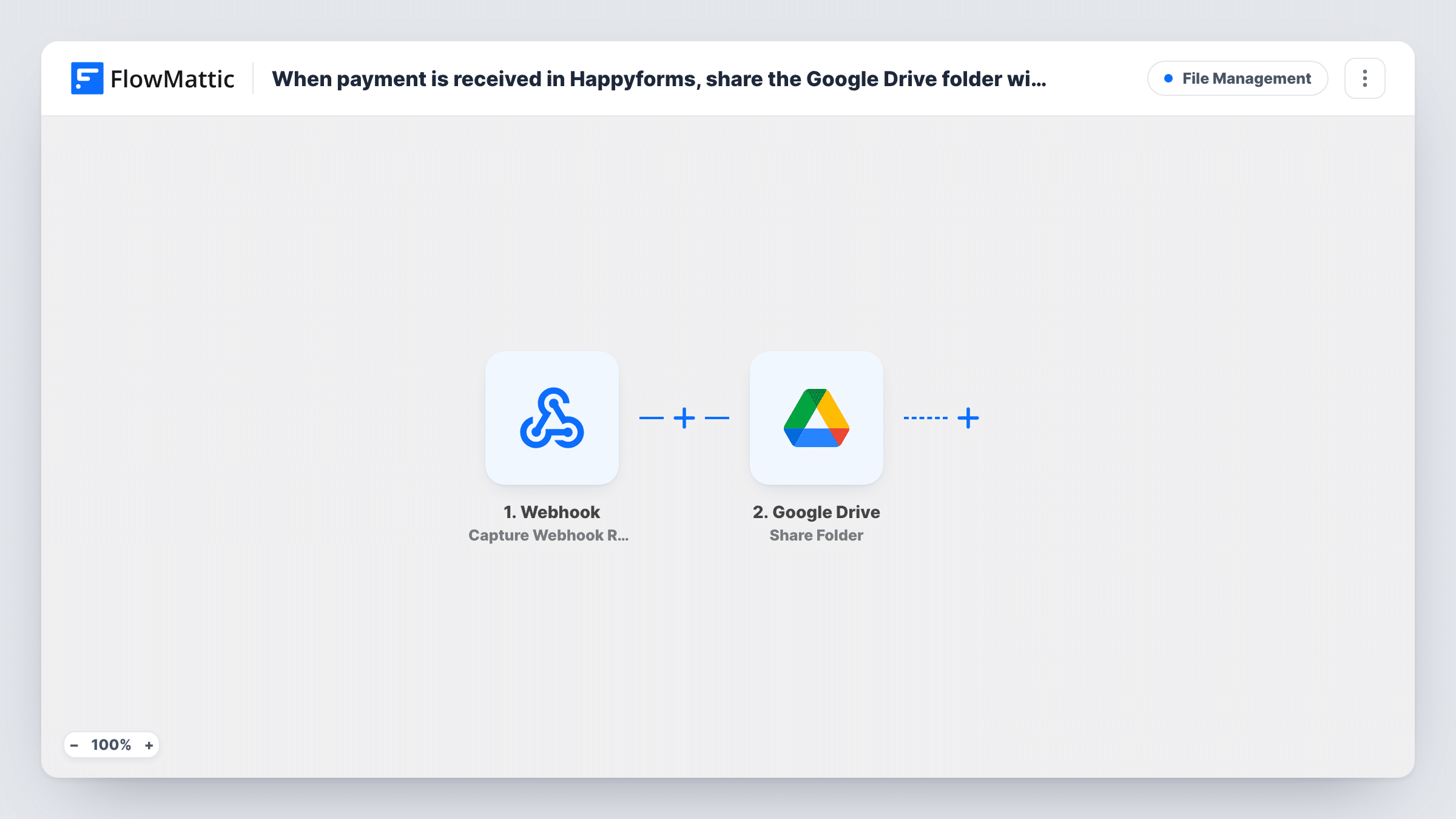
The Happyforms Payment Success trigger runs when a payment on your form succeeds. Failed payments don't start it; Happyforms has a separate Payment Failure trigger for those. The form's answers, including the payer's email, are passed on.
The Google Drive step uses Share Folder, which shares a folder by its ID with an email address. It ships unmapped. After import, connect your Google account, set the folder you want to share, and map the email field from the form as the person to share with.
Opening a shared Drive folder usually means signing in with a Google account on that address, so say that on your form. Make a test payment and check Task History, then open the folder's sharing settings in Drive to confirm the address was added.
Digital template packs
A designer sells a bundle of Canva and Figma templates through a Happyforms payment form. Each buyer gets the Drive folder holding the files.
Photo session galleries
A photographer takes the balance payment for a shoot through a form and shares the client's gallery folder once the payment goes through.
Workshop materials for paid attendees
A trainer charges for a workshop with Happyforms. Paid attendees get access to the folder of slides and worksheets before the session.
How this workflow runs
What happens at each step once the workflow is on, and what you need before you import it.
 Happyforms Payment Success
Starts the workflow when a payment made through your Happyforms form succeeds. The form's fields, such as the payer's name and email, become available to the Google Drive step.
- Google Drive Share Folder
Shares a Google Drive folder, by its ID, with an email address. The step ships unmapped: set the folder and map the payer's email from the Happyforms form as the address to share with.
What you need
- FlowMatticCore
- Happyforms PluginPlugin
- Google Drive AccountAccount
After importing, map your own data. To keep the template universal, not every step is pre-filled. Open each step in the builder and connect your accounts and fields (channels, lists, sheets, recipients) before you switch the workflow on.
Make it yours
Changes worth making after you import it.
- Make the email field required on the payment form and say it should be a Google account address, so the payer can open the shared folder.
- Add an Email step after the Share Folder step with a thank-you note and the folder link, so the buyer has a message from you that explains what's inside.
- Selling several products on one form? Put a Router between the Happyforms trigger and the Share Folder step, one route per product with an exactly-matches condition, and give each route its own Share Folder step for that product's folder.
- After a test payment, open the folder's sharing settings in Google Drive and confirm the payer's access level. Buyers who only need to download files shouldn't be able to edit or delete them.
Questions about this workflow
Does the payer need a Google account to open the Drive folder?
In most cases, yes. Drive shares a folder with an email address, and opening it usually means signing in with a Google account on that address. Say so on your Happyforms form.
What happens when a Happyforms payment fails?
Nothing in this workflow. Payment Success only runs on successful payments. Happyforms also has a Payment Failure trigger in FlowMattic if you want to follow up on failed ones.
Can I share a single file instead of a whole folder?
Yes. FlowMattic's Google Drive integration also has a Share File action that shares a file by its ID with an email. Swap it in for Share Folder.
What access level do buyers get on the folder?
Run a test payment, then look at the folder's sharing settings in Google Drive to see the access the payer received. Adjust the Share Folder step if it offers a choice, and test again.
More File Management workflows
Other ready-to-import templates from the same category.



Import this workflow into your WordPress site
Download the JSON, import it from the Workflows screen and connect your accounts. Every run stays on your server, with no per-task fees.
30-day money-back guarantee Unlimited workflows and runs Self-hosted