

When a Radancy job application is hired, add the candidate to Airtable, notify the hiring team in Slack, then mark the Airtable record as hired
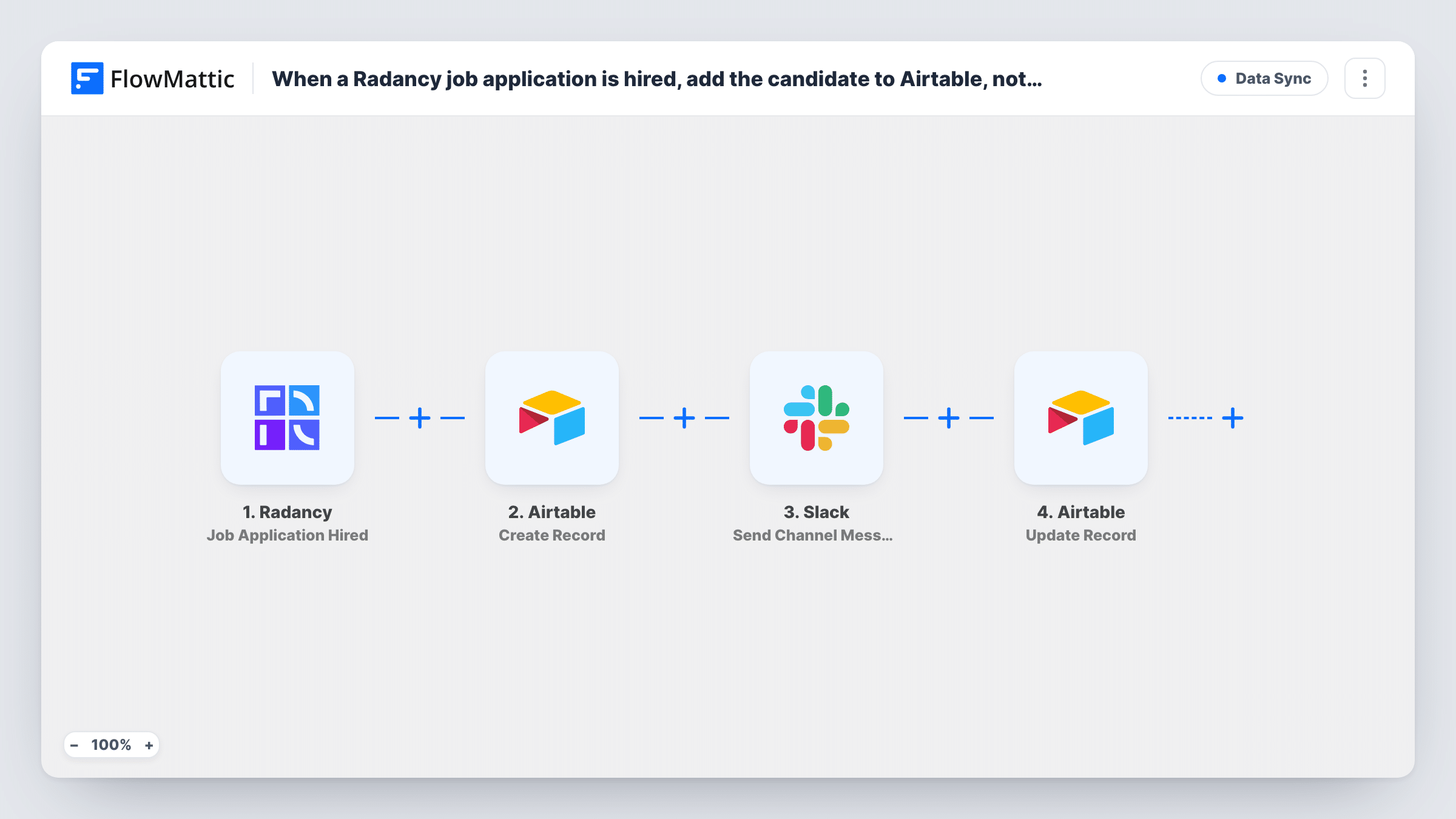
When a recruiter marks a Radancy applicant as hired, FlowMattic creates the candidate’s Airtable record, posts the news to a Slack channel, then updates that same record to show the hire.
 Radancy
 Airtable
 Slack
Slack4 steps Setup ~8 min Used on 2.1k sites Free to import
What this workflow does
A hire in Radancy is where recruiting hands over to onboarding. HR, IT and the hiring manager need the person's details in a place they work from, and the team wants to hear the news. This workflow covers both from one event.
The Radancy trigger Job Application Hired fires when one of your recruiters hires an applicant. FlowMattic first uses Airtable Create Record to add the candidate to the base and table you pick. Next, a Slack step posts a message to a channel so the hiring team knows. Finally, Airtable Update Record changes the record created in step two.
That last step works because the Create Record step returns the new record's ID, which you map into Update Record. Use it to set the status you want, such as Hired. If you would rather set the status in one go, you can map it in the Create Record step and remove the update. Task History shows each step of every run.
Onboarding tracker in Airtable
HR keeps new starters in an Airtable base. Each Radancy hire appears there with a hired status, ready for start dates and equipment to be added.
Team announcement in Slack
The hiring channel gets a message naming the role and the new hire whenever a recruiter closes an application as hired in Radancy.
Status column driving Airtable views
An Airtable view lists only records marked hired, so IT sees which accounts to set up without looking at candidates still in process.
How this workflow runs
What happens at each step once the workflow is on, and what you need before you import it.
 Radancy Job Application Hired
Fires when one of your recruiters hires an applicant in Radancy. The application and candidate details are passed on to the Airtable and Slack steps.
- Airtable Create Record
Adds the new hire to Airtable as a fresh record in your chosen base and table. Map the candidate's details from Radancy into your fields. The new record's ID is returned for the last step.
- Slack Send Channel Message
Tells the hiring team in a Slack channel of your choice. Write the text and map in the candidate's name, role or any other Radancy data the hiring team should see.
- Airtable Update Record
Changes the Airtable record that step two just made. Map that step's record ID here and set the field you use to mark the candidate as hired.
What you need
- FlowMatticCore
- Radancy AccountAccount
- Airtable AccountAccount
- Slack AccountAccount
After importing, map your own data. To keep the template universal, not every step is pre-filled. Open each step in the builder and connect your accounts and fields (channels, lists, sheets, recipients) before you switch the workflow on.
Make it yours
Changes worth making after you import it.
- Hire a test applicant in Radancy, or wait for a real hire, so FlowMattic captures the data. Map the Airtable fields from that sample rather than guessing.
- Add a Filter between the Radancy trigger and the Create Record step if only hires for certain roles or locations belong in this base. A Filter stops every later step, so other hires get no Slack post either. A test hire shows which Radancy field to use.
- Name the Slack channel and message so the role and department are clear, and mention the hiring manager in the text if your team uses Slack mentions.
Questions about this workflow
Why does the workflow update the Airtable record right after creating it?
The template separates the two so the record is created first and then marked as hired. You can map the hired status in Create Record instead and delete the Update Record step if you prefer one write.
How does the Update Record step know which Airtable record to change?
You map the record ID returned by the Create Record step. That is why the update always targets the record this run created.
Which Airtable base and table receive the Radancy hire?
The ones you pick in the Create Record step. Point the Update Record step at the same base and table, so the record ID it gets from step two belongs to the table it updates.
Will a candidate hired twice in Radancy get two Airtable records?
Yes. Create Record adds a new record on every run and does not search for an existing one, so each hire event makes its own record.
More Data Sync workflows
Other ready-to-import templates from the same category.




Import this workflow into your WordPress site
Download the JSON, import it from the Workflows screen and connect your accounts. Every run stays on your server, with no per-task fees.
30-day money-back guarantee Unlimited workflows and runs Self-hosted