

Send a Slack alert when a Polly survey is submitted
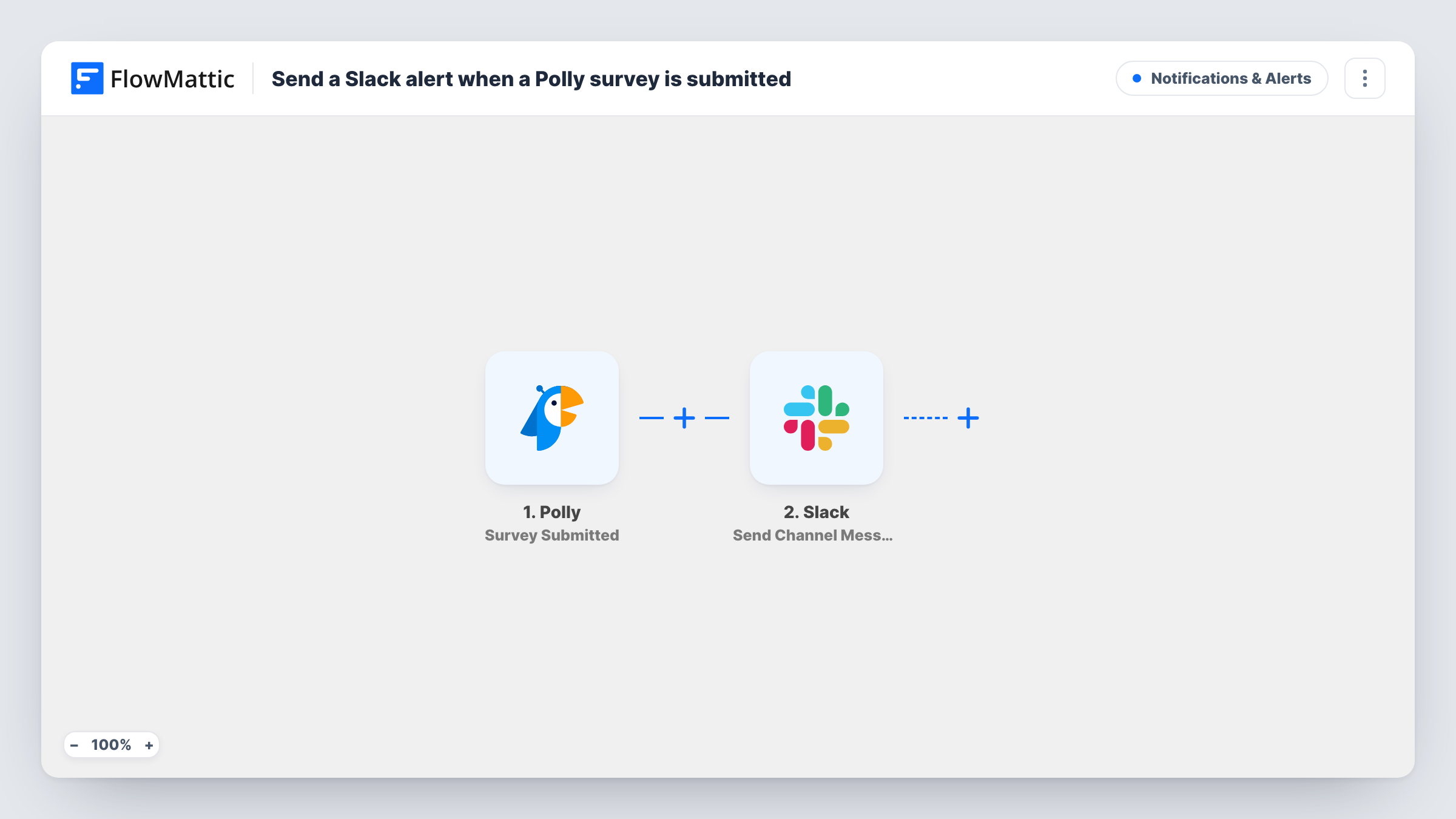
When a Polly survey is submitted, this workflow posts a message to a Slack channel with the survey details you map in, so the people who care about it hear straight away without checking Polly.
 Polly
 Slack
2 steps Setup ~5 min Used on 911 sites Free to import
What this workflow does
Polly runs surveys and polls for teams. When several people create surveys, it is easy to lose track of what has gone out and when. This workflow announces each submitted survey in a Slack channel you choose, so there is a running record your team can see.
The Polly Survey Submitted trigger fires when a survey is submitted. FlowMattic receives the data Polly sends for that event and hands it to Slack. Send Channel Message then posts to the channel you pick, using the text you write with Polly values mapped into it.
The flow has two steps and no conditions, so every Survey Submitted event produces one Slack message. Polly lists separate FlowMattic triggers for individual answers, Response Created and Response Changed, so use one of those in another workflow if you want an alert per response. Run a test after import and look at the captured data to confirm what Survey Submitted carries for your account.
Survey log for a people team
Several managers send Polly surveys to their teams. Each submitted survey is announced in an HR Slack channel, so HR sees what is being asked and when.
Avoiding duplicate surveys
Before sending a new survey, a team lead scrolls the Slack channel to check whether a colleague already submitted a similar Polly survey that week.
Keeping leadership informed
Leadership follows one Slack channel and sees each Polly survey as it is submitted, without opening Polly themselves.
How this workflow runs
What happens at each step once the workflow is on, and what you need before you import it.
 Polly Survey Submitted
Fires when a survey is submitted in Polly. The event's data is passed on so you can map it into the Slack message.
- Slack Send Channel Message
Posts the survey alert in Slack. Connect your workspace, choose the channel and write the message with the Polly survey details you want the team to see.
What you need
- FlowMatticCore
- Polly AccountAccount
- Slack AccountAccount
After importing, map your own data. To keep the template universal, not every step is pre-filled. Open each step in the builder and connect your accounts and fields (channels, lists, sheets, recipients) before you switch the workflow on.
Make it yours
Changes worth making after you import it.
- Include the survey's title or link in the message if Polly sends one, so people in a busy channel know which survey the alert is about.
- Add a Google Sheets Add New Row step after Slack to keep a dated list of every Polly survey submitted, alongside the channel message.
- Submit a test survey in Polly after import so FlowMattic captures real data, then decide which values to show in the Slack message.
Questions about this workflow
Does the Slack message include each person's Polly answers?
Not necessarily. This template uses Survey Submitted, not a response trigger. For per-answer alerts, build a workflow on Polly's Response Created trigger.
Which Polly survey details can appear in Slack?
Whatever Polly includes with the Survey Submitted event. Check a test run after import to see the values available to map.
Will earlier Polly surveys be posted to Slack?
No. Only surveys submitted after the workflow is switched on create a message.
Can I add a Filter so only some Polly surveys reach Slack?
Yes. Put a Filter between the trigger and the Slack step and set a condition on a value from the Polly data, such as the survey title, if Polly sends one.
More Notifications & Alerts workflows
Other ready-to-import templates from the same category.



Import this workflow into your WordPress site
Download the JSON, import it from the Workflows screen and connect your accounts. Every run stays on your server, with no per-task fees.
30-day money-back guarantee Unlimited workflows and runs Self-hosted