

Send a Slack alert when a Pine Labs payment fails
When a payment against a Pine Labs order fails, FlowMattic posts a message to the Slack channel you choose, so someone on your team can look at the order and contact the customer.
 Pine Labs
 Slack
2 steps Setup ~5 min Used on 3.4k sites Free to import
What this workflow does
A failed payment usually leaves a customer who wanted to buy and an order that didn't complete. If nobody notices, the order just sits there. This workflow tells your team in Slack whenever Pine Labs reports a payment failure, so a person can decide what to do next.
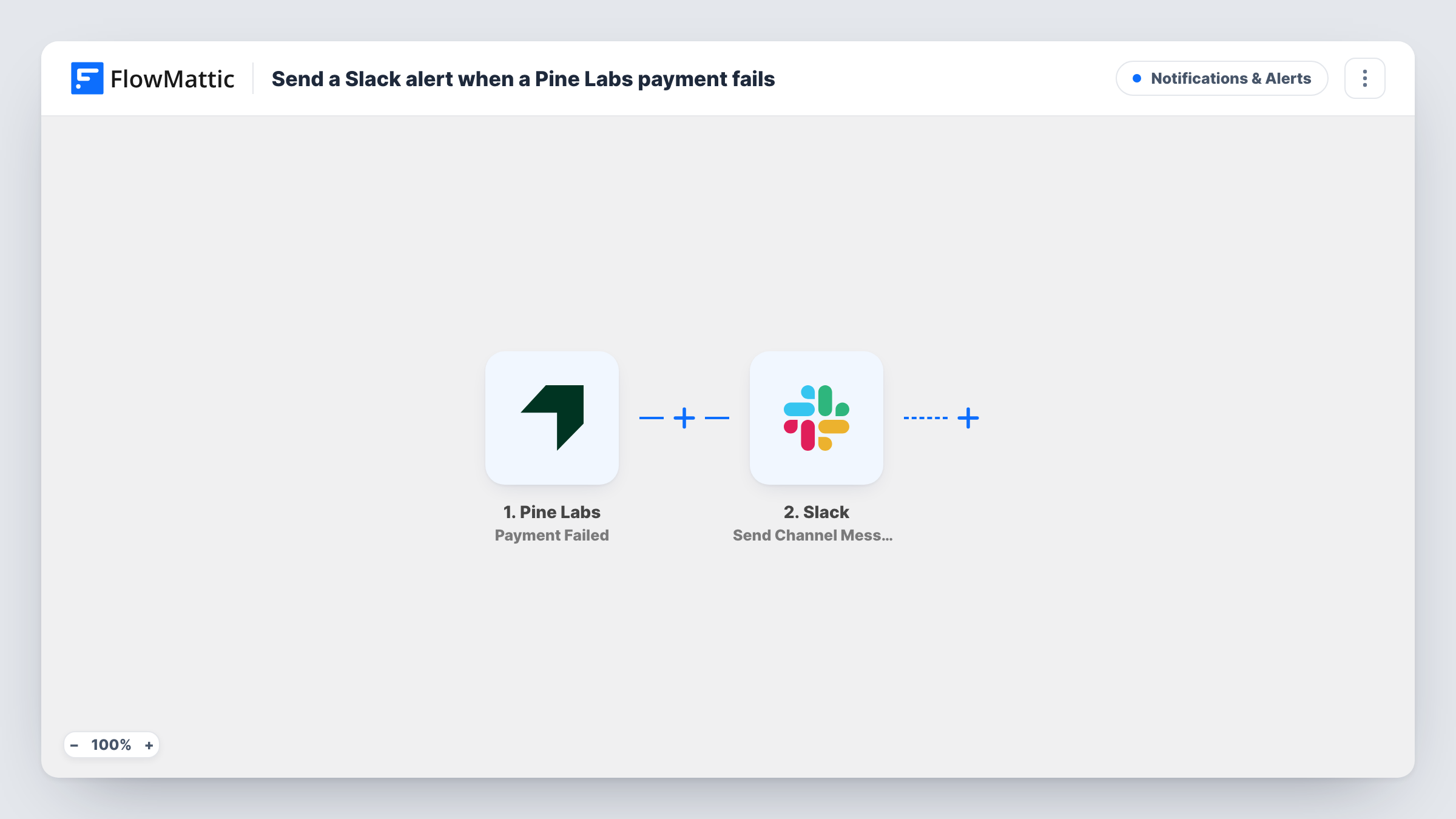
The Pine Labs trigger, Payment Failed, fires when the payment against an order fails. FlowMattic then runs the Slack step, Send Channel Message, which posts to the channel you pick. You write the message and insert values from the Pine Labs event, such as the order reference or amount, wherever you want them.
The run ends with that post. No email goes to the customer and the order isn't changed in Pine Labs. Every failure posts its own message, so a customer who retries and fails twice appears twice. Task History keeps a record of each alert.
Follow-up on failed online orders
An online store's sales team watches a #payments channel and calls or emails the buyer when a Pine Labs payment fails, while the order is still fresh.
Spotting gateway problems early
Several failures posting in a row is a cue for the finance or tech team to check the payment setup instead of waiting for complaints.
High-value orders handled by account managers
A B2B seller's account managers share one Slack channel, and the person who owns the customer picks up the failed payment alert and gets in touch.
How this workflow runs
What happens at each step once the workflow is on, and what you need before you import it.
 Pine Labs Payment Failed
Runs when Pine Labs reports that the payment against an order has failed. The data in that event is passed on so you can use it in the Slack message.
- Slack Send Channel Message
Sends the failed payment alert into whichever Slack channel you set. Write the text and add Pine Labs values, such as the order reference and amount, so the team knows which payment to look at.
What you need
- FlowMatticCore
- Pine Labs AccountAccount
- Slack AccountAccount
After importing, map your own data. To keep the template universal, not every step is pre-filled. Open each step in the builder and connect your accounts and fields (channels, lists, sheets, recipients) before you switch the workflow on.
Make it yours
Changes worth making after you import it.
- Make your alert readable at a glance: put the amount and order reference at the start of the message so people can act without opening Pine Labs.
- Add a Google Sheets step after Slack to log each failed payment, so you can review patterns later.
- For a private channel, change the step to Slack's Send Private Channel Message. To reach one person, use Send Direct Message.
Questions about this workflow
Does the workflow retry the failed Pine Labs payment?
No. A Slack post is all this Pine Labs workflow produces. Any retry or follow-up happens through Pine Labs or your own contact with the customer.
Which Pine Labs details can go into the Slack alert?
The values included with Pine Labs' Payment Failed event. After import, trigger or capture a failed payment and look at the data in the trigger step to see what you can insert.
Can I also get Slack alerts for failed Pine Labs refunds or orders?
Pine Labs has separate triggers for those, such as Refund Failed and Order Failed. Duplicate this workflow and swap the trigger for each one you want.
Will every failed attempt post a separate Slack message?
Yes. Each Payment Failed event starts its own run. A customer who tries several times can produce several posts.
More Notifications & Alerts workflows
Other ready-to-import templates from the same category.



Import this workflow into your WordPress site
Download the JSON, import it from the Workflows screen and connect your accounts. Every run stays on your server, with no per-task fees.
30-day money-back guarantee Unlimited workflows and runs Self-hosted