

When a Comm100 chat is transferred, log it in Airtable, then post a heads-up to the team in Slack
Each time a Comm100 chat is transferred between agents or departments, FlowMattic creates an Airtable record of the hand-off and then posts a heads-up in a Slack channel for the team.
 Comm100
 Airtable
 Slack
Slack3 steps Setup ~5 min Used on 1.5k sites Free to import
What this workflow does
A transferred chat is a hand-off, and hand-offs are where context gets lost. The receiving agent may need a nudge, and a support lead may want to know how often chats bounce between people. This workflow records each transfer and tells the team about it.
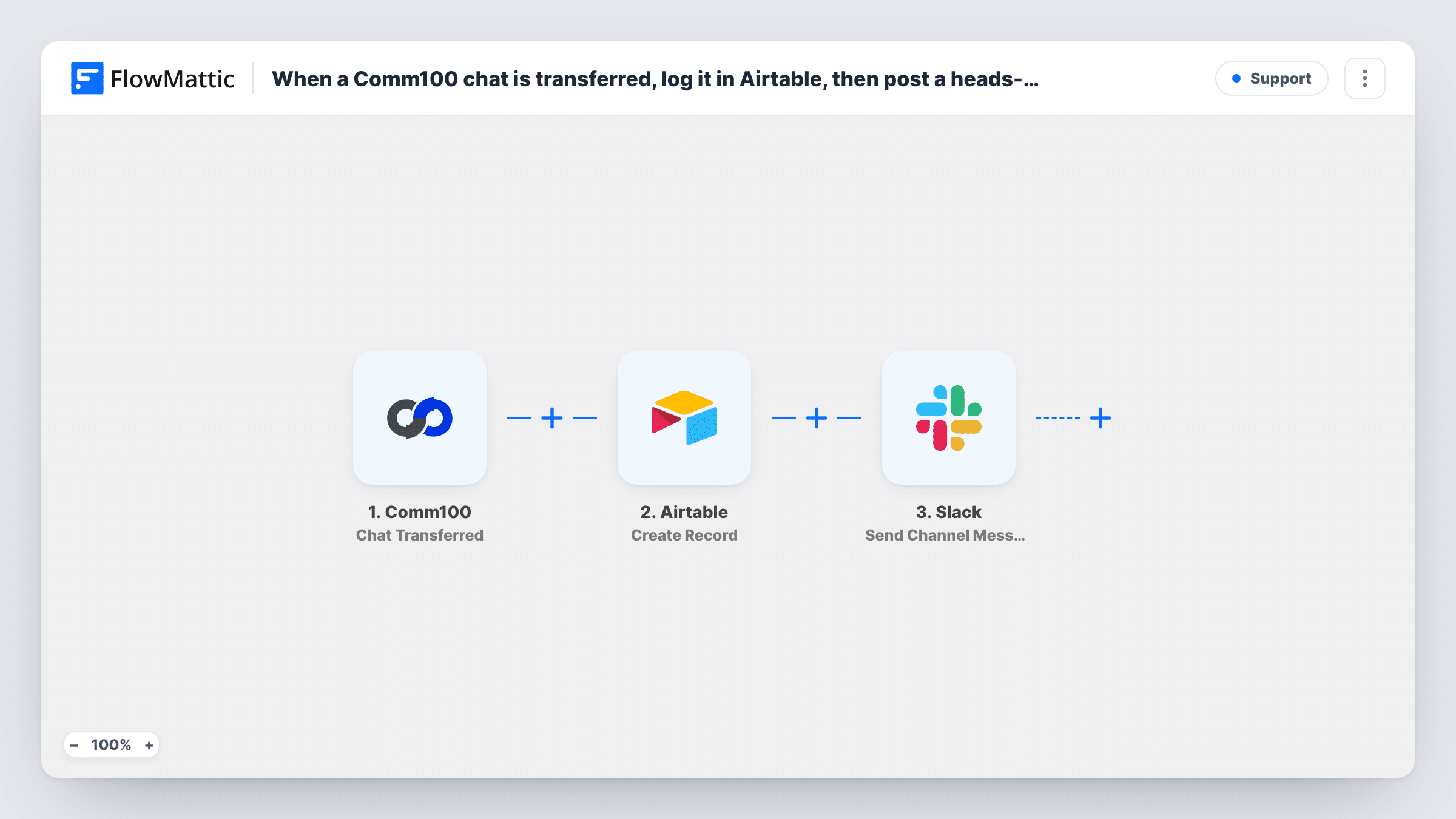
The Comm100 trigger Chat Transferred fires when a chat is transferred. FlowMattic passes the data Comm100 sends about it to Airtable, where Create Record adds a new record to the base and table you choose. After that, a Slack step posts a message to a channel, with whatever transfer details you map in.
The two outputs do different jobs. Airtable builds a history of transfers that you can group by agent or department. Slack gives people a live signal. Each transfer creates its own record and its own message. The workflow does not change the chat in Comm100, and Task History records both steps of every run.
Escalations to a specialist team
Chats moved from first-line support to billing appear in the billing Slack channel, while Airtable keeps a record of each escalation for the monthly review.
Measuring transfer rates
A support manager groups the Airtable records by the agent who passed the chat on, to see where extra training would reduce hand-offs.
Shift change cover
When agents hand chats over at the end of a shift, the Slack post lets the incoming shift see which conversations moved to them.
How this workflow runs
What happens at each step once the workflow is on, and what you need before you import it.
 Comm100 Chat Transferred
Fires when a chat is transferred in Comm100. The transfer details Comm100 sends are passed on for both the Airtable record and the Slack message.
- Airtable Create Record
Logs the transfer as a new Airtable record in the base and table you pick. Map the chat and agent details from Comm100 into your fields.
- Slack Send Channel Message
Posts a heads-up about the transfer to a Slack channel. Write the text, add the Comm100 details the team needs, and connect your Slack workspace on import.
What you need
- FlowMatticCore
- Comm100 AccountAccount
- Airtable AccountAccount
- Slack AccountAccount
After importing, map your own data. To keep the template universal, not every step is pre-filled. Open each step in the builder and connect your accounts and fields (channels, lists, sheets, recipients) before you switch the workflow on.
Make it yours
Changes worth making after you import it.
- Transfer a test chat in Comm100 after import so FlowMattic captures real data. Map Airtable fields and the Slack text from that sample.
- To send heads-ups to different Slack channels by department, add a Router between the Airtable step and the Slack step, with one exactly-matches route per department value and a Slack step on each.
- Add the Airtable record's link or ID to the Slack message by mapping the output of the Create Record step, so people can open the log entry in one click.
Questions about this workflow
Does the Slack message go to the agent who received the Comm100 chat?
It goes to the channel you set in the Slack step. If that agent is in the channel, they see it. Mention people in the text if your team uses Slack mentions.
Is a new Airtable record created for every Comm100 transfer?
Yes. A chat transferred twice produces two records and two Slack posts. The Create Record step never looks for an earlier record of the same chat.
Does the Airtable table need its fields set up before import?
Yes. Create the base and table with fields for the transfer details you want to keep. Then transfer a test chat, look at what Comm100 sent, and map those values to your fields in Create Record.
Can I log transfers without posting to Slack?
Yes. Delete the Slack step after import and the workflow will only create the Airtable record.
More Support workflows
Other ready-to-import templates from the same category.







Import this workflow into your WordPress site
Download the JSON, import it from the Workflows screen and connect your accounts. Every run stays on your server, with no per-task fees.
30-day money-back guarantee Unlimited workflows and runs Self-hosted