

When new ticket created in Freshdesk, send channel message to Zoho Cliq support team with ticket details
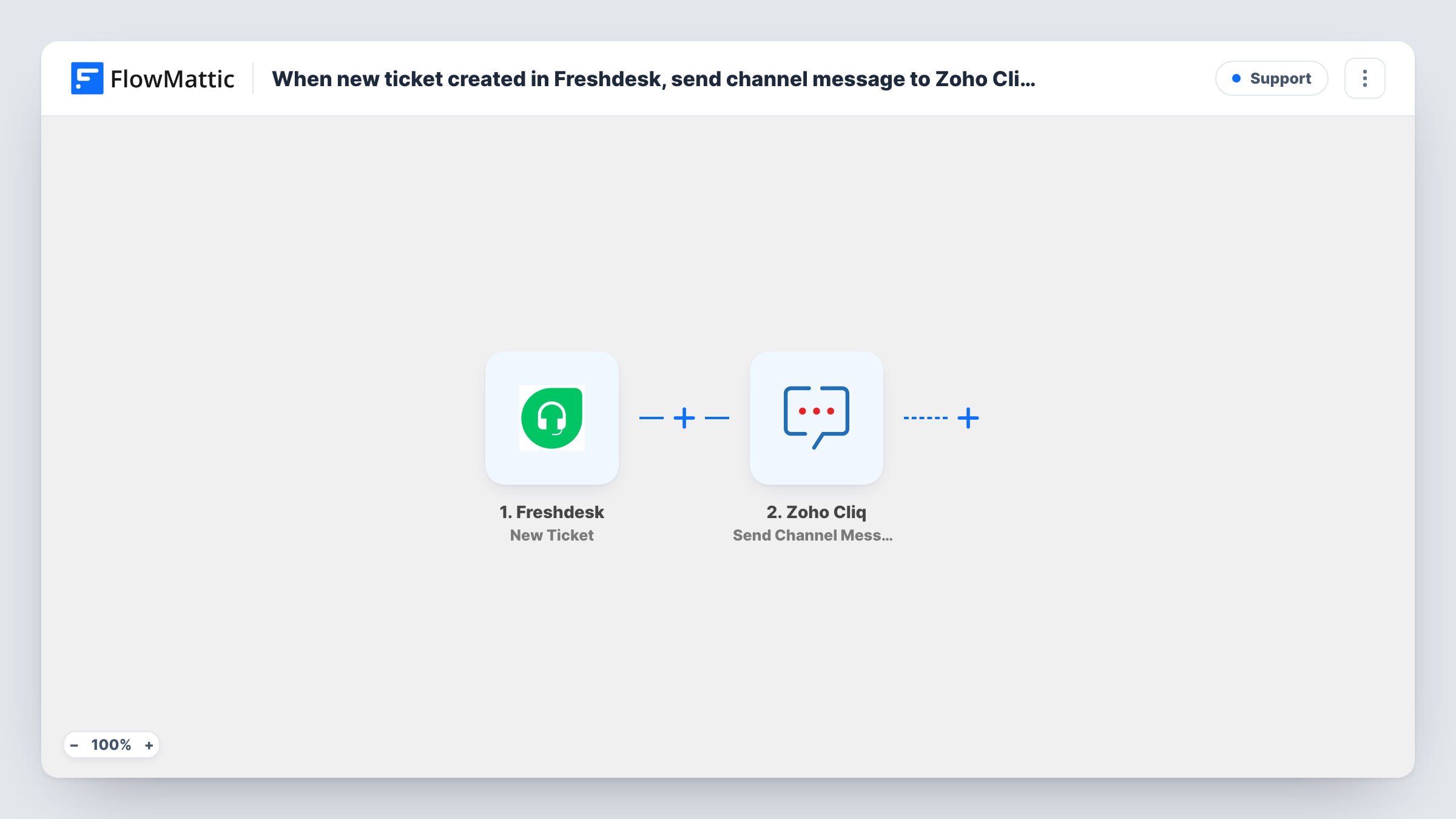
Each new Freshdesk ticket triggers a message in your Zoho Cliq support channel with the ticket details you choose, so agents see new requests in the chat they already have open.
 Freshdesk
 Zoho Cliq
2 steps Setup ~5 min Used on 3.0k sites Free to import
What this workflow does
Support teams that chat in Zoho Cliq still have to keep a Freshdesk tab open to notice new tickets. When the queue is quiet, a fresh ticket can sit unseen for a while. This workflow posts every new ticket to a Cliq channel so the team sees it where they talk.
The Freshdesk trigger starts a run as soon as a ticket is opened in your helpdesk. The ticket data Freshdesk sends, such as the subject, requester, priority and a link where available, becomes fields you can map. FlowMattic then uses Zoho Cliq's Send Channel Message action, which posts to a channel by its unique name, with the text you compose from those fields.
Every new ticket posts a message, whatever its source or priority. Replies and status changes on existing tickets don't run this workflow. Task History shows each run, with the ticket data received and Cliq's reply, which helps when you first lay out the message.
Small support team without a dispatcher
Nobody is assigned to watch the queue. Each new Freshdesk ticket appears in the Cliq support channel, and whoever is free picks it up.
Out-of-hours coverage
The on-call agent keeps Zoho Cliq on their phone. New tickets reach the channel, so they don't need to keep the Freshdesk inbox open all evening.
Shared visibility with product engineers
Engineers in the same Cliq channel see incoming tickets and can spot a pattern, such as several reports about the same feature on one day.
How this workflow runs
What happens at each step once the workflow is on, and what you need before you import it.
 Freshdesk New Ticket
Starts the workflow each time someone opens a Freshdesk ticket. The ticket's details are passed to the Zoho Cliq step for the message text.
- Zoho Cliq Send Channel Message
Sends a message to the Zoho Cliq channel named in the step. Write the text and insert ticket fields such as subject, requester and priority, then connect your Zoho account.
What you need
- FlowMatticCore
- Freshdesk AccountAccount
- Zoho Cliq AccountAccount
After importing, map your own data. To keep the template universal, not every step is pre-filled. Open each step in the builder and connect your accounts and fields (channels, lists, sheets, recipients) before you switch the workflow on.
Make it yours
Changes worth making after you import it.
- Add a Filter after the trigger that continues only for high or urgent priority if the channel gets too busy with every ticket.
- Include the ticket ID in the message so agents can search for it in Freshdesk straight away.
- Create a test ticket after import and check Task History to see which Freshdesk fields arrived before you finish the message.
Questions about this workflow
Does every new Freshdesk ticket go to Zoho Cliq?
Yes, as imported. There is no Filter, so tickets from every channel and at every priority post a message. Add a Filter on priority or source to narrow it.
Are Freshdesk replies or status changes posted to Cliq too?
No. The trigger is New Ticket, so only creation posts. Freshdesk's Update Ticket trigger in FlowMattic can drive a separate workflow if you want change alerts.
How does the step know which Zoho Cliq channel to use?
The action sends to a channel by its unique name. Check that name in Cliq and confirm with a test run that the message appears where you expect.
Can agents reply to the customer from Zoho Cliq?
No. The Cliq post only tells the team the ticket exists. Agents still answer the ticket in Freshdesk.
More Support workflows
Other ready-to-import templates from the same category.






Import this workflow into your WordPress site
Download the JSON, import it from the Workflows screen and connect your accounts. Every run stays on your server, with no per-task fees.
30-day money-back guarantee Unlimited workflows and runs Self-hosted