

When a form with audio upload is submitted in Fluent Forms, search words in transcript in AssemblyAI and tag in ActiveCampaign
When someone uploads an audio file through your Fluent Forms form, AssemblyAI transcribes it, searches the transcript for the words you choose, and the person’s ActiveCampaign contact gets a tag.
 Fluent Forms
 AssemblyAI
 ActiveCampaign
4 steps Setup ~8 min Used on 1.1k sites Free to import
What this workflow does
Voice notes, recorded testimonials and spoken answers hold useful detail, but nobody has time to listen to every file. This workflow turns each uploaded recording into text with AssemblyAI, looks for the words you care about, and tags the sender in ActiveCampaign so your email automations can pick them up.
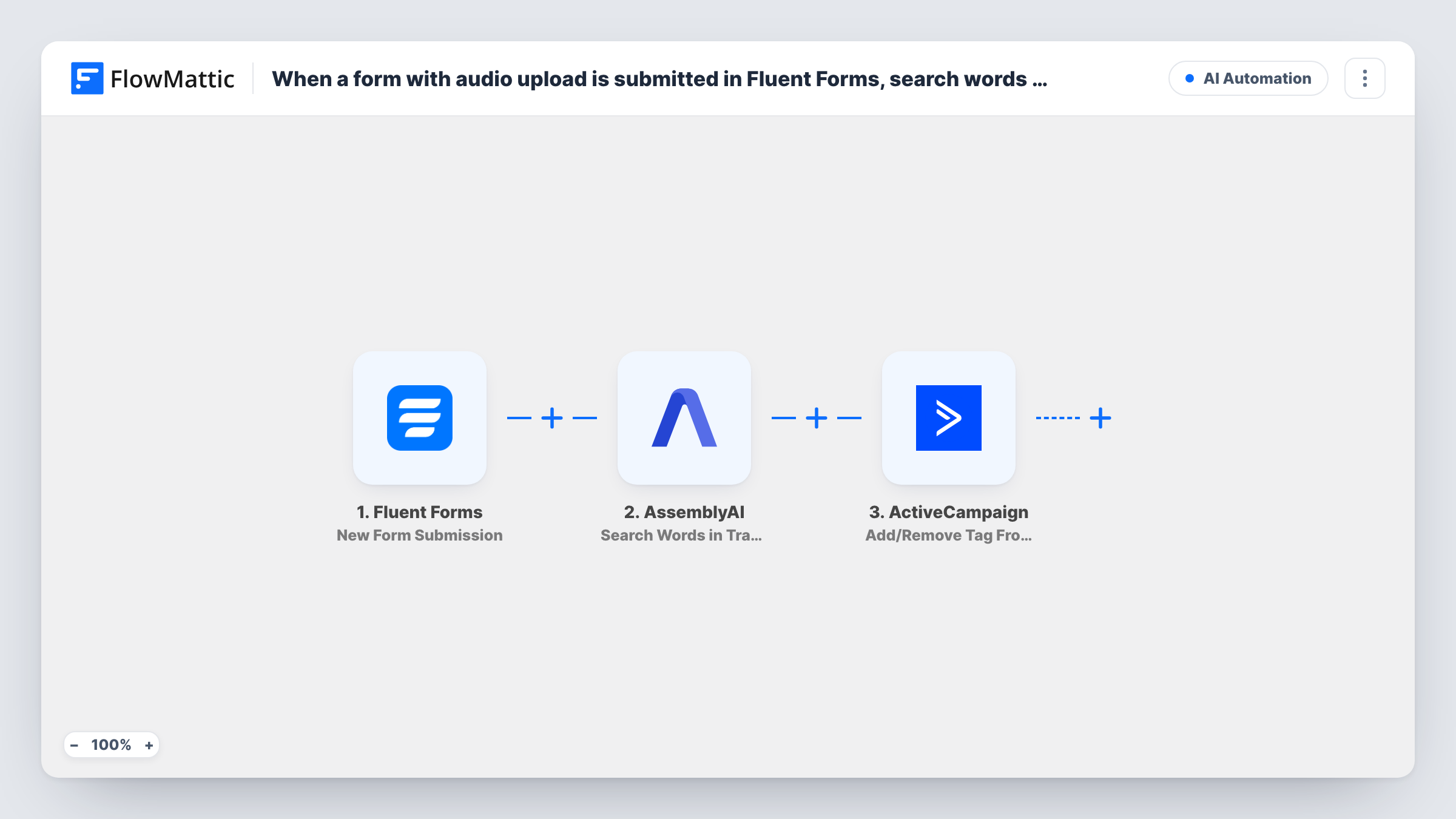
The Fluent Forms trigger fires whenever a visitor submits the form with their recording. The AssemblyAI Transcribe Audio step then transcribes the uploaded file, which you map from the form's file upload field. A second AssemblyAI step, Search Words in Transcript, looks in that transcript for the words you enter and returns what it found.
The last step, ActiveCampaign Add/Remove Tag From Contact, adds or removes a tag on the contact you map, usually by the submitter's email. All four steps ship unmapped, so after import you link the file URL, the transcript ID, your search words, the email and the tag.
There is no Filter in the template, so every submission gets the tag, whatever the search returns. To tag only people whose recording mentions your words, add a Filter on the search result between Search Words in Transcript and the ActiveCampaign step. Test with your own recording and an email that isn't in ActiveCampaign yet, and check Task History to see what each step returned.
Voice testimonials that mention a product
A skincare brand collects spoken reviews through Fluent Forms and searches each one for product names, so it can tag reviewers once a Filter is added on the search result.
Spoken applications for a programme
A coaching business asks applicants to record a short answer, searches it for words like "budget" or "timeline", and tags the applicant in ActiveCampaign for follow-up.
Customer voice feedback
A software team lets users send voice feedback and searches the text for feature names, keeping a tag on every contact who sent a recording.
How this workflow runs
What happens at each step once the workflow is on, and what you need before you import it.
 Fluent Forms New Form Submission
Starts a run for each new Fluent Forms submission. The answers, including the link to the uploaded audio file and the submitter's email, are passed on for mapping.
- AssemblyAI Transcribe Audio
Transcribes the audio or video file from the form. The step ships unmapped: map the uploaded file's URL from the Fluent Forms entry so AssemblyAI can fetch it, then check a test run for the transcript it returns.
- AssemblyAI Search Words in Transcript
Searches the transcript for specific words. Map the transcript ID from the previous step and enter the words to look for; a test run shows the search result you can use later.
- ActiveCampaign Add/Remove Tag From Contact
Adds or removes a tag on an ActiveCampaign contact. Nothing is mapped as imported: choose the tag to add and map the submitter's email from the form to pick the contact.
What you need
- FlowMatticCore
- Fluent Forms PluginPlugin
- AssemblyAI AccountAccount
- ActiveCampaign AccountAccount
After importing, map your own data. To keep the template universal, not every step is pre-filled. Open each step in the builder and connect your accounts and fields (channels, lists, sheets, recipients) before you switch the workflow on.
Make it yours
Changes worth making after you import it.
- Put a Filter between the Search Words in Transcript step and the ActiveCampaign step that continues only when the search found a match, so the tag means the words were spoken. A test run shows which field to check.
- If people who submit your form aren't in ActiveCampaign yet, add the Create or Update Contact action between the Search Words step and the tag step, mapping the email from the form.
- If Transcribe Audio returns a transcript that isn't finished yet, add a Delay between it and the Search Words step, or use AssemblyAI's Get Transcript action there to fetch the completed text.
- Make the file upload field required and limit it to audio file types in Fluent Forms, so every entry has a recording for AssemblyAI to transcribe.
Questions about this workflow
Does every Fluent Forms submission get the ActiveCampaign tag?
Yes, as imported. Search Words in Transcript only reports what it found; nothing checks the result, so the tag step runs for every entry. Add a Filter on the search result between Search Words in Transcript and the ActiveCampaign step to change that.
What if the submitter isn't an ActiveCampaign contact yet?
The tag step works on a contact you identify. Test with an email that isn't in ActiveCampaign and check Task History. If the tag isn't applied, add Create or Update Contact before the tag step.
Which words does AssemblyAI search for?
None are set. The Search Words in Transcript step ships empty, so you enter the words or phrases after import, such as product names or topics you want to spot.
Can AssemblyAI read files uploaded through Fluent Forms?
AssemblyAI needs a file URL it can open. Fluent Forms stores uploads on your site, so map the upload's link and make sure your site doesn't block outside access to the uploads folder.
More AI Automation workflows
Other ready-to-import templates from the same category.








Import this workflow into your WordPress site
Download the JSON, import it from the Workflows screen and connect your accounts. Every run stays on your server, with no per-task fees.
30-day money-back guarantee Unlimited workflows and runs Self-hosted