

When a new row is added to Smartsheet, have ChatGPT generate a text message and send it to a Telegram group
Each new row in your Smartsheet sheet is sent to ChatGPT with a prompt you write, and the generated text is posted by your bot to a Telegram group, turning raw row data into a readable update.
 Smartsheet
 OpenAI (ChatGPT)
 Telegram
3 steps Setup ~5 min Used on 1.2k sites Free to import
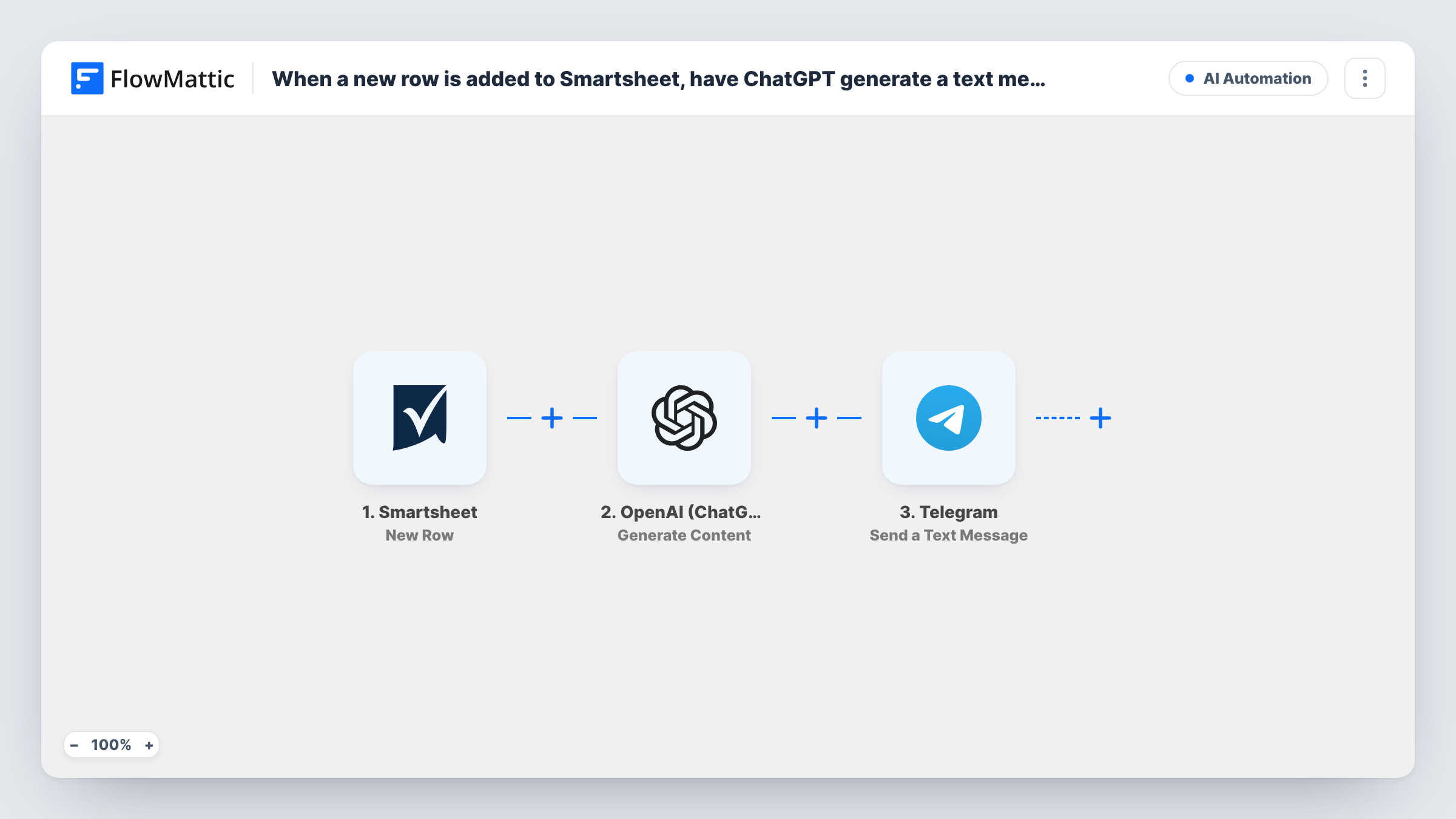
What this workflow does
A Smartsheet row is built for tracking, not for reading in a chat. Column values like dates, owners and status codes make sense on the sheet, but a group of people on their phones wants a plain sentence. This workflow asks ChatGPT to write that sentence for every new row and posts it to Telegram.
The Smartsheet trigger fires when a new row is added to the sheet you pick. FlowMattic puts the row's values into a prompt for OpenAI (ChatGPT), which generates content based on it. The Telegram step then sends that text to your group through your bot, with markup if you want it.
The prompt decides what the message sounds like. Ask for one or two lines, a friendly tone, or a list of the key fields. Every new row produces a message, and edits to existing rows do not. Task History shows the prompt, the generated text and Telegram's reply for each run.
Project updates for a field team
Office staff log new jobs in Smartsheet. ChatGPT turns each row into a short brief that the field team reads in their Telegram group.
Sales wins shared with the company
When a closed deal is added as a row, ChatGPT writes a short congratulation naming the rep and the client, and the bot posts it to the team group.
Event logistics tracker
Each new task row, such as a vendor booking, becomes a plain-language note in the organisers' Telegram group with who owns it and when it is due.
How this workflow runs
What happens at each step once the workflow is on, and what you need before you import it.
 Smartsheet New Row
Fires when a new row is added to the Smartsheet sheet you select. The row's cell values are passed on for use in the ChatGPT prompt.
- OpenAI (ChatGPT) Generate Content
Sends your prompt, with the Smartsheet row values mapped in, to OpenAI and returns the generated content. Tell it how long and in what tone the message should be.
- Telegram Send a Text Message
Posts the generated text to your Telegram group through your bot. Map the OpenAI output as the message. Your bot has to be a member of that group.
What you need
- FlowMatticCore
- Smartsheet AccountAccount
- OpenAI (ChatGPT) AccountAccount
- Telegram AccountAccount
After importing, map your own data. To keep the template universal, not every step is pre-filled. Open each step in the builder and connect your accounts and fields (channels, lists, sheets, recipients) before you switch the workflow on.
Make it yours
Changes worth making after you import it.
- Add a Filter after the Smartsheet trigger that continues only when a key column is filled in. Rows that are still half empty then don't produce vague messages.
- Tell ChatGPT in the prompt to use only the values you provide and not to add facts, which keeps the Telegram message close to what is in the row.
- Add a row to your sheet after import so FlowMattic captures the column values, then map them into the prompt and check the result in Task History.
Questions about this workflow
Does an edited Smartsheet row send a new Telegram message?
No. This template uses the New Row trigger. Smartsheet also has an Updated Row trigger in FlowMattic if you want to announce changes in a separate workflow.
Do I need an OpenAI API account for the ChatGPT step?
Yes. The step runs through the OpenAI account you connect, and usage is billed by OpenAI under that account.
Can I post the raw Smartsheet row without ChatGPT?
Yes. Delete the OpenAI step and map the row values straight into the Telegram message. The AI step only rewrites the data into plain sentences.
How do I find the right Telegram group for the bot?
Add your bot to the group first, then point the Telegram step at that chat. Send a test row to confirm the message arrives.
More AI Automation workflows
Other ready-to-import templates from the same category.






Import this workflow into your WordPress site
Download the JSON, import it from the Workflows screen and connect your accounts. Every run stays on your server, with no per-task fees.
30-day money-back guarantee Unlimited workflows and runs Self-hosted