

Get optimized Title and Description of the webpage URL from a task in Todoist using OpenAI and create a new blog post in WordPress
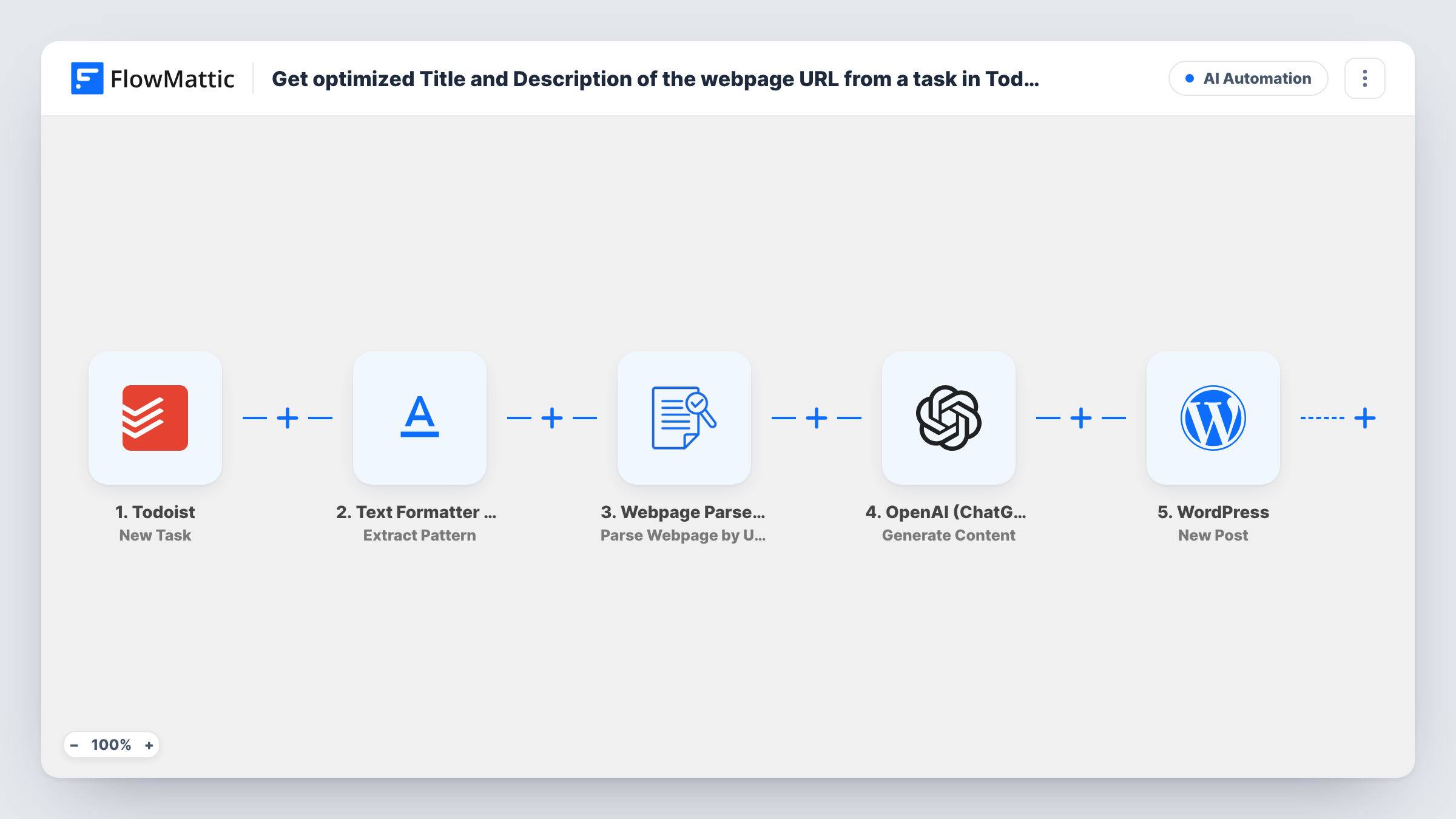
Add a Todoist task containing a webpage URL, and this workflow pulls out the link, reads the page, has OpenAI write an optimized title and description from it, and creates a new WordPress post.
 Todoist
 Text Formatter by FlowMattic
 Webpage Parser by FlowMattic
 OpenAI (ChatGPT)
 WordPress
5 steps Setup ~8 min Used on 2.6k sites Free to import
What this workflow does
A to-do list is a natural place to park links you want to write about. Turning each one into a draft still takes time: open the page, work out what it says, write a headline and a summary. This workflow takes a Todoist task with a URL in it and does that groundwork, ending with a new post on your WordPress site.
A run begins whenever you add a task in Todoist. Text Formatter's Extract Pattern step runs a regular expression over the task text to find the URL. Each match comes back as its own value, and the workflow uses the one you map. Webpage Parser then fetches that URL and turns the page into data, such as its title and description. OpenAI Generate Content receives your prompt with that data and writes the optimized title and description. The last step creates a post in WordPress from the result.
Every new task starts a run, including tasks with no link. Review the post status and content the WordPress step produces in a test run before you let it run unattended.
Reading list to blog drafts
You add articles worth covering to a Todoist project as you find them, and each one becomes a WordPress post with a suggested title and description to edit.
Curated link roundups
A newsletter writer saves links in Todoist during the week, and each saved link gets a WordPress post with a short AI-written summary to build the roundup from.
Product or tool reviews
Drop the URL of a tool you plan to review into a task, and the site gets a starting post with the page's key details already summarised.
How this workflow runs
What happens at each step once the workflow is on, and what you need before you import it.
 Todoist New Task
Fires when a new task is created in Todoist. The task's text, which should contain the webpage URL, is passed to the next step.
- Text Formatter by FlowMattic Extract Pattern
Runs a regular expression over the task text to pull out the URL. Each match is returned as a separate value, such as result_0, and you map the one you want into the Webpage Parser step.
- Webpage Parser by FlowMattic Parse Webpage by URL
Fetches the extracted URL and parses the webpage into JSON data, so values like the page title and description can be passed to OpenAI.
- OpenAI (ChatGPT) Generate Content
Sends your prompt to OpenAI along with the parsed page data, and returns generated content. Ask for an optimized title and a description in a format you can map into WordPress.
- WordPress New Post
Creates a new post in WordPress from the OpenAI output. Map the generated title and description into the post, then check the result of a test run on your site.
What you need
- FlowMatticCore
- Todoist AccountAccount
- OpenAI (ChatGPT) AccountAccount
After importing, map your own data. To keep the template universal, not every step is pre-filled. Open each step in the builder and connect your accounts and fields (channels, lists, sheets, recipients) before you switch the workflow on.
Make it yours
Changes worth making after you import it.
- Add a Filter after the Extract Pattern step that continues only when a URL was found. Tasks without a link then stop before OpenAI and WordPress are reached.
- Keep links in one Todoist project and add a Filter condition on the task's project, so ordinary to-dos stop before the parsing and posting steps.
- Ask OpenAI to return the title and description on separate, labelled lines, then separate them with Text Formatter's Split Text or Text Between action before mapping each into WordPress.
Questions about this workflow
What happens if a Todoist task has no URL in it?
As imported, the run carries on. Extract Pattern finds no match, and the later steps still run with empty data. Add a Filter after Extract Pattern to stop those runs.
Will the post built from my Todoist link be published or saved as a draft?
Check a test run to see how the New Post step creates the post on your site, and adjust the step before you leave the workflow on.
Which OpenAI account does the Generate Content step use?
Your own. You connect your OpenAI account in FlowMattic when you import the workflow, and the Generate Content step runs through it.
What if the Todoist task holds two URLs?
Extract Pattern returns each match as its own value, but the run uses only the one you map. To handle every link, you would need an Iterator over the matches.
More AI Automation workflows
Other ready-to-import templates from the same category.







Import this workflow into your WordPress site
Download the JSON, import it from the Workflows screen and connect your accounts. Every run stays on your server, with no per-task fees.
30-day money-back guarantee Unlimited workflows and runs Self-hosted