

When a new form response is submitted in SuprForms, create a new record in Airtable, then post the response details to Slack
When someone submits a SuprForms form, this workflow stores the response as a new Airtable record and then posts the details to a Slack channel, so your data is saved and your team hears about it.
 SuprForms
 Airtable
 Slack
Slack3 steps Setup ~5 min Used on 2.2k sites Free to import
What this workflow does
Form answers are only useful once they are stored where your team works and someone knows they arrived. Checking SuprForms for new responses, copying them into Airtable and then telling colleagues is three manual jobs. This workflow does all three each time a response comes in.
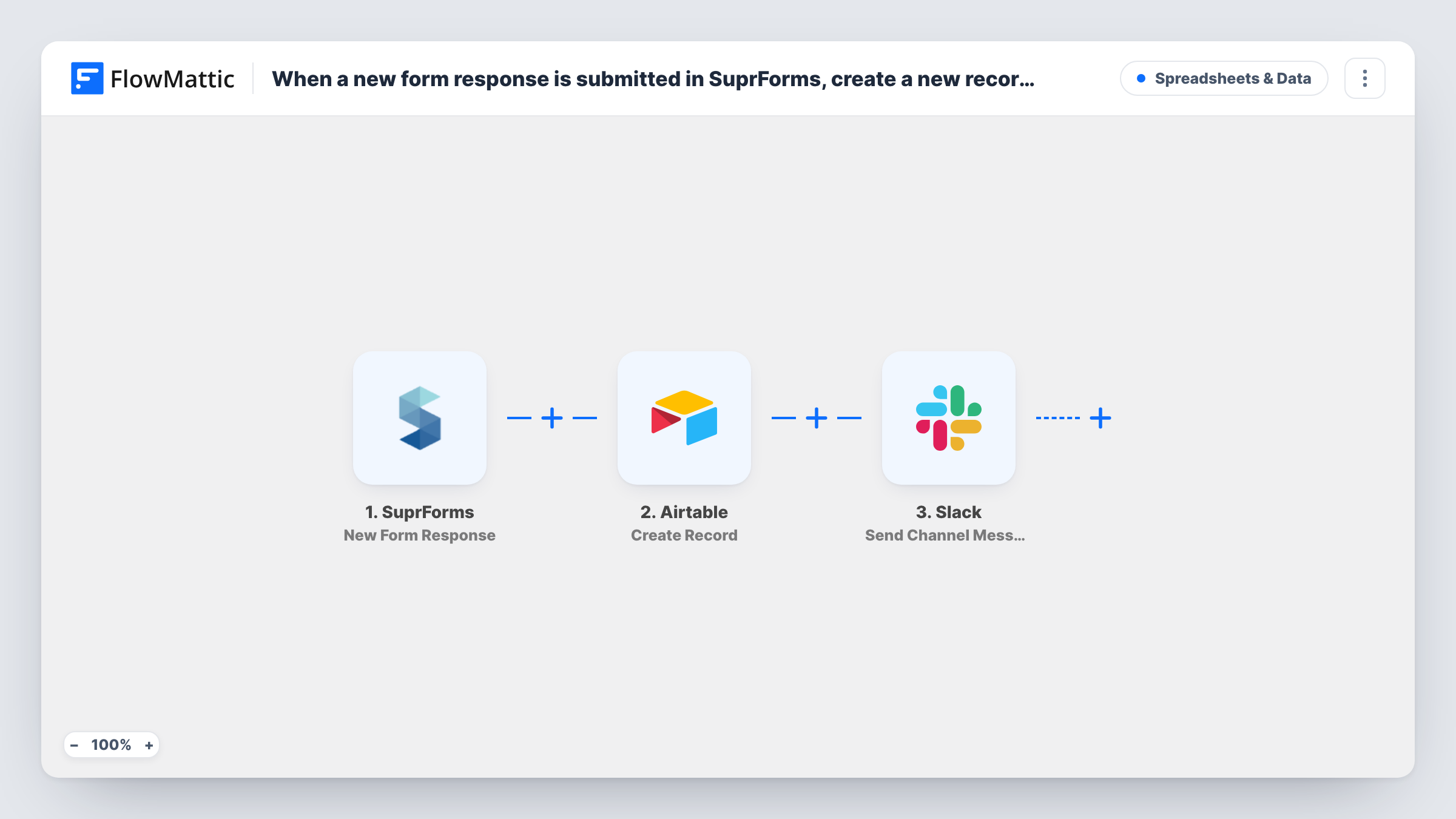
The SuprForms trigger fires when a form response is submitted. FlowMattic then creates a new record in Airtable in the base and table you choose, with the answers mapped to its fields. Last, the Slack step posts a message to the channel you pick, and you decide which response details it includes.
Every response follows the same path, since nothing in between filters them. To confirm each record was created, look at what the Airtable step returned for that run in Task History.
Event registrations with a team heads-up
Each SuprForms registration becomes an Airtable record for the guest list, and the events channel in Slack sees who signed up.
Customer feedback triage
Feedback responses are stored in an Airtable table your product team tags and sorts, while a Slack post lets them read new comments as they arrive.
Lead capture for a sales team
Enquiries submitted through SuprForms land in an Airtable lead table, and the sales channel gets the contact name and request to pick up.
How this workflow runs
What happens at each step once the workflow is on, and what you need before you import it.
 SuprForms New Form Response
Fires when a form response is submitted in SuprForms. The answers from that response are passed to the Airtable and Slack steps for mapping.
- Airtable Create Record
Adds the SuprForms response to Airtable as a fresh record in the base and table you set. Connect your Airtable account and map each SuprForms answer to the matching field.
- Slack Send Channel Message
Sends a SuprForms summary into one Slack channel of your choice. Write the message text and insert response details, such as the respondent's name and answers, from the trigger.
What you need
- FlowMatticCore
- SuprForms AccountAccount
- Airtable AccountAccount
- Slack AccountAccount
After importing, map your own data. To keep the template universal, not every step is pre-filled. Open each step in the builder and connect your accounts and fields (channels, lists, sheets, recipients) before you switch the workflow on.
Make it yours
Changes worth making after you import it.
- If the channel should only hear about some responses, put a Filter between the Airtable step and the Slack step, for example on a chosen answer equalling a certain value. Every response is still stored in Airtable.
- Include the response's key answers in the Slack message itself, so teammates can act without opening Airtable.
- Send one test response after import so FlowMattic captures the SuprForms fields, then map them in both later steps.
Questions about this workflow
Do I need my Airtable table set up before importing the SuprForms workflow?
Yes. The Create Record step writes into an existing base and table, so create the fields you want to fill first, then map the answers to them.
Which SuprForms answers appear in the Slack message?
Only the ones you insert. The Send Channel Message step ships without text, so after import you write the message and map in the answers your team needs, such as the respondent's name.
Can the Slack step post to a private channel?
For a private channel, FlowMattic's Slack integration has a separate Send Private Channel Message action. Swap it in for Send Channel Message after import and map the same SuprForms details into the text.
More Spreadsheets & Data workflows
Other ready-to-import templates from the same category.





Import this workflow into your WordPress site
Download the JSON, import it from the Workflows screen and connect your accounts. Every run stays on your server, with no per-task fees.
30-day money-back guarantee Unlimited workflows and runs Self-hosted