

Post a Discord notification for every new Sprintful booking reminder
Whenever Sprintful sends a booking reminder, this workflow posts a message in the Discord channel you pick, so your team sees the upcoming meeting at the same moment your guest is reminded.
 Sprintful
 Discord
2 steps Setup ~5 min Used on 2.4k sites Free to import
What this workflow does
Sprintful reminds your guests before a meeting, but your own team may not be watching the booking calendar. If the people who run the call live in Discord, a message there keeps them in step without another app to watch. This workflow posts to a channel each time Sprintful sends a reminder.
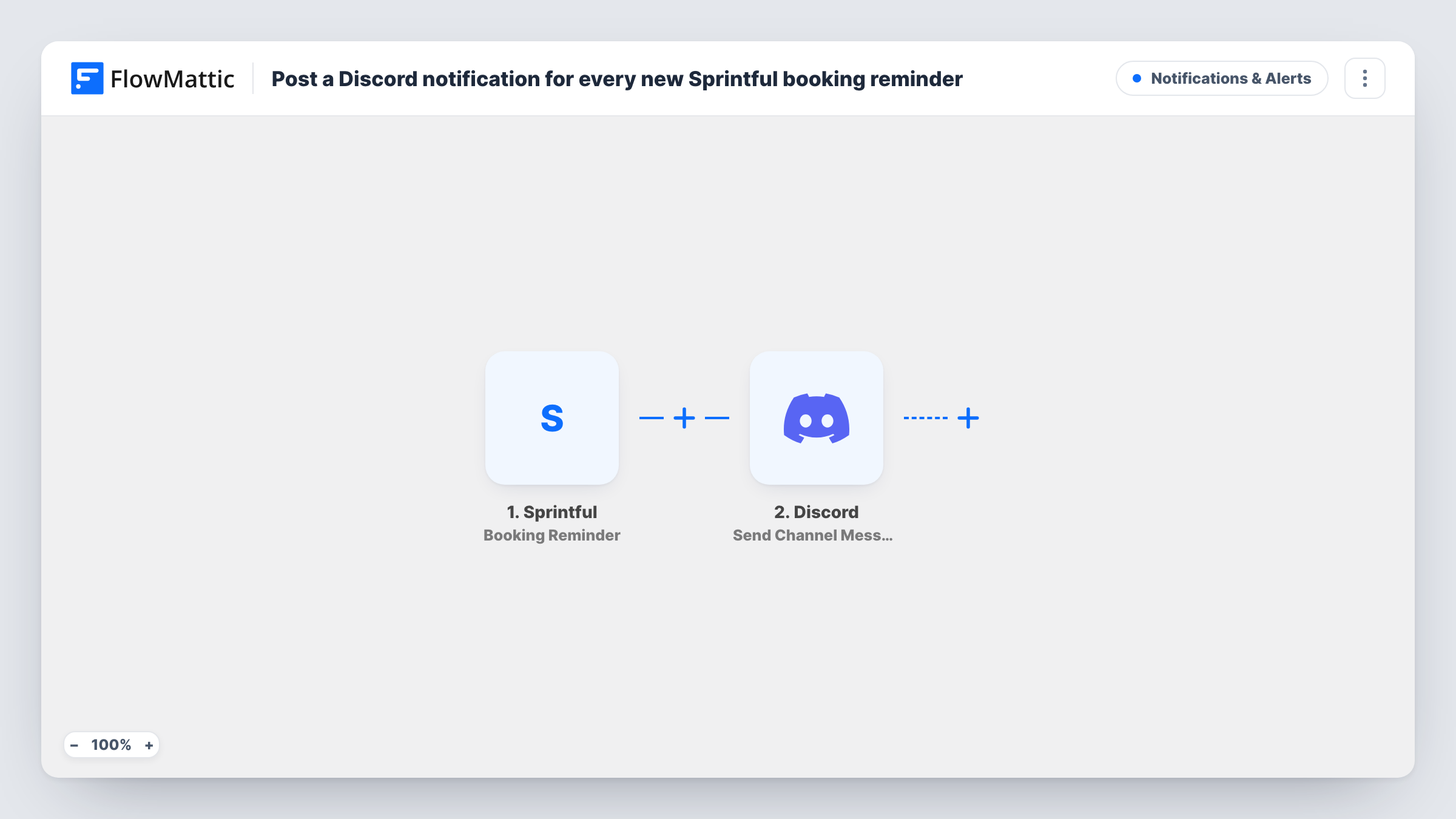
The Sprintful Booking Reminder trigger fires when a reminder for a booking goes out. FlowMattic takes the booking data that comes with it and passes it to Discord, where Send Channel Message posts a new message to the channel you choose. You write the message and drop in booking values from the trigger.
The timing follows your Sprintful reminder settings, because the workflow only reacts when a reminder is sent. If a booking gets more than one reminder, each one posts its own message. Each post is listed in Task History with the data that was sent.
Heads-up for a sales team
Reps working in a shared Discord server see a message for each demo that is about to happen, so whoever is free can join or cover.
Community calls and office hours
Members book slots through Sprintful, and moderators get a post in their private channel when the reminder goes out, ready to open the call.
Agency client meetings
Account managers and designers share a Discord channel. Client call reminders appear there so everyone knows which meetings are coming up.
How this workflow runs
What happens at each step once the workflow is on, and what you need before you import it.
 Sprintful Booking Reminder
Fires when Sprintful sends a reminder for a booking. The booking details tied to that reminder become data you can place in the Discord message.
- Discord Send Channel Message
Sends your message to a Discord channel when the reminder comes in. Connect Discord, pick the channel, write the text, and map booking values from Sprintful into it.
What you need
- FlowMatticCore
- Sprintful AccountAccount
- Discord AccountAccount
After importing, map your own data. To keep the template universal, not every step is pre-filled. Open each step in the builder and connect your accounts and fields (channels, lists, sheets, recipients) before you switch the workflow on.
Make it yours
Changes worth making after you import it.
- Use a channel that only your team can read. Booking details may include a guest's name or email, which you may not want in a public community channel.
- Book a test meeting soon enough to get a reminder after import, so FlowMattic captures the Sprintful data you will map into the Discord message.
- Want a post when meetings are booked or cancelled too? Build companion workflows on Sprintful's New Booking and Booking Cancelled triggers that post to the same channel.
Questions about this workflow
When does the Discord message about a Sprintful booking appear?
When Sprintful sends the booking reminder. The workflow has no timing of its own, so change the reminder settings in Sprintful if you want messages earlier or later.
Does a cancelled Sprintful booking still post to Discord?
This workflow only reacts to reminders Sprintful sends. If Sprintful sends no reminder for a cancelled booking, nothing is posted.
Can I mention a person or role in the Discord post?
You write the message in the step, so you can try adding a mention. Run a test to see how it appears in your channel.
Does my guest still get the Sprintful reminder?
Yes. The workflow only listens for the reminder event. It does not change what Sprintful sends to your guest, it only adds a post in Discord.
More Notifications & Alerts workflows
Other ready-to-import templates from the same category.




Import this workflow into your WordPress site
Download the JSON, import it from the Workflows screen and connect your accounts. Every run stays on your server, with no per-task fees.
30-day money-back guarantee Unlimited workflows and runs Self-hosted