

Post a Discord notification for every new Fantastical rsvp invitee
Each time an RSVP invitee is created in Fantastical, this workflow posts a message in a Discord channel you choose, so your team or community sees who has been added without opening the calendar.
 Fantastical
 Discord
2 steps Setup ~5 min Used on 873 sites Free to import
What this workflow does
When you run events or meetings through Fantastical, the guest list lives in your calendar. People who help you run the event, or a community that wants to see who is coming, usually don't have access to it. This workflow shares each new RSVP invitee in Discord.
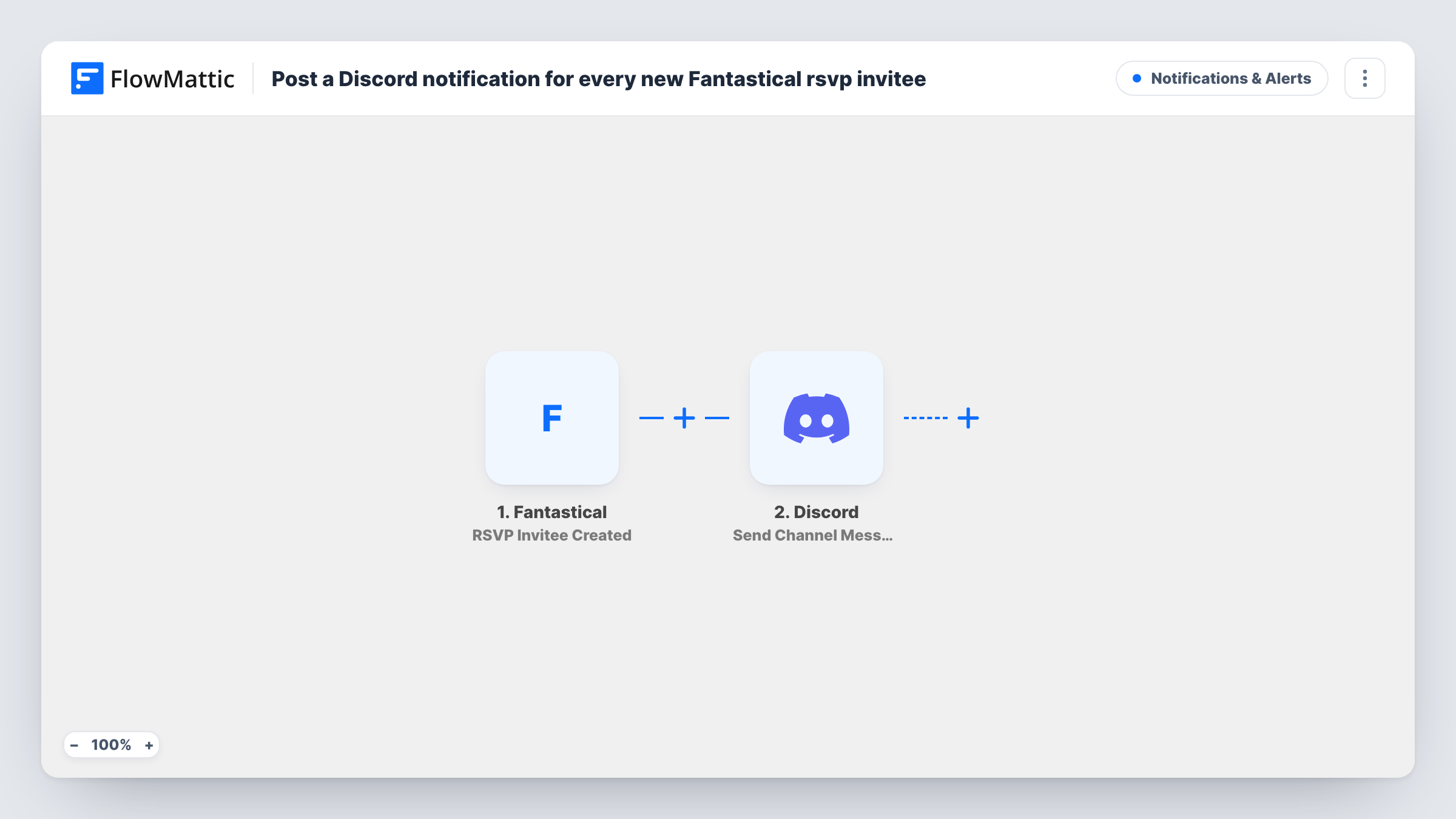
The Fantastical trigger, RSVP Invitee Created, fires when an RSVP invitee is created in Fantastical. FlowMattic passes the invitee's details to Discord, where Send Channel Message posts a new message to the channel you choose, written from those details.
Every new invitee sends one message, since nothing filters them as imported. Invitee details may include names or email addresses, so pick a channel whose members should see them, or leave those fields out of the message.
Event staff channel
Volunteers helping run a workshop follow a private Discord channel that lists each new invitee, so they know numbers before the day.
Community meetup announcements
A community server's events channel shows a short note as each person is invited, using only first names to keep details private.
Team meeting tracker
A project lead sees in the team's Discord when new invitees are added to an upcoming planning session.
How this workflow runs
What happens at each step once the workflow is on, and what you need before you import it.
 Fantastical RSVP Invitee Created
Fires when an RSVP invitee is created in Fantastical. The invitee's details become data you can place in the Discord message.
- Discord Send Channel Message
Announces the new Fantastical invitee in the Discord channel you pick. Write the message and insert the invitee details you want members to see.
What you need
- FlowMatticCore
- Fantastical AccountAccount
- Discord AccountAccount
After importing, map your own data. To keep the template universal, not every step is pre-filled. Open each step in the builder and connect your accounts and fields (channels, lists, sheets, recipients) before you switch the workflow on.
Make it yours
Changes worth making after you import it.
- Leave email addresses out of the Discord message if the channel is open to a wide group, and use only the name or event title.
- Add a Filter after the trigger if only invitees for certain events should be announced, using a value from the captured test data.
- Create a test invitee in Fantastical after import, then build the Discord message from the fields FlowMattic captured.
Questions about this workflow
Does the Discord message show whether the Fantastical invitee accepted?
The trigger fires when the invitee is created. Whether a reply status is included depends on what Fantastical sends at that moment, so check a test run to see.
Which Discord channels can the Fantastical alert post to?
Channels your Discord connection can post in. Pick one in the step during setup and send a test to confirm the message appears.
Will invitees added before I import this be posted to Discord?
No. Only invitees created after the workflow is turned on start a run.
More Notifications & Alerts workflows
Other ready-to-import templates from the same category.




Import this workflow into your WordPress site
Download the JSON, import it from the Workflows screen and connect your accounts. Every run stays on your server, with no per-task fees.
30-day money-back guarantee Unlimited workflows and runs Self-hosted