

Add new Privy signups to a Mailchimp audience automatically
Each new Privy signup is added to the Mailchimp audience you choose, or updated if the email is already a member, so people from your Privy pop-ups and forms get your Mailchimp emails.
 Privy
 Mailchimp
2 steps Setup ~5 min Used on 3.3k sites Free to import
What this workflow does
Privy pop-ups and flyouts collect email addresses on your store, but if you send newsletters from Mailchimp, those addresses need to reach it. Exporting and importing lists is easy to forget. This workflow adds every signup as it happens.
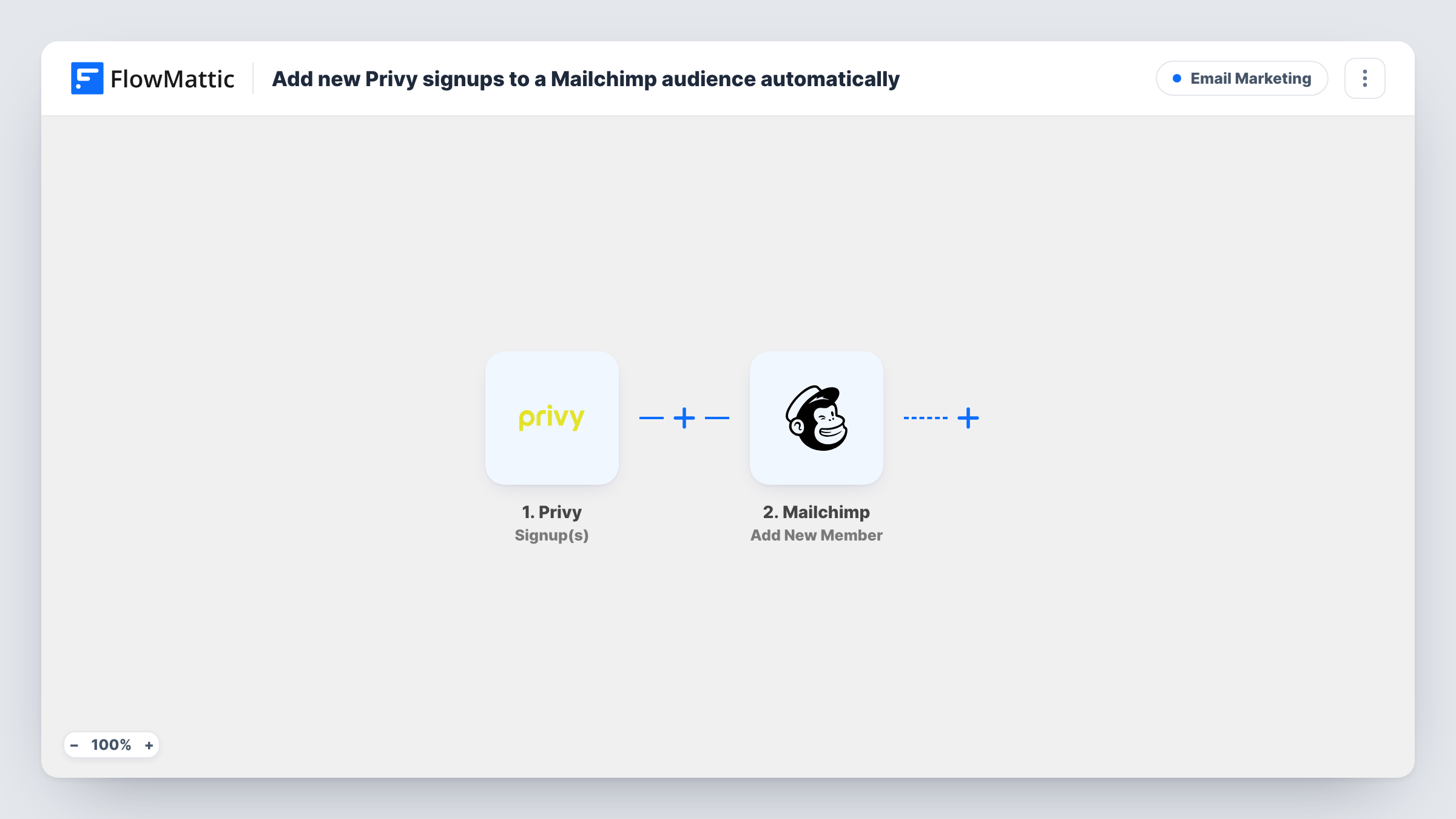
The Privy trigger fires when a new signup happens. FlowMattic passes the signup's details to the Mailchimp Add New Member action. That action adds the person to your audience, or updates them if their email address is already a member, so repeat signups do not create duplicates.
Every signup goes to the same audience as imported, whichever Privy campaign it came from. If you want different campaigns in different audiences or tagged apart, see the tips. Task History shows each signup and how Mailchimp responded.
Discount pop-up on an online store
Shoppers who enter their email for a first-order discount in Privy are added to the Mailchimp audience that receives your welcome series.
Exit-intent offer
People who sign up through a Privy exit pop-up land in Mailchimp, so they get your next campaign.
Giveaway entries
Entrants collected through a Privy contest form join the Mailchimp audience you use to announce the winner.
How this workflow runs
What happens at each step once the workflow is on, and what you need before you import it.
 Privy Signup(s)
Starts a run when a new signup happens in Privy. The email address and any other collected details are passed on for mapping.
- Mailchimp Add New Member
Adds the person to your chosen Mailchimp audience, or updates the member if that email already exists. Map the Privy email and any name fields.
What you need
- FlowMatticCore
- Privy AccountAccount
- Mailchimp AccountAccount
After importing, map your own data. To keep the template universal, not every step is pre-filled. Open each step in the builder and connect your accounts and fields (channels, lists, sheets, recipients) before you switch the workflow on.
Make it yours
Changes worth making after you import it.
- If the signup data names the Privy campaign, use a Router with a route per campaign, each with its own Add New Member step, to send each campaign to its own audience.
- Add a Filter that the email field is not empty, so a signup without an address does not reach Mailchimp.
- Sign up once through a live Privy campaign after import so FlowMattic captures the fields you can map.
Questions about this workflow
What if a Privy signup is already in my Mailchimp audience?
Add New Member updates the existing member instead of adding a second copy, so repeat signups are safe.
Are past Privy signups copied to Mailchimp?
No. The workflow reacts to new signups only. Contacts from before import need a one-time export from Privy.
Do all Privy campaigns feed the same Mailchimp audience?
Yes, as imported. If a test signup shows a campaign value, a Router or Filter on it can split or limit them.
Does Privy still keep the signup after it goes to Mailchimp?
Yes. The workflow only reads the signup and copies it to Mailchimp. Nothing in Privy is changed.
More Email Marketing workflows
Other ready-to-import templates from the same category.







Import this workflow into your WordPress site
Download the JSON, import it from the Workflows screen and connect your accounts. Every run stays on your server, with no per-task fees.
30-day money-back guarantee Unlimited workflows and runs Self-hosted