

Live search competitor news with Grok for each new Notion item and send the results to Telegram
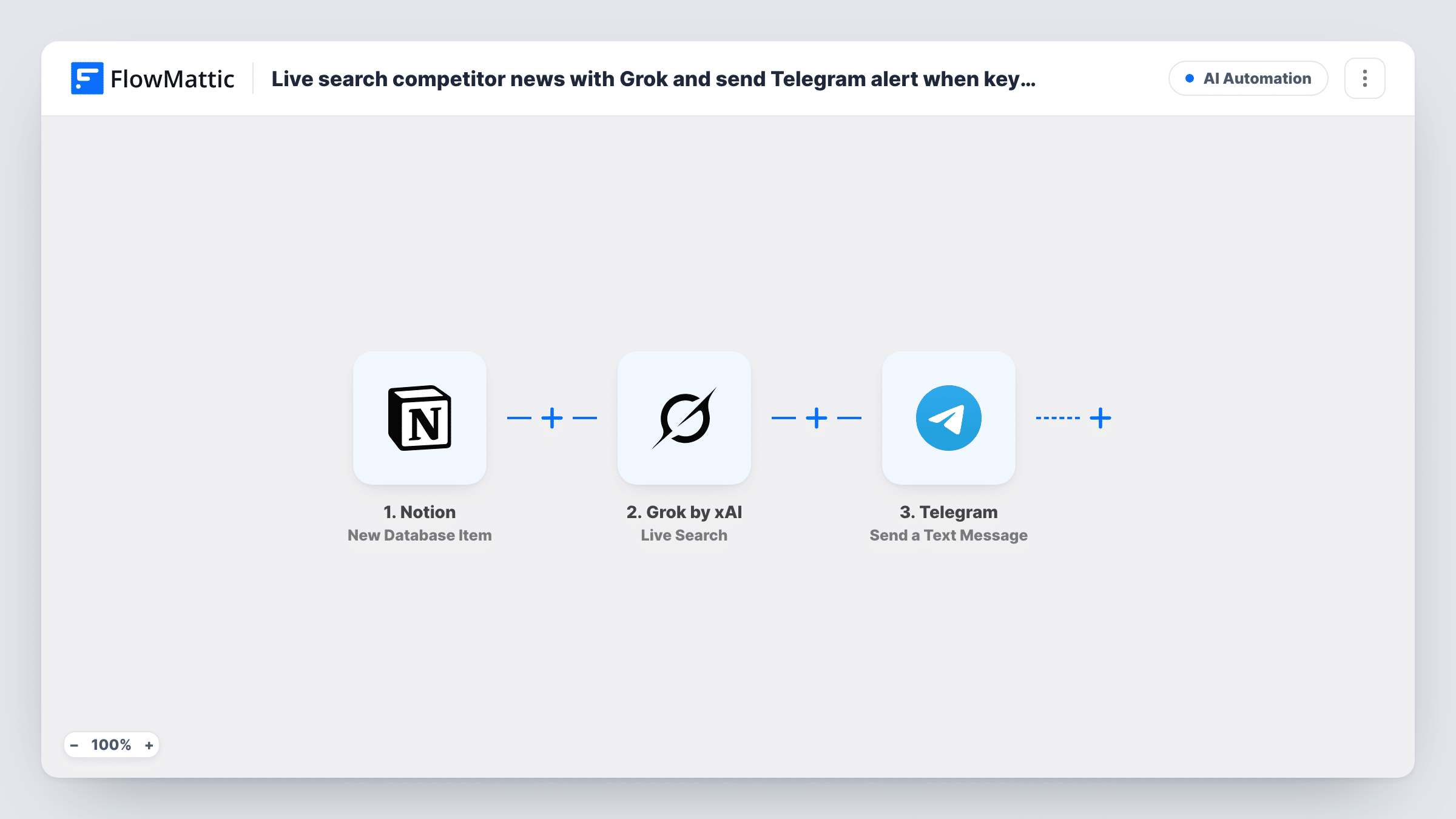
Add a competitor to your Notion database and FlowMattic runs a Grok Live Search for recent news about it, then sends whatever Grok finds to a Telegram chat.
 Notion
 Grok by xAI
 Telegram
3 steps Setup ~5 min Used on 1.5k sites Free to import
What this workflow does
Competitive research usually starts with a list: rival brands, new entrants, products to watch. This workflow turns that list in Notion into a prompt for fresh information. Each time you add an entry, Grok looks for current news about it and the summary is sent to you on Telegram, so you see the first findings without opening a browser.
Each run begins with a new entry in the Notion database you connect. The item's properties, such as the competitor name or website, are passed to the Live Search step in Grok by xAI. That step answers a query with real-time data from X, web and news sources. The query isn't written in the template, so after import you build it from the Notion fields, for example asking for the last week's news, launches and pricing changes for the named company.
Grok's reply then goes to the Telegram step, which sends a text message. Map the response into the message, set the chat it should go to, and add the competitor name as a heading.
A message is sent for every new Notion item, including when Grok finds little to report. The search runs once per item, at the moment it is added; it doesn't repeat later.
Briefing on a newly spotted rival
A founder adds a startup she just heard about to the Notion competitors database and gets Grok's news summary about it on her phone a few moments later.
Pre-meeting research for sales
A sales rep logs a competitor a prospect mentioned, and the team's Telegram group receives recent coverage of that company before the follow-up call.
Product launch watchlist
A product manager records each new competing product in Notion, so the Telegram chat collects what X users and news outlets are saying about it.
How this workflow runs
What happens at each step once the workflow is on, and what you need before you import it.
 Notion New Database Item
Starts the workflow whenever a new item is created in your chosen Notion database. Its properties, such as the competitor's name, are available for the search query.
- Grok by xAI Live Search
Runs a Grok Live Search with real-time data from X, web and news sources. The query ships empty: write it after import and include the Notion item's name so each search targets that competitor.
- Telegram Send a Text Message
Sends Grok's findings as a Telegram text message. Map the Live Search reply into the message body and set the chat that should receive it, then send a test item to check the formatting.
What you need
- FlowMatticCore
- Notion AccountAccount
- Grok by xAI AccountAccount
- Telegram AccountAccount
After importing, map your own data. To keep the template universal, not every step is pre-filled. Open each step in the builder and connect your accounts and fields (channels, lists, sheets, recipients) before you switch the workflow on.
Make it yours
Changes worth making after you import it.
- Ask Grok in the query to keep the answer short and list sources, so the Telegram message stays readable on a phone.
- Put a Filter between the Notion trigger and the Live Search step that continues only when the competitor name property is not empty, so half-finished entries don't start a search.
- To get repeat checks on the same competitors, build a second workflow on a Schedule trigger that queries Grok for each name you track, rather than re-adding Notion items.
Questions about this workflow
Does Grok search again later for the same Notion item?
No. The workflow runs once, when the item is created. For ongoing monitoring you need a scheduled workflow that queries Grok on a regular basis.
What sources does Grok's Live Search use?
FlowMattic describes Live Search as answering a query with real-time data from X, web and news sources. The result you get depends on how you phrase the query.
Is a Telegram message sent even when Grok finds no news?
Yes. There is no check on the search result, so every new Notion item ends with a Telegram message. To drop those, tell Grok to answer with a fixed phrase such as No news when it finds nothing, and put a Filter between Live Search and Telegram that stops replies containing that phrase.
Can the Grok results go to a Telegram group instead of a private chat?
Yes, as long as your bot is a member of that group. Set the group as the destination when you configure the Telegram step and run a test.
More AI Automation workflows
Other ready-to-import templates from the same category.








Import this workflow into your WordPress site
Download the JSON, import it from the Workflows screen and connect your accounts. Every run stays on your server, with no per-task fees.
30-day money-back guarantee Unlimited workflows and runs Self-hosted