

Add posts to Nuelink from new rows in your Google spreadsheet
Each new row in your Google spreadsheet becomes a social media post in a Nuelink collection, so you can plan posts in a sheet and let Nuelink handle publishing.
 Google Sheets
 Nuelink
2 steps Setup ~5 min Used on 1.6k sites Free to import
What this workflow does
A spreadsheet is a comfortable place to draft social posts: one row per post, columns for the text, a link and an image, and teammates editing side by side. Moving each finished row into a scheduling tool is the dull part. This workflow does that move for you.
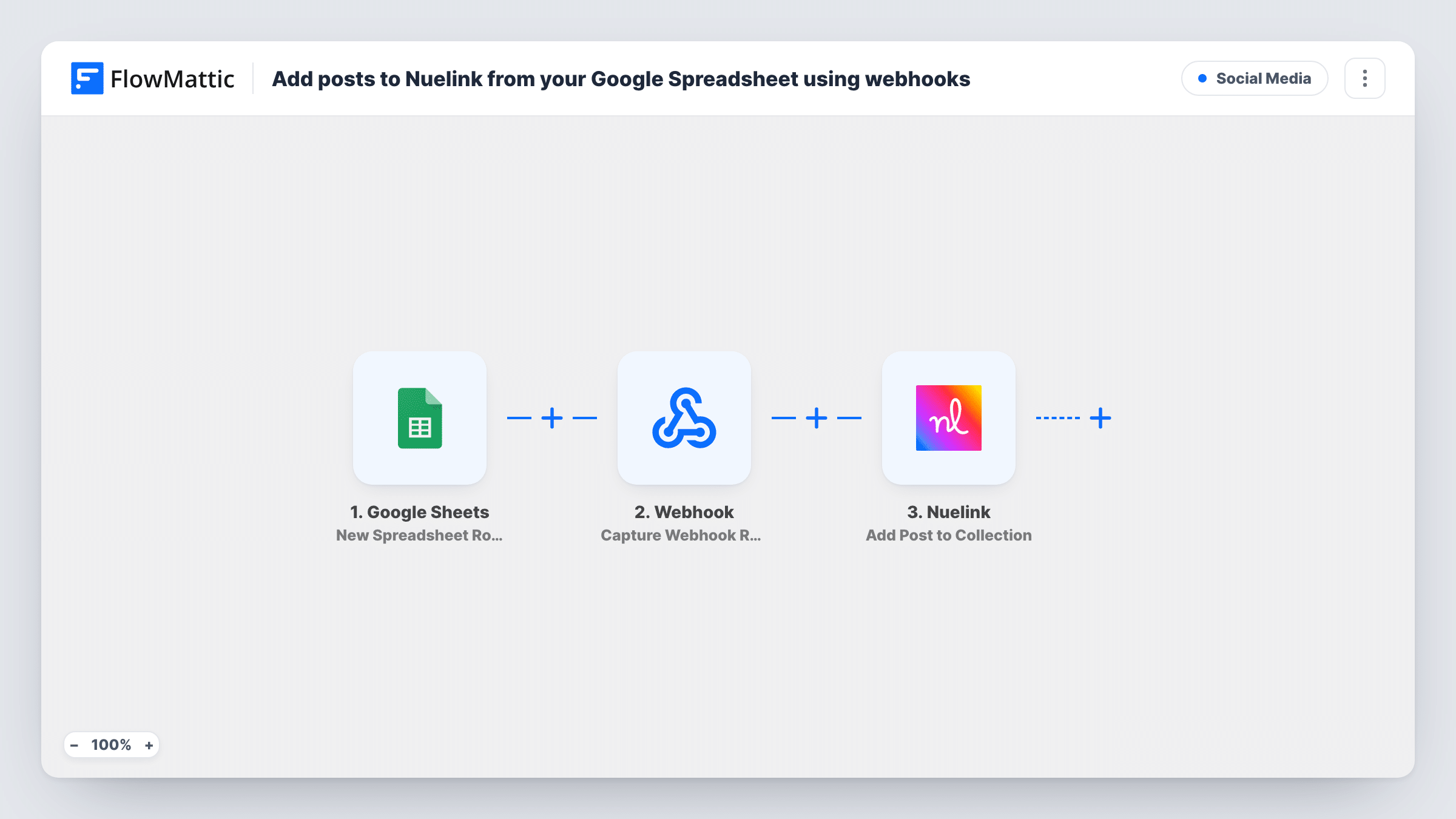
The Google Sheets trigger fires when a new row is added to the spreadsheet and sheet you pick. The Nuelink step, Add Post to Collection, then adds a new social media post to a Nuelink collection. It ships unmapped, so after import choose the collection and map your columns into the post, for example the caption and link.
From there, Nuelink publishes posts from the collection according to the schedule and channels you set up in Nuelink. The workflow only adds the post; it doesn't pick times or networks itself.
Only rows added after the workflow is switched on are sent. Editing a row later doesn't send it again, so finish a row before you add it, or draft in another tab and paste complete rows into the watched sheet. Add a test row and check Task History, then look for the post in your Nuelink collection.
Content calendar in a shared sheet
A small marketing team drafts captions together in Google Sheets and moves each approved row into the watched tab, where it joins the Nuelink queue.
Evergreen tips series
A fitness coach keeps a sheet of short tips and adds a batch each month, so Nuelink always has posts waiting in the collection.
Product highlights from a catalogue sheet
An online shop adds a row per featured product with its link, and each one becomes a social post in the shop's Nuelink collection.
How this workflow runs
What happens at each step once the workflow is on, and what you need before you import it.
 Google Sheets New Spreadsheet Row
Runs once for each row that gets added to your chosen spreadsheet tab. The row's columns, such as caption and link, are passed on for the Nuelink post.
- Nuelink Add Post to Collection
Adds a new social media post to a Nuelink collection. The step ships unmapped: pick the collection and map the sheet columns into the post after import.
What you need
- FlowMatticCore
- Google Sheets AccountAccount
- Nuelink AccountAccount
After importing, map your own data. To keep the template universal, not every step is pre-filled. Open each step in the builder and connect your accounts and fields (channels, lists, sheets, recipients) before you switch the workflow on.
Make it yours
Changes worth making after you import it.
- Draft rows in a separate tab and copy finished ones into the watched sheet, because the trigger reads a row once, as soon as it's added.
- Add a Filter between the Google Sheets trigger and the Nuelink step that continues only when the caption column is not empty, so blank rows don't become posts.
- Keep one Nuelink collection per theme or channel and duplicate the workflow for each, pointing every copy at its own sheet tab.
Questions about this workflow
Does this Google Sheets workflow decide when the Nuelink post goes out?
No. It adds the post to a collection. Nuelink publishes from the collection on the schedule and channels you configure in Nuelink.
Will editing a row update the Nuelink post?
No. The trigger fires on new rows only, so changes after the row was added don't reach Nuelink. Edit the post in Nuelink instead.
Which columns does the Nuelink post use?
The ones you map. The template leaves Add Post to Collection empty, so you match your caption, link and other columns to the post fields.
More Social Media workflows
Other ready-to-import templates from the same category.






Import this workflow into your WordPress site
Download the JSON, import it from the Workflows screen and connect your accounts. Every run stays on your server, with no per-task fees.
30-day money-back guarantee Unlimited workflows and runs Self-hosted