

Add Amplitude event data to an Airtable base for reporting
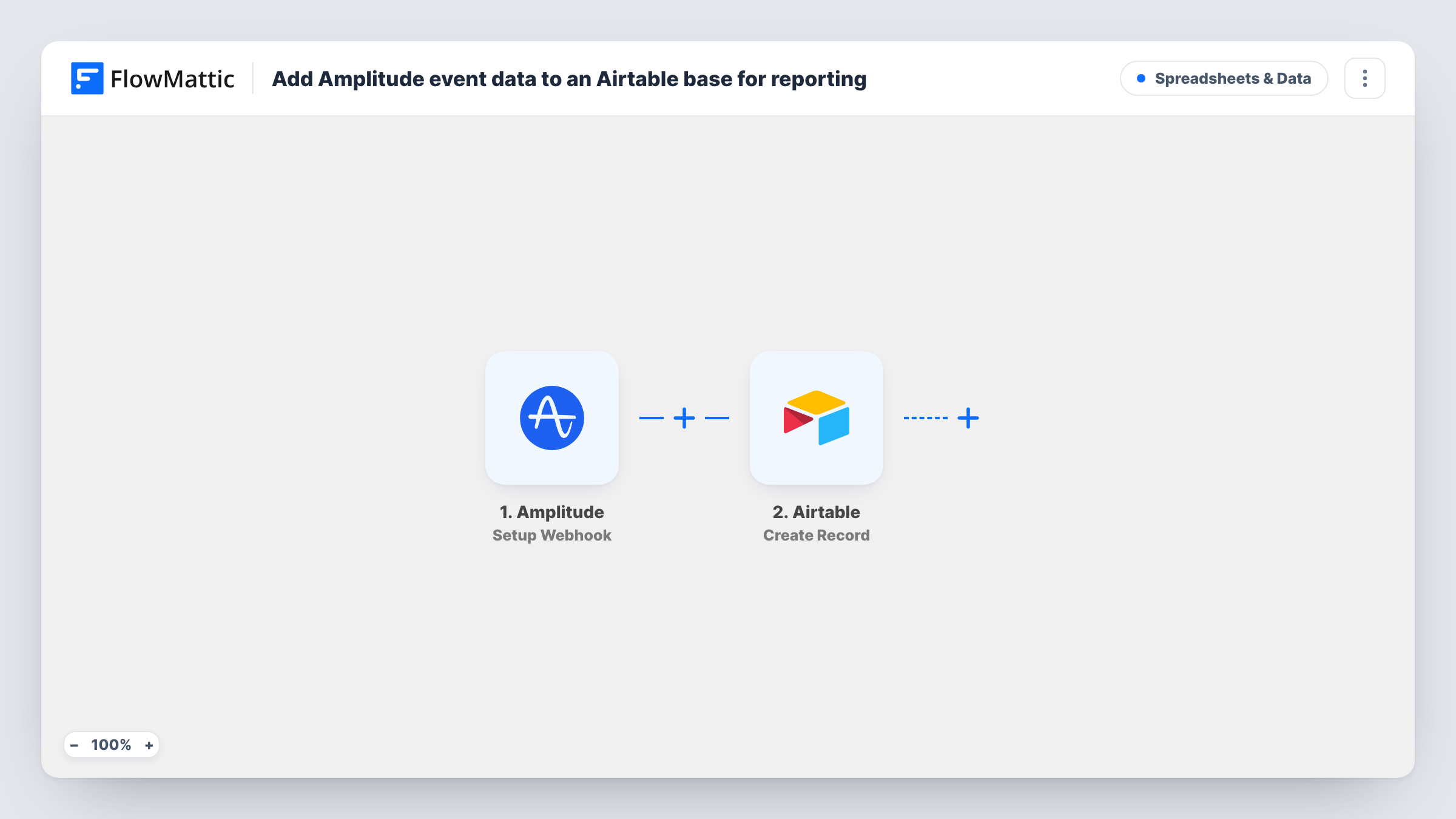
Each time an Amplitude custom monitor sends its webhook to FlowMattic, this workflow creates a record in your Airtable base from the alert data, so you can sort, group and report on alerts in one table.
 Amplitude
 Airtable
2 steps Setup ~5 min Used on 2.5k sites Free to import
What this workflow does
Amplitude can alert you when a monitored metric moves, but an alert in an inbox is hard to report on a month later. An Airtable table gives each alert a permanent record you can filter, group into views and share with people who never open Amplitude.
Know what starts a run before you import. The Amplitude trigger, Setup Webhook, fires for custom monitors: a run begins whenever one of your monitors posts to the FlowMattic webhook URL. Single product events such as clicks or sign-ups are not delivered one by one, so the base collects monitor alerts rather than a raw event stream. Whatever values the monitor payload carries become available to map.
The second step creates a new record in Airtable. You pick the base and table, then map payload values to its fields. No Filter sits between the two steps, so every alert that reaches the webhook becomes its own record. Task History keeps each run, along with the data Amplitude sent, which helps when a field comes through blank.
Monthly report on metric alerts
A product manager groups the Airtable records by monitor and month to show how often each alert fired, without exporting anything from Amplitude.
Triage table for the analytics team
Add a status and an owner field to the Airtable table. Each new alert record arrives ready for someone to claim it and note what they found.
Share alerts with people outside Amplitude
Stakeholders without an Amplitude seat get a shared Airtable view of every monitor alert, with the fields you chose to map.
How this workflow runs
What happens at each step once the workflow is on, and what you need before you import it.
 Amplitude Setup Webhook
Starts the workflow when an Amplitude custom monitor posts its alert to the FlowMattic webhook URL. The values in that alert payload are passed on for mapping.
- Airtable Create Record
Adds one Airtable record per alert to a table you choose. Map the alert values to the table's fields and connect your Airtable account on import.
What you need
- FlowMatticCore
- Amplitude AccountAccount
- Airtable AccountAccount
After importing, map your own data. To keep the template universal, not every step is pre-filled. Open each step in the builder and connect your accounts and fields (channels, lists, sheets, recipients) before you switch the workflow on.
Make it yours
Changes worth making after you import it.
- Add a date field in Airtable and map the alert time into it if the payload includes one, so views can group alerts by week or month.
- If only some monitors matter for reporting, place a Filter after the trigger that continues only when a value in the alert payload identifies one of the monitors you track.
- Trigger a test alert from Amplitude after import so FlowMattic captures a real payload, then map the Airtable fields from it before you turn the workflow on.
Questions about this workflow
Will every Amplitude event I track become an Airtable record?
No. The trigger fires for custom monitors in Amplitude, so you get one record per monitor alert. Ordinary tracked events are not sent individually by this trigger.
Which Amplitude values can I store in Airtable?
Only what the monitor webhook carries. Capture a test alert and look at the payload in FlowMattic to see which values you can map to your Airtable fields.
Does the Airtable table need to exist before I import?
Yes. The Create Record step adds records to a base and table you already have, so set up the fields you want to fill first, then choose them in the step.
Are older Amplitude alerts copied into Airtable?
No. Records are created only for alerts that reach the webhook after the workflow is turned on.
More Spreadsheets & Data workflows
Other ready-to-import templates from the same category.





Import this workflow into your WordPress site
Download the JSON, import it from the Workflows screen and connect your accounts. Every run stays on your server, with no per-task fees.
30-day money-back guarantee Unlimited workflows and runs Self-hosted