

When a new lead is captured in 99 Acres, add the lead data to Google Spreadsheet
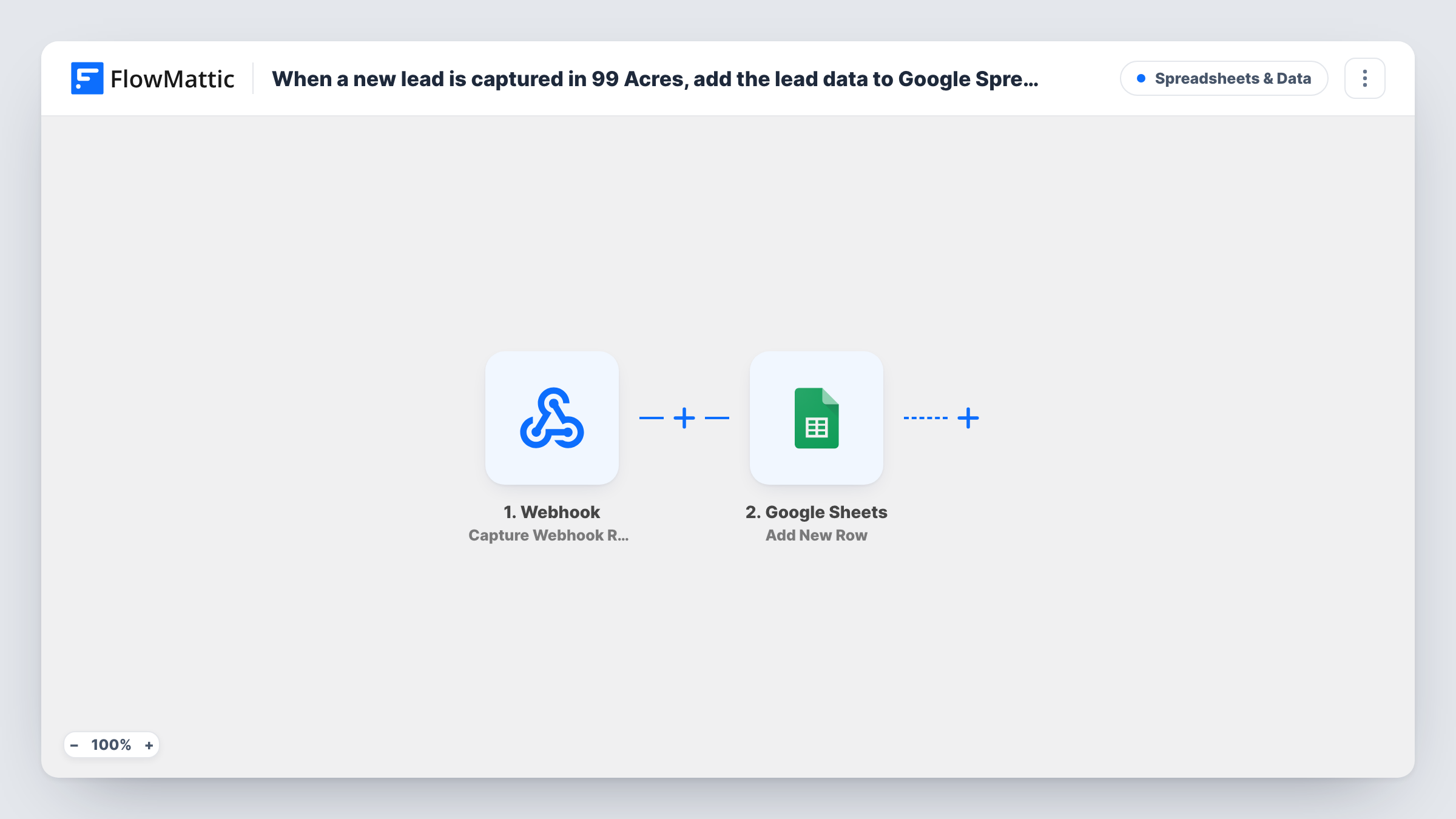
Each property lead that 99 Acres posts to your FlowMattic webhook URL is added to a Google Sheets spreadsheet as a new row, giving you one list of enquiries to follow up from.
 Webhook
 Google Sheets
2 steps Setup ~5 min Used on 3.4k sites Free to import
What this workflow does
Property enquiries come in at all hours, and the broker who takes them is often out on a site visit. A spreadsheet of every lead lets the whole office see who asked about which listing and who still needs a call. This workflow writes each 99 Acres lead into Google Sheets as it arrives.
Leads enter through a Webhook trigger rather than a dedicated one. FlowMattic gives you a URL, and 99 Acres has to be set to post its leads there. FlowMattic's own 99 Acres trigger also catches leads sent to a webhook URL, so the generic one does the same job. The lead details in each post become data you can map.
The Google Sheets step adds those details to the sheet you choose, one row per lead. Nothing filters the leads, so every post to the URL adds a row. Anyone who has the URL could post to it unless you turn on the trigger's Require authentication on incoming requests setting, and Task History shows each run.
Office-wide enquiry list for a brokerage
Agents open the shared sheet between viewings, see which 99 Acres enquiries came in and mark who is calling each buyer back.
Tracking interest per listing
Map the property the enquiry refers to into its own column, then sort the sheet to see which listings draw the most 99 Acres leads.
Handing leads to a telecalling team
A calling team works from the sheet without a 99 Acres login, adding call outcomes in columns next to the mapped lead details.
How this workflow runs
What happens at each step once the workflow is on, and what you need before you import it.
 Webhook Capture Webhook Response
Gives you a webhook URL to receive leads. Set 99 Acres to post each new lead there; the details in the post become data for the next step.
- Google Sheets Add New Row
Writes each lead posted to the webhook as one row in the Google Sheets file you pick. Add headers such as name, phone and property, map each to a lead value, and connect your Google account on import.
What you need
- FlowMatticCore
- Google Sheets AccountAccount
After importing, map your own data. To keep the template universal, not every step is pre-filled. Open each step in the builder and connect your accounts and fields (channels, lists, sheets, recipients) before you switch the workflow on.
Make it yours
Changes worth making after you import it.
- Turn on the Webhook trigger's Require authentication on incoming requests setting if the sender supports it, so only 99 Acres can add leads to your sheet.
- Add a Filter after the trigger that continues only for one city or project when this sheet belongs to one team. Other leads then add no row.
- Post one test lead to the URL after import, then map the columns from the captured data before you turn the workflow on.
Questions about this workflow
Why does this 99 Acres lead sheet use a generic Webhook trigger?
FlowMattic's 99 Acres trigger, New Leads, fires when a lead is captured at a webhook URL, which is what the generic Webhook trigger does too. In both cases 99 Acres must be set to send its leads to the URL FlowMattic gives you.
Which 99 Acres lead details end up in Google Sheets?
Whatever 99 Acres includes in the data it posts, mapped to the columns you choose. Check a captured test lead in the Google Sheets step to see the available values.
What happens if the same 99 Acres enquiry is posted twice?
It gets two rows. The Google Sheets step adds a row for every post it receives and does not look for an existing one.
More Spreadsheets & Data workflows
Other ready-to-import templates from the same category.



Import this workflow into your WordPress site
Download the JSON, import it from the Workflows screen and connect your accounts. Every run stays on your server, with no per-task fees.
30-day money-back guarantee Unlimited workflows and runs Self-hosted