

Send a Slack alert to the admissions team for every new Shiksha lead
Every new student lead captured in Shiksha is posted to a Slack channel your admissions team watches, with the lead’s details in the message, so counsellors know about it without checking the Shiksha portal.
 Shiksha
 Slack
2 steps Setup ~5 min Used on 3.0k sites Free to import
What this workflow does
Student leads from Shiksha arrive whether or not anyone on the admissions team is looking. If counsellors have to log in to find them, replies slip. This workflow puts each new lead in front of the team in Slack, where they already talk.
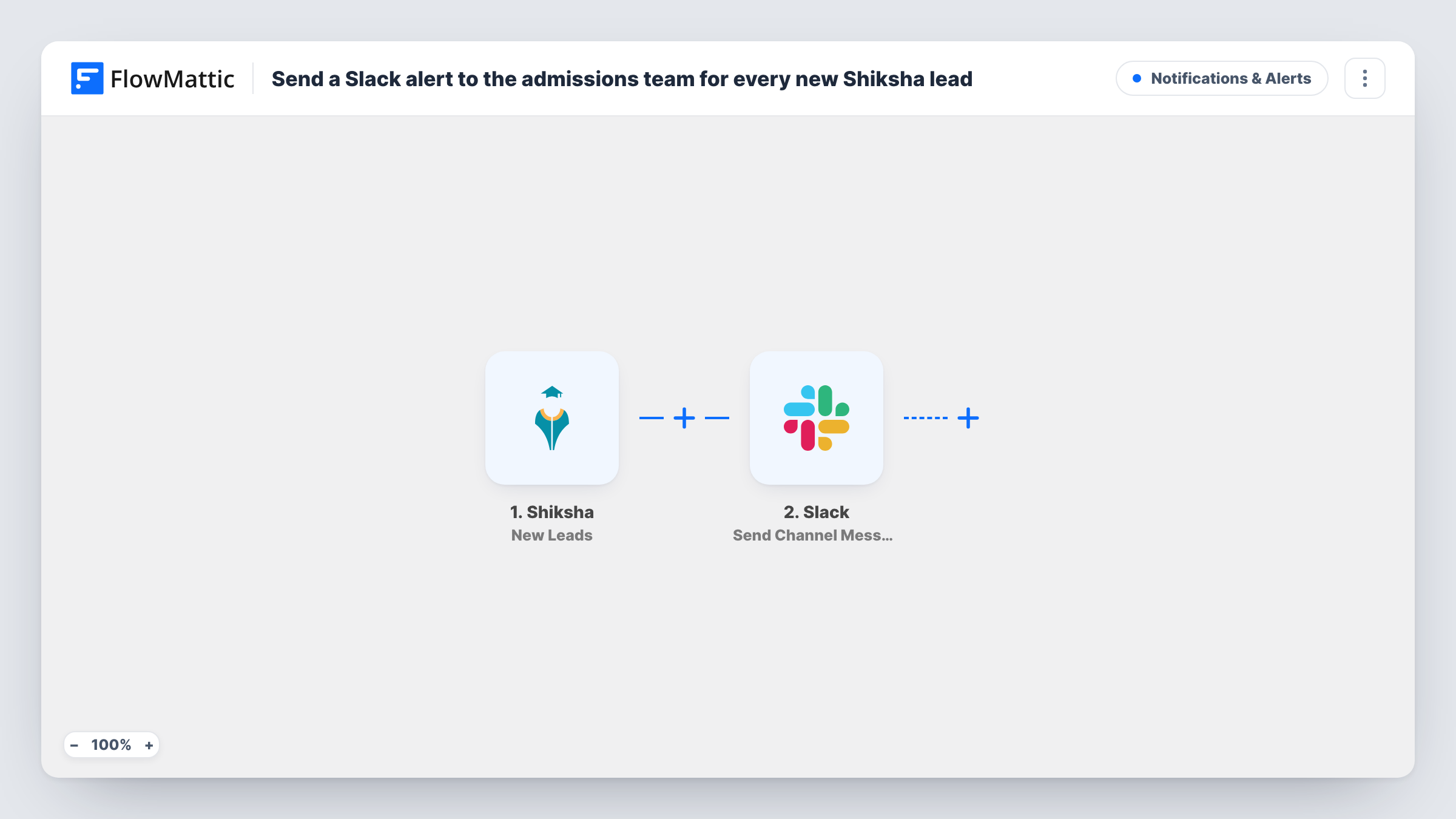
The Shiksha New Leads trigger fires when a new lead is captured and passes its details to FlowMattic. The Slack Send Channel Message step then posts in the channel you choose, with whichever lead details from Shiksha you place in the message.
Every new lead posts one message. There is no condition, so leads for all courses go to the same channel. The workflow doesn't contact the student or store the lead elsewhere; each run and its Slack message are listed in Task History.
Admissions season at a college
During intake months, counsellors keep the admissions channel open. Each Shiksha lead appears there so someone can call the student the same day.
Small institute without a CRM
A coaching institute has no CRM yet. The Slack channel works as its lead feed, and staff reply in the message thread to show who is handling it.
Manager oversight
The head of admissions follows the channel to see how many Shiksha leads come in each day without asking for a report.
How this workflow runs
What happens at each step once the workflow is on, and what you need before you import it.
 Shiksha New Leads
Fires when a new lead is captured in your Shiksha account. The lead's details are handed on for the Slack message.
- Slack Send Channel Message
Posts the lead to the Slack channel you pick. Write the message with the Shiksha values you want counsellors to see, such as name, phone and course.
What you need
- FlowMatticCore
- Shiksha AccountAccount
- Slack AccountAccount
After importing, map your own data. To keep the template universal, not every step is pre-filled. Open each step in the builder and connect your accounts and fields (channels, lists, sheets, recipients) before you switch the workflow on.
Make it yours
Changes worth making after you import it.
- Different teams for different courses? Replace the Slack step with a Router that has one route per course value, each posting to that team's channel.
- For a private admissions channel, use Slack's Send Private Channel Message action instead of Send Channel Message.
- Add a Google Sheets Add New Row step after Slack if you also want a running list of every Shiksha lead.
Questions about this workflow
Does every Shiksha lead post to Slack?
Yes. There is no Filter, so each new lead creates one message in the channel you set.
Can the Slack alert go to a private admissions channel?
Not with the step as shipped, which posts to public channels. For a private one, switch the step to Send Private Channel Message, or to Send Direct Message for one counsellor.
Does the student get a reply from this workflow?
No. It only alerts your team. Add an email or SMS step after Slack if you want the student contacted automatically.
Which Shiksha lead details can the Slack message include?
Whatever the New Leads trigger delivers. Capture a real lead in a test run and map the values you need into the message text.
More Notifications & Alerts workflows
Other ready-to-import templates from the same category.




Import this workflow into your WordPress site
Download the JSON, import it from the Workflows screen and connect your accounts. Every run stays on your server, with no per-task fees.
30-day money-back guarantee Unlimited workflows and runs Self-hosted