

When a new Alchemer survey response comes in, create a Freshdesk ticket and notify the team in Slack
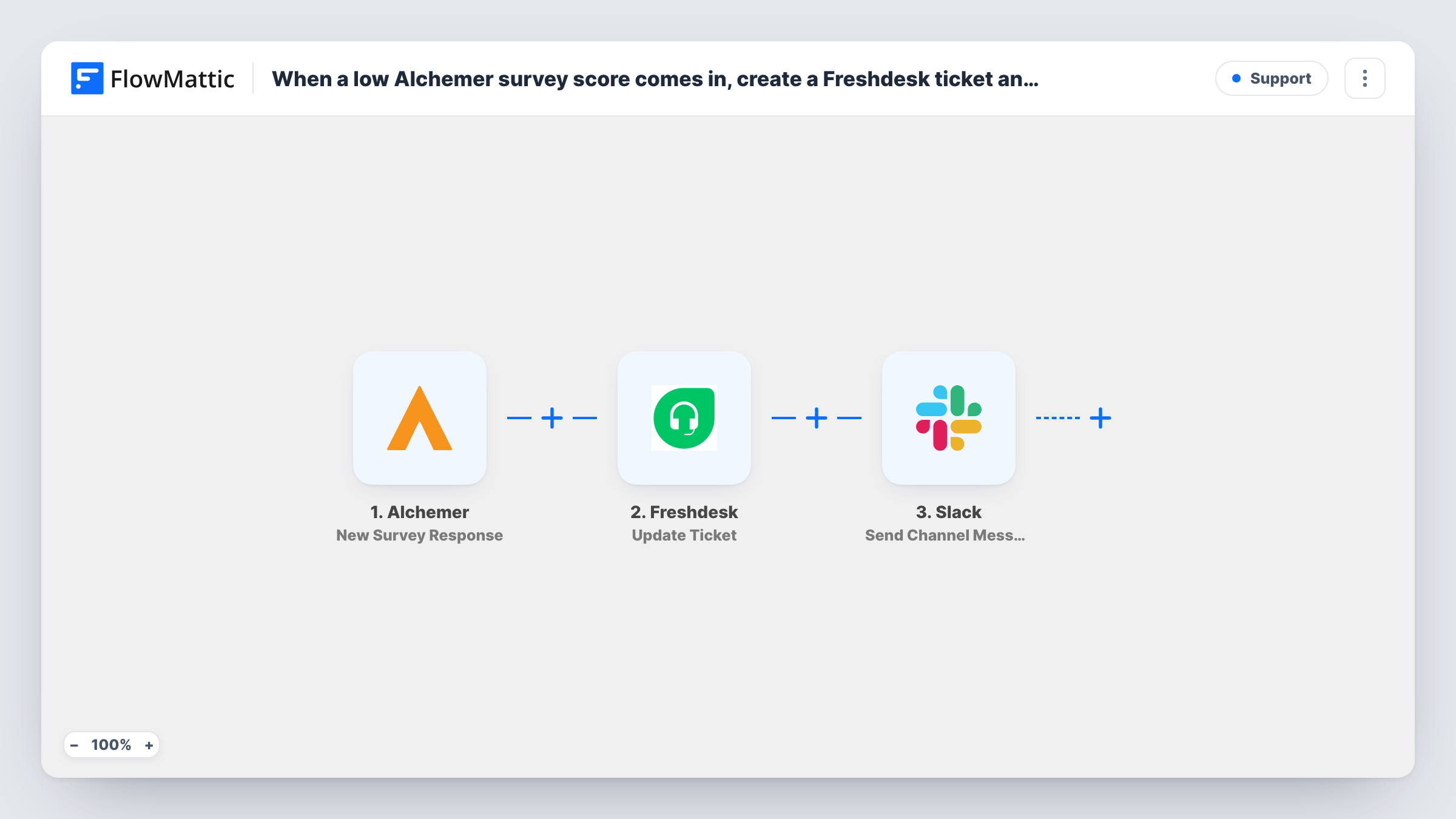
Each new Alchemer survey response opens a Freshdesk ticket through an API by FlowMattic request, then FlowMattic posts a message in a Slack channel so your team knows it arrived.
 Alchemer
 API by FlowMattic
 Slack
3 steps Setup ~5 min Used on 3.4k sites Free to import
What this workflow does
Survey answers that need a reply are easy to lose when they sit only in Alchemer. This workflow turns every new response into a support ticket your agents can work in Freshdesk, and gives the team a heads-up in Slack at the same moment.
The Alchemer trigger runs whenever a survey is submitted and passes the answers on. FlowMattic's Freshdesk integration has triggers but no actions, so the ticket is created with an API by FlowMattic POST request instead. That step ships empty: after import you enter your Freshdesk ticket endpoint and your API authentication, then build the ticket from the survey fields, such as the respondent's email, a subject and the answers as the description. Check Freshdesk's API reference for the fields a new ticket requires.
The last step posts a message with Slack. It is also unmapped, so you pick the channel and write the text, mapping in survey answers or the ticket number Freshdesk returned in the previous step.
As imported, every response creates a ticket, whatever the answers say. Send a test submission and read the API step's response in Task History to confirm Freshdesk accepted the request.
Customer satisfaction follow-ups
A software team sends an Alchemer survey after support chats, and each submission becomes a Freshdesk ticket so an agent can answer comments and complaints.
Product feedback triage
A product manager collects feature requests in Alchemer; each one is logged in Freshdesk and announced in a #feedback Slack channel for the team to discuss.
Event feedback the whole crew sees
An events company turns post-event survey responses into Freshdesk tickets for its support desk, while the Slack post tells the organizers a new response is in.
How this workflow runs
What happens at each step once the workflow is on, and what you need before you import it.
 Alchemer New Survey Response
Runs each time an Alchemer survey response is submitted. The respondent's answers and details are passed on for the ticket and the Slack message.
- API by FlowMattic POST
Calls Freshdesk with a POST request that opens the ticket. The step ships unmapped: after import, enter your Freshdesk ticket endpoint, your API authentication and a request body built from the survey answers.
- Slack Send Channel Message
Sends a notice to the Slack channel you pick. Write the text after import and map in survey answers or the ticket details the API step returned.
What you need
- FlowMatticCore
- Alchemer AccountAccount
- Slack AccountAccount
After importing, map your own data. To keep the template universal, not every step is pre-filled. Open each step in the builder and connect your accounts and fields (channels, lists, sheets, recipients) before you switch the workflow on.
Make it yours
Changes worth making after you import it.
- To ticket only unhappy respondents, put a Filter between the Alchemer trigger and the API step on your score question, for example less than 7. The question is yours to pick, and responses it stops get neither a ticket nor a Slack post.
- Map the ticket ID or link from the API step's response into the Slack message, so teammates can open the new Freshdesk ticket in one click.
- For a private Slack channel, swap in Slack's Send Private Channel Message action, since the imported step posts to regular channels.
Questions about this workflow
Why does an API by FlowMattic step create the Alchemer ticket in Freshdesk?
FlowMattic's Freshdesk integration offers triggers, such as new tickets, but no action for creating one. The API step lets you call Freshdesk's own ticket API directly.
Which Freshdesk details does the POST request need from me?
Your Freshdesk helpdesk address and an API key with access to create tickets. Enter the endpoint and authentication in the step, then map survey fields into the body as Freshdesk's API documentation describes.
Does every Alchemer response become a ticket?
Yes, as imported. The template sets no condition on the answers. Add a Filter between the Alchemer trigger and the API step if only some answers should become tickets.
Can the Slack message include the Freshdesk ticket number?
Yes, if Freshdesk returns it in the API response. Run a test, look at the POST step's output in Task History, and map the ticket field into the Slack message text.
More Support workflows
Other ready-to-import templates from the same category.





Import this workflow into your WordPress site
Download the JSON, import it from the Workflows screen and connect your accounts. Every run stays on your server, with no per-task fees.
30-day money-back guarantee Unlimited workflows and runs Self-hosted