

When a SupportCandy ticket is closed, update the row in Google Sheets and email the customer via Gmail
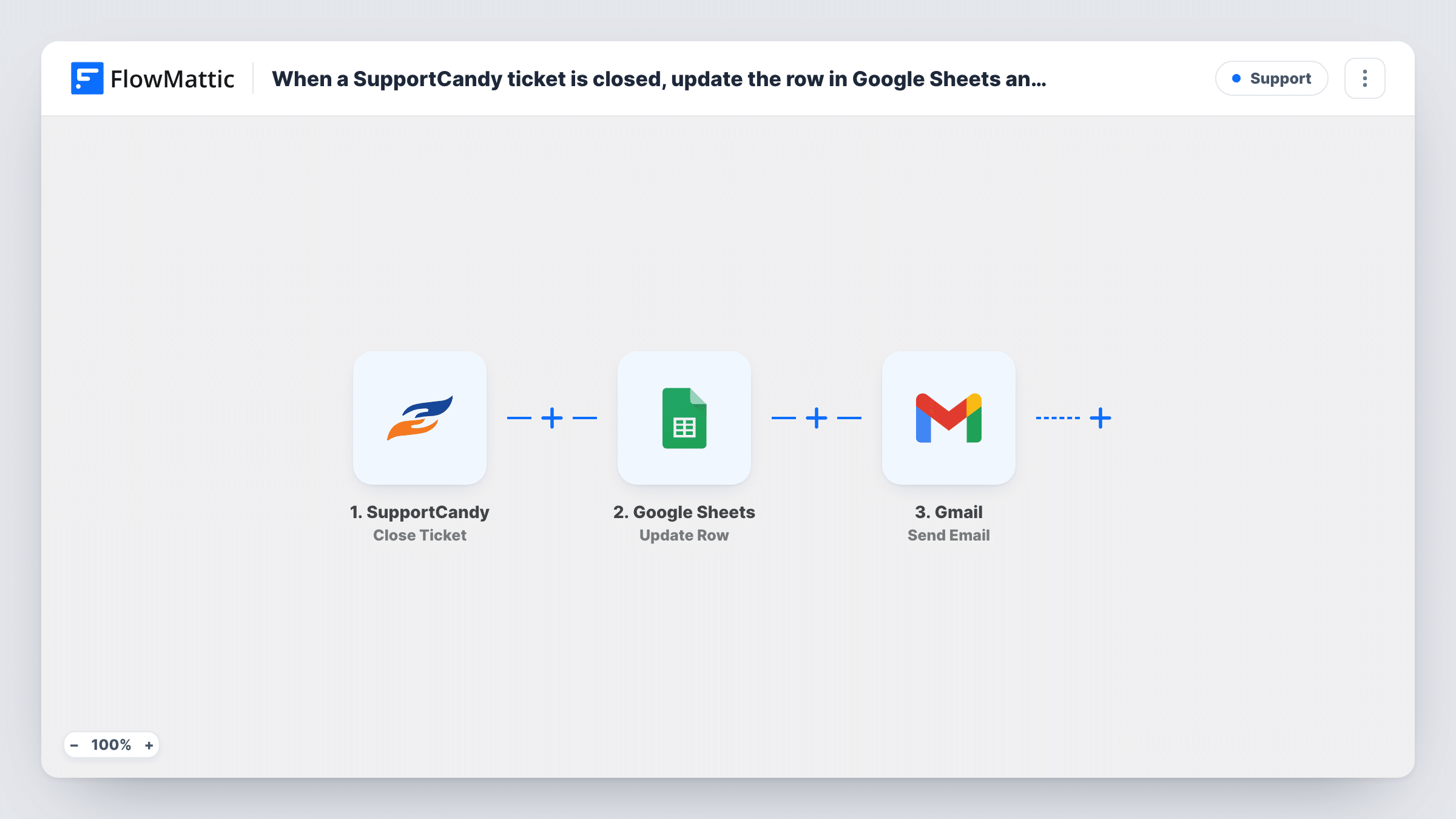
When a SupportCandy ticket is closed, FlowMattic finds the ticket’s row in your Google Sheet, updates it, and sends the customer a wrap-up email from your Gmail account.
 SupportCandy
 Google Sheets
 Gmail
Gmail4 steps Setup ~8 min Used on 526 sites Free to import
What this workflow does
If you track support tickets in a spreadsheet for reporting, the sheet goes stale the moment someone closes a ticket and forgets to update it. This workflow keeps the row current when a ticket closes in SupportCandy, and sends the customer a short closing note in the same run.
The SupportCandy Close Ticket trigger starts a run when a support ticket on your WordPress site is closed. The ticket's details, such as its ID, subject and the customer's email, are passed on.
Step two uses Google Sheets Lookup Row Data to search your ticket sheet for the row that holds this ticket, usually by matching the ticket ID column. Step three updates that row, for example setting a status column to closed and adding the close date. This only works on a sheet that already has a row for each ticket, so the sheet has to be filled by another workflow or by your team when tickets are opened.
Finally, the customer gets a wrap-up message sent with Gmail. All three action steps ship unmapped: after import you choose the sheet and lookup column, map the row from the lookup into Update Row, and write the email with the customer's address as the recipient. Close a test ticket and check Task History.
Support reporting in a shared sheet
A plugin developer logs every SupportCandy ticket to Google Sheets when it opens. Closing a ticket marks its row closed, so the weekly report counts open and closed tickets correctly.
A personal sign-off for customers
A small agency sends each customer a Gmail note when their ticket closes, with a line asking them to reply if the problem comes back.
Close times for each agent
A team lead writes the close date into each ticket's row, then compares it with the open date to see how long tickets take per agent.
How this workflow runs
What happens at each step once the workflow is on, and what you need before you import it.
 SupportCandy Close Ticket
Fires when a SupportCandy support ticket is closed. The ticket's data, including its ID and the customer's contact details, becomes available to the next steps.
- Google Sheets Lookup Row Data
Searches your Google Sheet for the ticket's row. The step ships unmapped: pick the spreadsheet and sheet, choose the column that stores ticket IDs, and map the SupportCandy ticket ID as the value to find.
- Google Sheets Update Row
Updates the row the lookup found. Map the row reference returned by step two, then set the columns to change, such as a status column to closed or a column for the close date.
- Gmail Send Email
Sends the customer an email through Gmail. The step ships unmapped: map the customer's email from the ticket as the recipient, then write the subject and a closing message that names the ticket.
What you need
- FlowMatticCore
- SupportCandy AccountAccount
- Google Sheets AccountAccount
- Gmail AccountAccount
After importing, map your own data. To keep the template universal, not every step is pre-filled. Open each step in the builder and connect your accounts and fields (channels, lists, sheets, recipients) before you switch the workflow on.
Make it yours
Changes worth making after you import it.
- Fill the sheet from SupportCandy's Create Ticket trigger in a separate workflow, writing the ticket ID into its own column, so every closed ticket has a row to find.
- Put a Filter between the Lookup Row Data step and the Update Row step that continues only when the lookup returned a row. Tickets missing from the sheet then stop before the update and the email.
- Include the ticket subject and number in the Gmail subject line, so the customer can match the email to their request.
- Add a line to the email asking the customer to reply if the issue isn't fixed, and say how to open a new ticket if they'd rather.
Questions about this workflow
Does the workflow add a row for the SupportCandy ticket if none exists?
No. It looks up an existing row and updates it. If the ticket isn't in the sheet, the lookup finds nothing to update, so make sure tickets are logged when they open.
Which ticket details can I write into the Google Sheets row?
Any values the Close Ticket trigger sends, plus fixed text such as closed. Close a test ticket and look at the trigger data in Task History to see the field names.
Will a ticket that's reopened and closed again send a second email?
Each close starts a new run, so the row is updated again and the customer gets another Gmail message. Word the email so a second copy still makes sense.
Can I log SupportCandy tickets closed before the workflow was turned on?
No. Only tickets closed while the workflow is active start a run. Update older rows in the sheet by hand or with an export from SupportCandy.
More Support workflows
Other ready-to-import templates from the same category.





Import this workflow into your WordPress site
Download the JSON, import it from the Workflows screen and connect your accounts. Every run stays on your server, with no per-task fees.
30-day money-back guarantee Unlimited workflows and runs Self-hosted