

When elementor form submission received, create an animated screenshot of the website using ScreenshotOne and add to Google Sheet
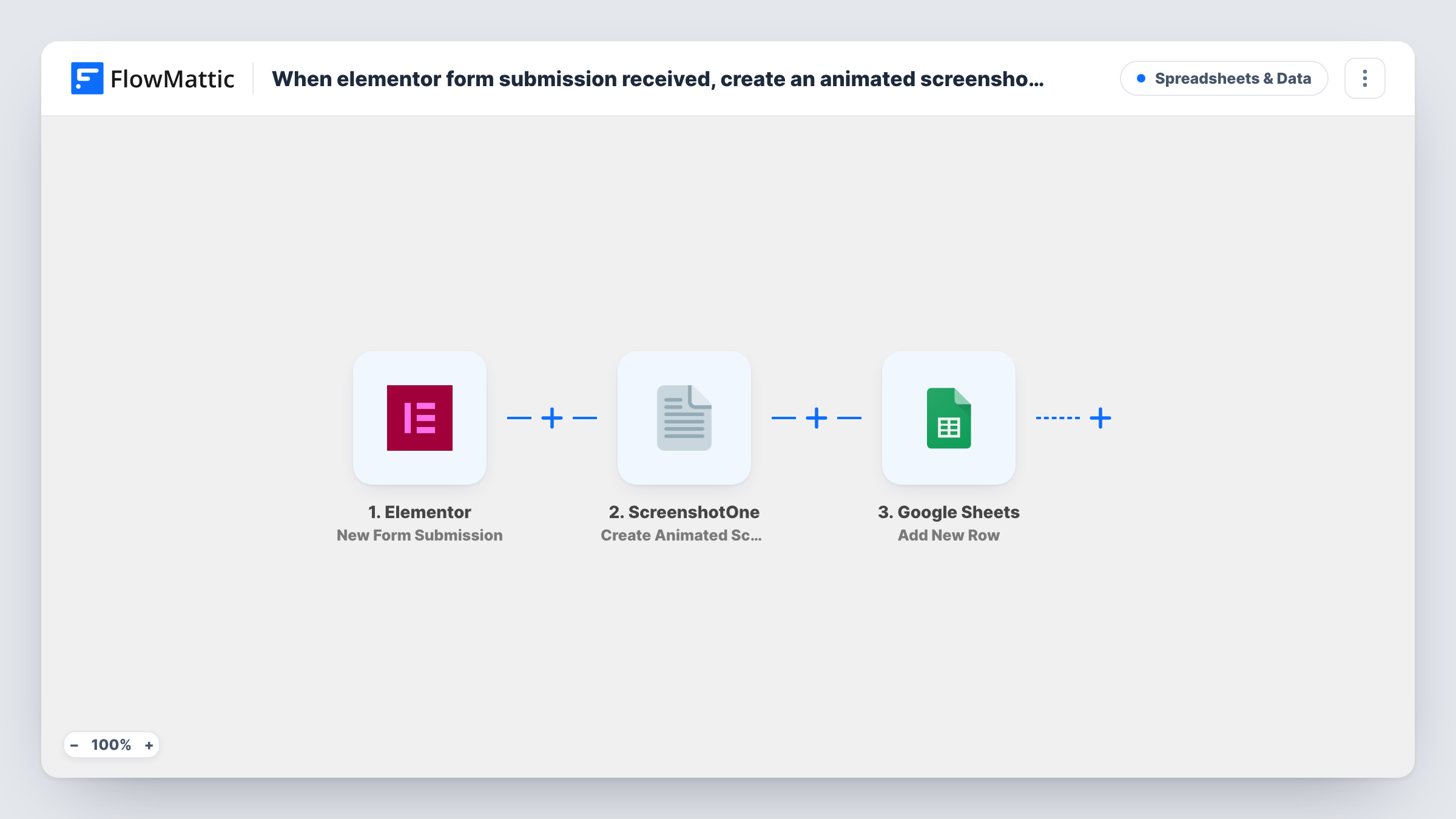
When someone submits an Elementor Pro form with a website address, ScreenshotOne creates an animated screenshot of that site and the submission, along with the screenshot result, is added as a row in Google Sheets.
 Elementor
 ScreenshotOne
 Google Sheets
3 steps Setup ~5 min Used on 2.6k sites Free to import
What this workflow does
Agencies, designers and auditors often ask prospects for their website before a first call. Opening every link to see what you are dealing with takes time, and the site may have changed by the time you look. This workflow captures a moving view of the site as soon as the form comes in and files it next to the request.
Each run begins with the Elementor trigger, which picks up a new entry from an Elementor Pro form widget. FlowMattic passes the website address from the form to ScreenshotOne, whose Create Animated Screenshot action captures an animated image of that page. The last step adds a row in Google Sheets, where you map the form answers and whatever ScreenshotOne returns about the capture.
Your form needs a field that collects the website address, and visitors must enter a full, reachable URL for the capture to work. Task History shows the ScreenshotOne response for each run, so you can see whether a capture worked.
Website audit requests
A prospect asks for a free site review. Before the call you open the sheet and see an animated capture of their homepage next to their answers.
Redesign quotes for a web agency
Each quote form brings in a current view of the client's site, so the person pricing the work sees the starting point without visiting it.
Directory or showcase submissions
Site owners submit their website for listing in your gallery. The sheet holds each submission with a capture you can review before approving it.
How this workflow runs
What happens at each step once the workflow is on, and what you need before you import it.
 Elementor New Form Submission
Picks up each new entry from your Elementor Pro form. Every field, including the website address the visitor entered, is passed to the next steps.
- ScreenshotOne Create Animated Screenshot
Sends the submitted website address to ScreenshotOne, which creates an animated screenshot of the page. Map the form's URL field here and connect your ScreenshotOne account. Run a test to see what the response contains.
- Google Sheets Add New Row
Writes one new row per entry into the Google Sheets file and tab you select. Map the form answers and the ScreenshotOne result to columns, so each request sits next to its capture.
What you need
- FlowMatticCore
- Elementor PluginPlugin
- ScreenshotOne AccountAccount
- Google Sheets AccountAccount
After importing, map your own data. To keep the template universal, not every step is pre-filled. Open each step in the builder and connect your accounts and fields (channels, lists, sheets, recipients) before you switch the workflow on.
Make it yours
Changes worth making after you import it.
- Use Elementor's URL field type for the website question and make it required, so every submission carries an address ScreenshotOne can open.
- Prefer a still image instead? Swap the step for ScreenshotOne's Create Static Screenshot action and remap the result column in Google Sheets.
- Put a Filter between the Elementor trigger and the ScreenshotOne step that continues only when the website field is not empty. Submissions without an address then skip both the capture and the sheet row.
Questions about this workflow
What if a visitor types an invalid website address into the Elementor form?
ScreenshotOne may not be able to capture it, and Task History shows what it returned for that entry. Using Elementor's URL field type helps, because the form then asks for a proper web address.
Is the animated screenshot itself stored in Google Sheets?
The sheet holds whatever you map from the ScreenshotOne response. Run a test submission and look at the response fields to see what is returned for the capture before choosing a column.
Will the free Elementor plugin trigger this screenshot workflow?
No. Forms are an Elementor Pro feature, so Elementor Pro has to be active on the WordPress site where FlowMattic runs.
Can ScreenshotOne capture pages behind a login?
Plan on public pages only. The step sends the address from the form and nothing else, so expect a page that needs a login to show what a logged-out visitor sees.
More Spreadsheets & Data workflows
Other ready-to-import templates from the same category.



Import this workflow into your WordPress site
Download the JSON, import it from the Workflows screen and connect your accounts. Every run stays on your server, with no per-task fees.
30-day money-back guarantee Unlimited workflows and runs Self-hosted