

Use ChatGPT and PDF.co to create PDF quotes from new MakeForms submission
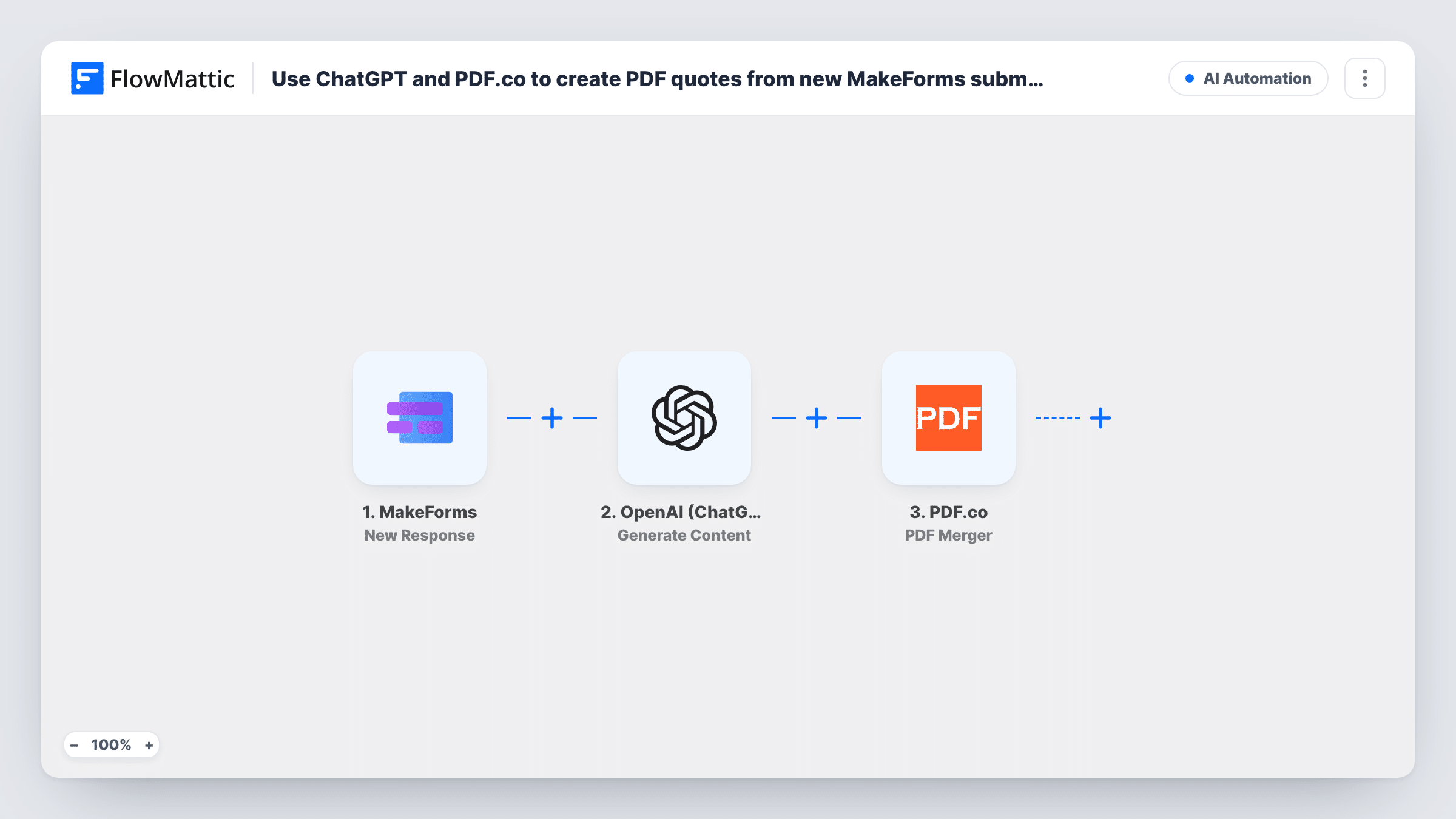
When someone submits your MakeForms quote request form, ChatGPT writes the quote as HTML from your prompt and PDF.co converts that HTML into a PDF file named quote.pdf.
 MakeForms
 OpenAI (ChatGPT)
 PDF.co
3 steps Setup ~5 min Used on 573 sites Free to import
What this workflow does
Writing a tailored quote for every enquiry takes time, and the request form already holds most of what you need: the service, the size of the job, the customer's details. This workflow turns a MakeForms response into a draft quote document without anyone opening a word processor.
The MakeForms trigger fires when a form submission is received and passes the answers on. The OpenAI (ChatGPT) step generates content from a prompt. The prompt isn't in the template, so after import you write it: ask for the quote as HTML, and map in the form answers and your own pricing rules or rates.
The PDF.co step then converts HTML to PDF. It is already mapped to ChatGPT's reply and names the file quote.pdf. If the reply isn't clean HTML, the layout may come out as unformatted text, so tell ChatGPT in the prompt to answer with HTML only.
The workflow stops once the PDF exists. PDF.co returns a link to the file, but no step sends it to the customer or stores it, so add one after the PDF step. Check the numbers in every AI-written quote before it goes out, and look at Task History to see each step's output.
Quotes for home services
A landscaping business collects garden size and the work wanted through MakeForms. ChatGPT drafts a quote from the owner's rate card and PDF.co turns it into a PDF to review.
Event and catering estimates
A caterer's enquiry form asks for guest count, date and menu choices, and each response becomes a draft estimate document ready to check and send.
Agency project proposals
A web agency's brief form feeds ChatGPT a scope summary, and the PDF quote it produces gives the account manager a starting point for the call.
How this workflow runs
What happens at each step once the workflow is on, and what you need before you import it.
 MakeForms New Response
Fires when a MakeForms form receives a submission. The answers, such as the customer's name, email and the details of the job, are passed to the ChatGPT step.
- OpenAI (ChatGPT) Generate Content
Generates the quote text with OpenAI. The template has no prompt: after import, ask for the quote as HTML, include your prices or rates, and map in the MakeForms answers it should use.
- PDF.co HTML to PDF Converter
Converts the HTML from ChatGPT into a PDF named quote.pdf. The HTML is already mapped to the ChatGPT reply; check a test run for the file link PDF.co returns.
What you need
- FlowMatticCore
- MakeForms AccountAccount
- OpenAI (ChatGPT) AccountAccount
- PDF.co AccountAccount
After importing, map your own data. To keep the template universal, not every step is pre-filled. Open each step in the builder and connect your accounts and fields (channels, lists, sheets, recipients) before you switch the workflow on.
Make it yours
Changes worth making after you import it.
- Add FlowMattic's Email step after the PDF.co step and map the customer's email and the PDF link, or send the link to yourself first so you can check each quote before forwarding it.
- Put your price list in the prompt as fixed text, so ChatGPT works from your rates instead of guessing figures.
- Map the customer's name or the date into the PDF name in step 3 instead of the fixed quote.pdf, so files are easier to tell apart.
Questions about this workflow
Does the customer receive the PDF quote automatically?
No. Creating the PDF with PDF.co is the last thing this template does. Add an email or messaging step after the PDF.co step and map the file link to deliver it.
How does ChatGPT know what to charge in the MakeForms quote?
Only from what you give it. Write your rates and pricing rules into the prompt and map the form answers it needs. Review the totals, since AI text can contain mistakes.
Do I need OpenAI and PDF.co accounts for this?
Yes. The ChatGPT step uses your OpenAI connection to generate the HTML, and the PDF.co step uses your PDF.co account to convert it.
Why does my PDF.co quote look like unformatted text?
The converter lays out HTML. If ChatGPT answers in plain text or Markdown, or adds notes around the HTML, change the prompt to ask for the HTML document only, then test again.
More AI Automation workflows
Other ready-to-import templates from the same category.






Import this workflow into your WordPress site
Download the JSON, import it from the Workflows screen and connect your accounts. Every run stays on your server, with no per-task fees.
30-day money-back guarantee Unlimited workflows and runs Self-hosted