

When a new Academy LMS course review is posted, save it to Google Sheets and alert the team in Discord
When a student posts a review on an Academy LMS course, FlowMattic adds it to a Google Sheets row and then posts it in your Discord channel, so you keep a record and the team sees it at once.
 Academy LMS
 Google Sheets
 Discord
3 steps Setup ~5 min Used on 2.2k sites Free to import
What this workflow does
Course reviews are some of the most useful feedback you get, but they sit on each course page where the team rarely looks. This workflow does two things with each new review: it keeps a permanent copy in a spreadsheet, and it puts the review in front of the team in Discord.
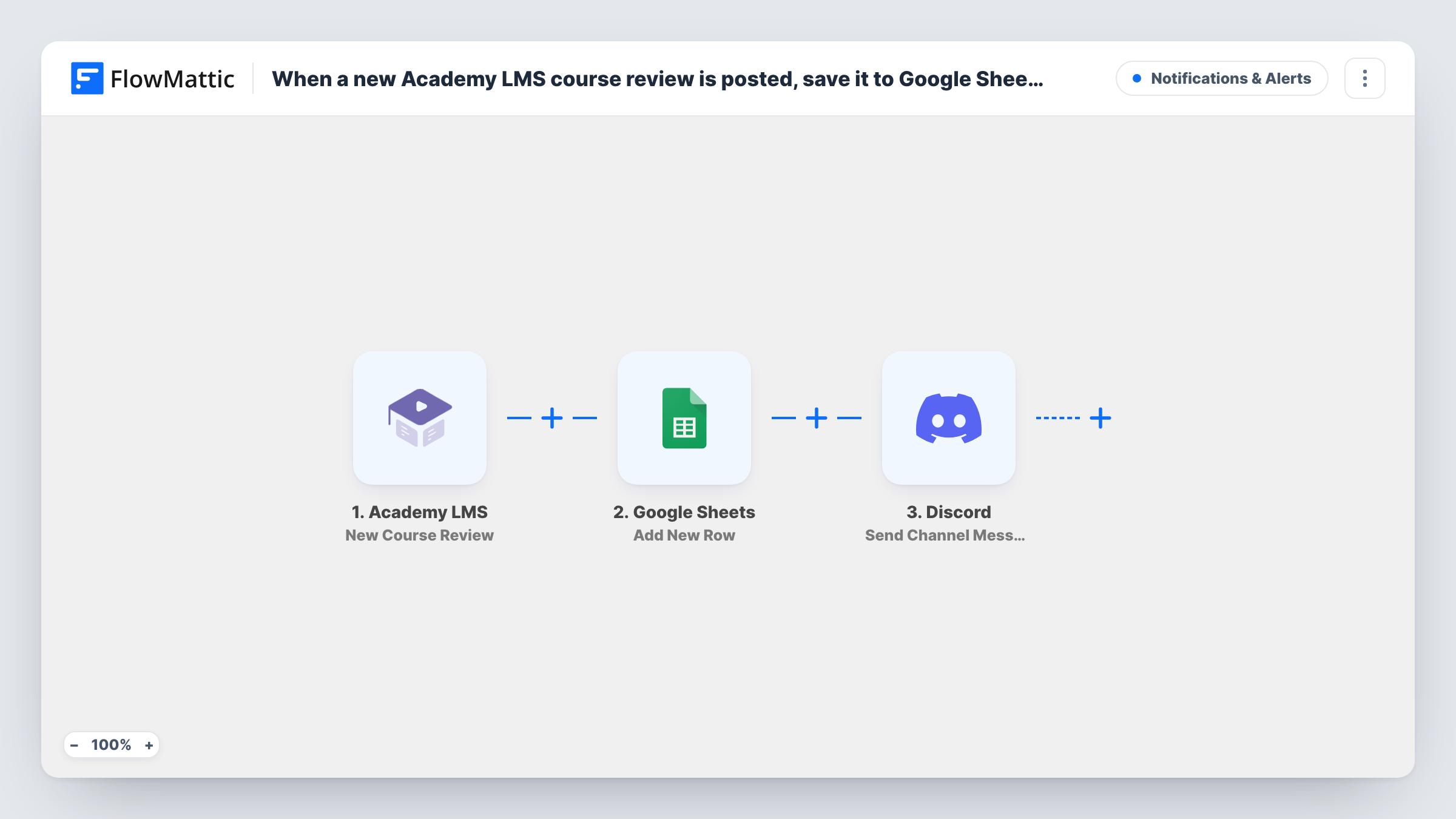
The Academy LMS trigger, New Course Review, fires when a course is reviewed. FlowMattic first runs Add New Row in Google Sheets, writing the review details you map, such as the course, rating and comment, to the sheet you pick. It then runs Discord's Send Channel Message action to post a message in the channel you choose.
Every review, good or bad, follows both steps. The sheet grows into a review history you can filter and chart. The Discord message is whatever you write, so you can include the rating and a short quote from the comment.
Instructor feedback channel
Instructors read each new review in a Discord channel and reply to the student on the course page while the review is fresh.
Quarterly course report
The Google Sheet of reviews gives you ratings by course for a quarter, ready to sort or chart without exporting anything.
Testimonials for marketing
The marketing team picks strong reviews from the sheet for the sales page, after asking the student's permission.
How this workflow runs
What happens at each step once the workflow is on, and what you need before you import it.
 Academy LMS New Course Review
Fires when a student reviews a course in Academy LMS. The review data, such as the course, the rating and the comment, is passed on to the next two steps.
- Google Sheets Add New Row
Adds a row to the Google Sheets spreadsheet you pick, holding the review fields you map to its columns. Connect your Google account after import.
- Discord Send Channel Message
Posts a message about the review to your chosen Discord channel. Write the text and map the course name, rating and comment, then connect your Discord server.
What you need
- FlowMatticCore
- Academy LMS AccountAccount
- Google Sheets AccountAccount
- Discord AccountAccount
After importing, map your own data. To keep the template universal, not every step is pre-filled. Open each step in the builder and connect your accounts and fields (channels, lists, sheets, recipients) before you switch the workflow on.
Make it yours
Changes worth making after you import it.
- Put a Filter between Google Sheets and Discord that continues only when the rating is below a value you set, so every review is logged but only low ones alert the team.
- Post a test review on a draft course after import, so FlowMattic captures the real Academy LMS fields before you map the sheet and the message.
- Add a date column to the sheet, mapped from the review data if it carries one, so you can see how ratings change over time.
Questions about this workflow
Does every Academy LMS review reach both Google Sheets and Discord?
Yes, as imported. There's no Filter, so each review is added to the sheet and then posted in the channel.
Can only low Academy LMS ratings go to Discord?
Yes, after a change. Add a Filter between the sheet and Discord steps on the rating. Ratings are compared as whole numbers, so a review with no rating counts as 0 and passes a less-than check.
Does the workflow reply to the review in Academy LMS?
No. It only reads the review, saves it to Google Sheets and posts in Discord.
More Notifications & Alerts workflows
Other ready-to-import templates from the same category.





Import this workflow into your WordPress site
Download the JSON, import it from the Workflows screen and connect your accounts. Every run stays on your server, with no per-task fees.
30-day money-back guarantee Unlimited workflows and runs Self-hosted