

When Attendee registeres for an event in HeySummit, create new subscriber in MailPoet and add details to Google Spreadsheet
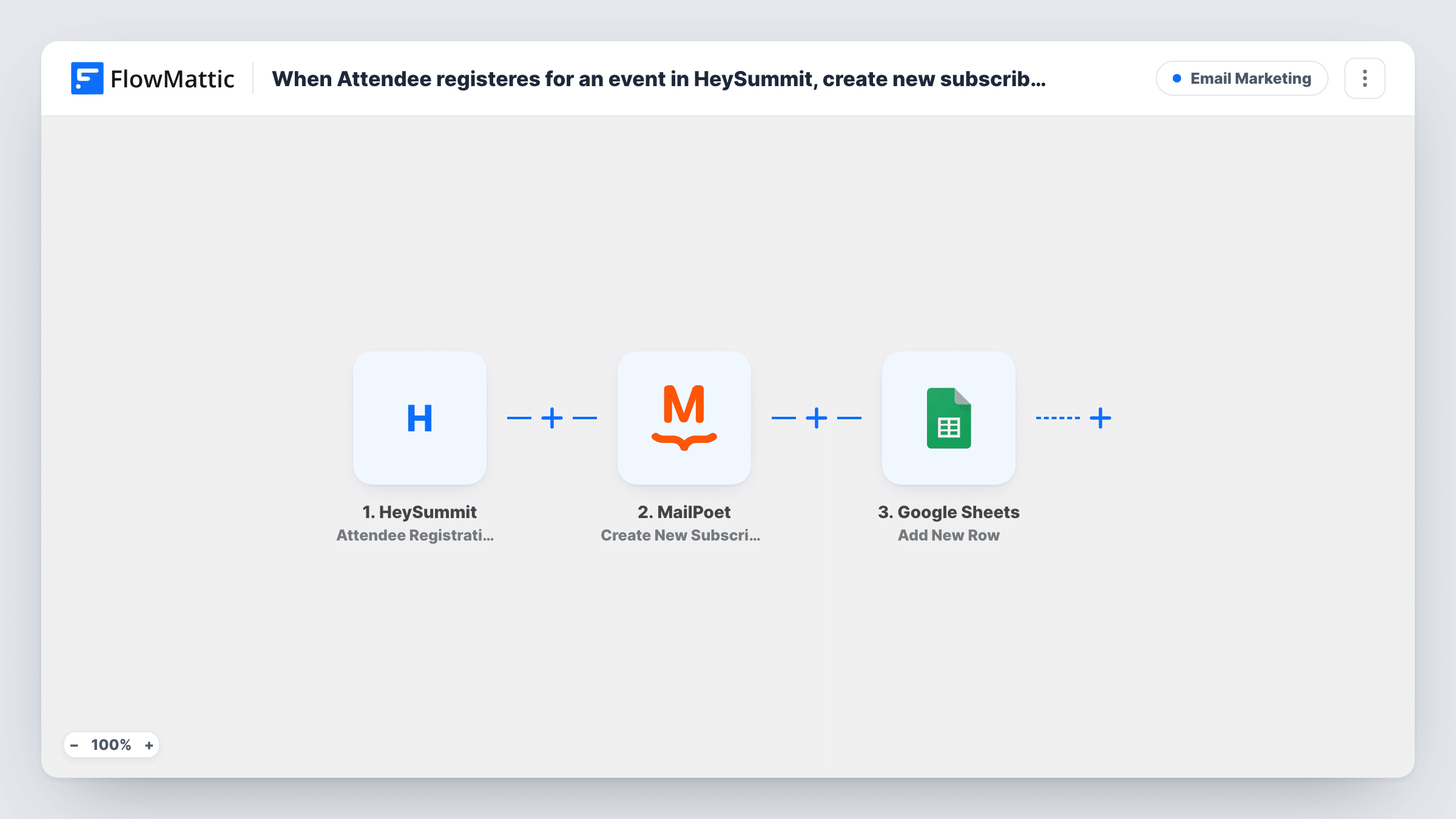
Each time someone registers for a HeySummit event, this workflow adds them to MailPoet as a new subscriber and writes their registration details to a row in Google Sheets.
 HeySummit
 MailPoet
 Google Sheets
3 steps Setup ~5 min Used on 2.4k sites Free to import
What this workflow does
Running an online summit in HeySummit means a steady stream of registrations. You probably want those attendees on your WordPress email list for reminders and follow-ups, and you may want a spreadsheet of who signed up. Doing both by hand after every registration is tedious. This workflow handles the two jobs for each new attendee.
The HeySummit trigger starts a run as soon as a person signs up for one of your summits. FlowMattic sends the attendee's details to MailPoet, whose Create New Subscriber action adds them as a subscriber on your site. Next, the same registration data goes to Google Sheets as a new row in the spreadsheet you pick.
Every registration runs both steps, since nothing filters them. MailPoet runs inside WordPress, so subscribers are stored on your own site. The sheet is the one part that lives outside it.
Reminder emails before a virtual summit
Attendees who register on HeySummit land in MailPoet, where you can send them the schedule and a reminder on the morning the summit opens.
A shared attendee list for sponsors
The Google Sheet of registrations can be shared with a sponsor or co-host who has no HeySummit or WordPress login.
Growing your list from a free online event
A free HeySummit event brings in new names. Each registrant joins your MailPoet subscribers, so your next newsletter reaches them as well.
How this workflow runs
What happens at each step once the workflow is on, and what you need before you import it.
 HeySummit Attendee Registration Started
Fires when a new attendee registers for one of your HeySummit events. The attendee's registration details become data for the MailPoet and Google Sheets steps.
- MailPoet Create New Subscriber
Adds the attendee to MailPoet as a new subscriber. Map their email address and name from the HeySummit registration, then check a test run to see how MailPoet stored them.
- Google Sheets Add New Row
Writes a row to the Google Sheets spreadsheet you choose with the registration details. Map each column to a HeySummit value, such as name, email or event, and connect your Google account.
What you need
- FlowMatticCore
- HeySummit AccountAccount
- MailPoet PluginPlugin
- Google Sheets AccountAccount
After importing, map your own data. To keep the template universal, not every step is pre-filled. Open each step in the builder and connect your accounts and fields (channels, lists, sheets, recipients) before you switch the workflow on.
Make it yours
Changes worth making after you import it.
- Register for your own HeySummit event with a test address after import. FlowMattic captures the attendee data, which makes mapping the MailPoet and Google Sheets steps easier.
- Add a timestamp or event name column to the sheet and map it, so you can tell registrations for separate HeySummit events apart later.
- Want attendees on a specific MailPoet list? Add MailPoet's Add Subscriber to List(s) step after Create New Subscriber and pick the list there.
Questions about this workflow
What if the HeySummit attendee is already a MailPoet subscriber?
Create New Subscriber is meant for new addresses, so MailPoet may return an error for an email it already has. The run still continues to Google Sheets, and Task History shows MailPoet's response.
Does the HeySummit trigger fire for paid ticket purchases?
It fires when an attendee registers. HeySummit also has a separate Checkout Complete trigger in FlowMattic for ticket purchases, if you want to react to those instead.
Is MailPoet needed on the WordPress site where FlowMattic runs?
Yes. MailPoet is a WordPress plugin, and FlowMattic adds subscribers through it on that same site. HeySummit and Google Sheets connect through their own accounts.
Will people who registered before import be added?
No. Only registrations made after you turn the workflow on reach MailPoet and the sheet.
More Email Marketing workflows
Other ready-to-import templates from the same category.





Import this workflow into your WordPress site
Download the JSON, import it from the Workflows screen and connect your accounts. Every run stays on your server, with no per-task fees.
30-day money-back guarantee Unlimited workflows and runs Self-hosted