

When new lead captured in OpenRead, check if the email is valid with Emailable, and add a new subscriber in Campaign Monitor
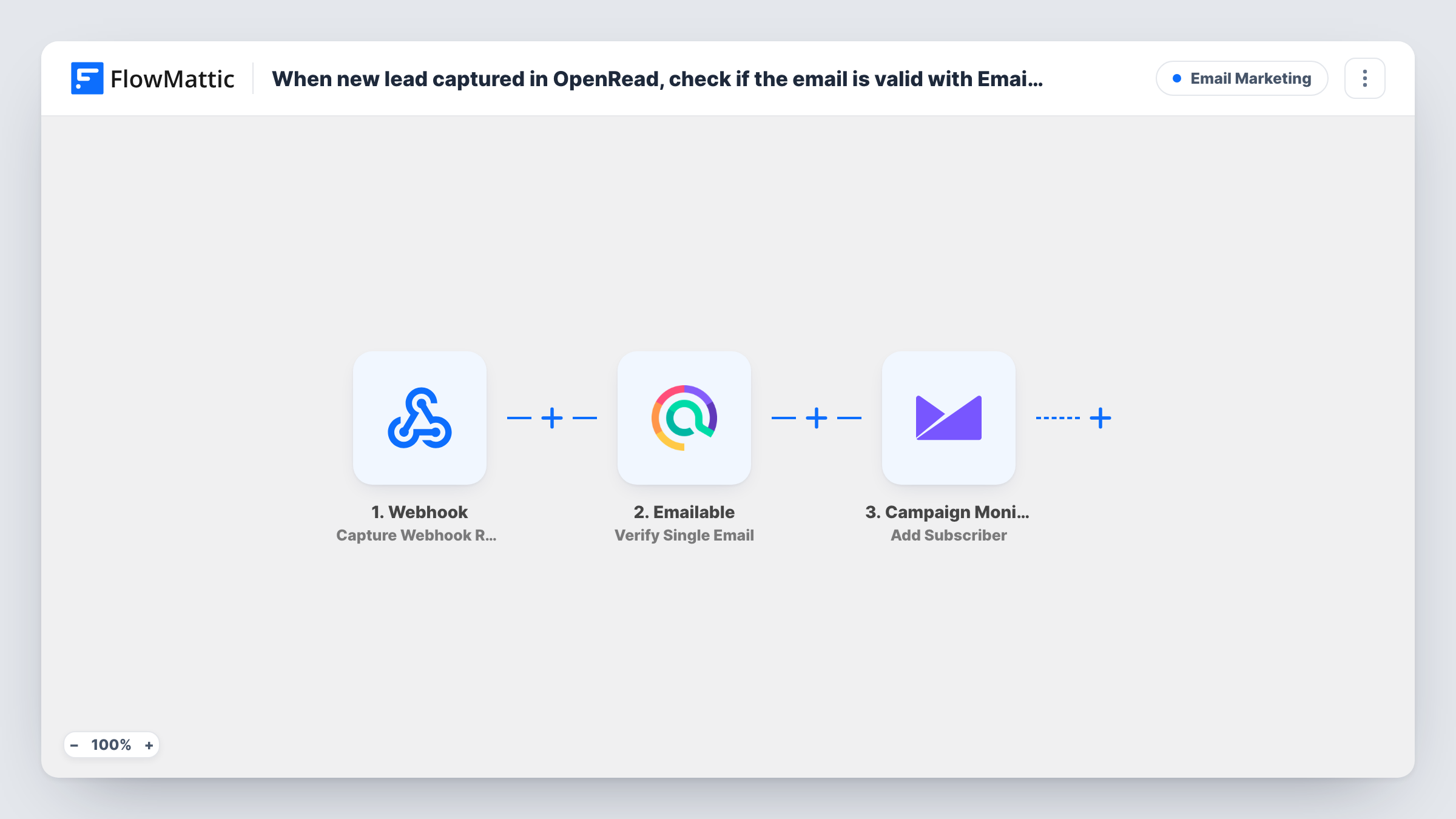
Each lead your OpenRead.io funnel captures has its email checked by Emailable, then the lead is added as a subscriber to your Campaign Monitor list along with the verification result you map.
 OpenRead.io
 Emailable
 Campaign Monitor
3 steps Setup ~5 min Used on 1.1k sites Free to import
What this workflow does
Lead magnets attract typos, throwaway inboxes and fake addresses. Before those reach your email list, it helps to know which ones are real. This workflow runs every new OpenRead.io lead through an Emailable check and then adds the lead to Campaign Monitor, so the verification result travels with the subscriber.
The OpenRead.io trigger starts a run each time your funnel captures a lead. The Emailable step verifies that single email address and returns its result. The Campaign Monitor step then adds the lead to the list you choose.
There is no Filter in the template, so every lead continues to Campaign Monitor whatever Emailable reports. The check tells you about the address; it doesn't hold anyone back. If you want only deliverable addresses on the list, add a Filter between the Emailable step and the Campaign Monitor step that reads Emailable's result.
All three steps arrive unmapped. After import you link OpenRead.io, map the lead's email into Emailable, then map the email, name and, if the step offers a custom field for it, the Emailable result. Run a test lead and open Task History to see the exact value Emailable returns before you build a Filter on it.
Ebook downloads with a quality score
A consultant gives away a guide through OpenRead.io and records Emailable's verdict next to each new Campaign Monitor subscriber, so bad addresses can be cleaned out later.
Keeping a list free of typos
A course creator adds a Filter after Emailable so addresses with mistakes, like a misspelled domain, never become Campaign Monitor subscribers.
Comparing lead sources
A marketer running several OpenRead.io funnels looks at the Emailable results stored in Campaign Monitor to see which funnel brings the most real addresses.
How this workflow runs
What happens at each step once the workflow is on, and what you need before you import it.
 OpenRead.io Capture New Lead
Starts the workflow when OpenRead.io captures a new lead in your funnel. The lead's details, such as the email address, become available to the Emailable and Campaign Monitor steps.
- Emailable Verify Single Email
Checks the lead's email address with Emailable and returns the verification result. Map the email from the OpenRead.io trigger; as imported, the result is not used by any later step.
- Campaign Monitor Add Subscriber
Subscribes the OpenRead.io lead to your chosen Campaign Monitor list. This step runs for every lead, valid or not, until you add a Filter. Pick the list and map the email and name from OpenRead.io during setup.
What you need
- FlowMatticCore
- OpenRead.io AccountAccount
- Emailable AccountAccount
- Campaign Monitor AccountAccount
After importing, map your own data. To keep the template universal, not every step is pre-filled. Open each step in the builder and connect your accounts and fields (channels, lists, sheets, recipients) before you switch the workflow on.
Make it yours
Changes worth making after you import it.
- Put a Filter between the Emailable step and the Campaign Monitor step that continues only when Emailable's result shows a deliverable address. Check a test run first to see the exact field and value Emailable sends.
- If the Add Subscriber step lets you fill a custom field from your list, map Emailable's result into it, so you can segment by it later. A test run confirms it arrived.
- Instead of dropping invalid addresses, add a Router between Emailable and Campaign Monitor and move the Campaign Monitor step into one route for deliverable leads; the other route logs the rest in Google Sheets. Give the two routes conditions that exclude each other.
Questions about this workflow
Does Emailable stop invalid OpenRead.io leads from reaching Campaign Monitor?
Not as imported. The workflow checks the address and then adds every lead regardless. Add a Filter between the Emailable step and the Campaign Monitor step to keep invalid addresses out.
Do I need an Emailable account for this OpenRead.io workflow?
Yes. The verification step connects to your Emailable account, and each check is made through it. Without that connection the step can't verify the address.
What if the lead is already on my Campaign Monitor list?
Campaign Monitor handles an address it already holds in its own way. Send a test lead with an email that is already subscribed and look at the response in Task History.
Can I see what Emailable said about each address?
Yes. Task History shows the Emailable step's output for every run. To keep it with the subscriber, map it into a custom field if the Campaign Monitor step offers one for your list.
More Email Marketing workflows
Other ready-to-import templates from the same category.







Import this workflow into your WordPress site
Download the JSON, import it from the Workflows screen and connect your accounts. Every run stays on your server, with no per-task fees.
30-day money-back guarantee Unlimited workflows and runs Self-hosted