

Log saved Inoreader articles in a Google Sheets spreadsheet
Articles you save in Inoreader are sent to FlowMattic through Inoreader’s webhook and written to a new Google Sheets row, so your reading archive lives in a spreadsheet you can sort, tag and share.
 Inoreader
 Google Sheets
2 steps Setup ~5 min Used on 1.9k sites Free to import
What this workflow does
Saved articles pile up in a reader app, and finding one again months later means scrolling. A spreadsheet is easier to search, add notes to and share with colleagues. This workflow copies each saved Inoreader article into Google Sheets.
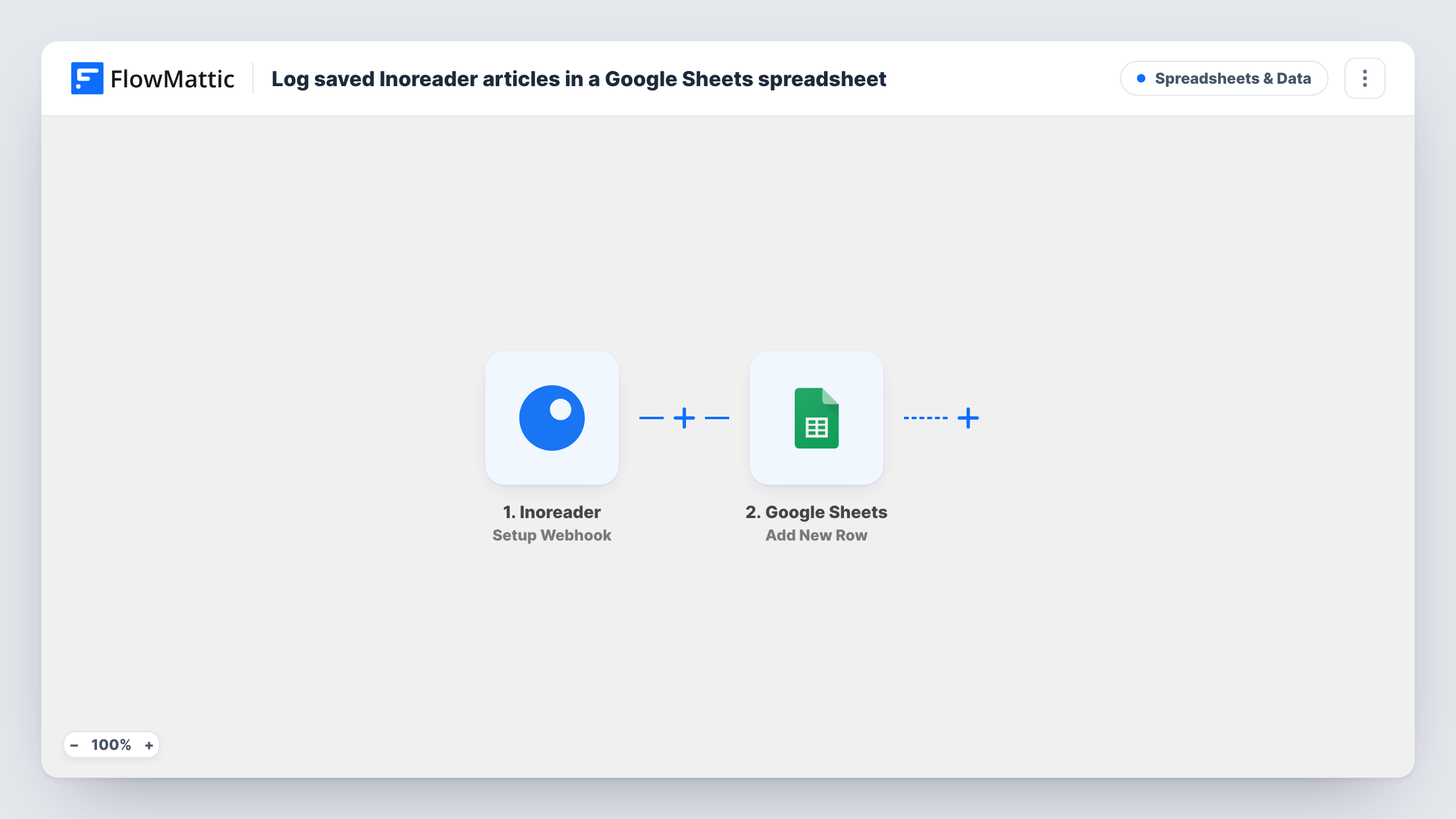
The Inoreader trigger, Setup Webhook, gives you a webhook URL and runs whenever Inoreader posts data to it. You set Inoreader to call that URL for the articles you save, so each one reaches FlowMattic with details such as its title and link. The Google Sheets step, Add New Row, then writes the values you map into a new row of your chosen spreadsheet.
The workflow logs whatever Inoreader sends. If the webhook is set up for other events too, those land in the sheet as well, so send only saved-article events. Save a test article after import to see which fields arrive before you map the columns.
Research archive for a writer
A journalist saves sources in Inoreader while reading. Each one becomes a row with its title and link, and a notes column holds the angle to follow up.
Shared reading list for a team
A marketing lead saves industry articles, and the shared sheet gives the whole team the week's reading without an Inoreader login.
Content curation for a newsletter
Articles saved during the week build up in the sheet, ready to pick from when you write the next issue.
How this workflow runs
What happens at each step once the workflow is on, and what you need before you import it.
 Inoreader Setup Webhook
Receives the data Inoreader posts to this trigger's webhook URL. Point Inoreader at the URL for saved articles; the article details it sends become fields to map.
- Google Sheets Add New Row
Adds a row to the Google Sheets spreadsheet you choose for each article Inoreader sends. Map the title, link and other fields to columns and connect your Google account.
What you need
- FlowMatticCore
- Inoreader AccountAccount
- Google Sheets AccountAccount
After importing, map your own data. To keep the template universal, not every step is pre-filled. Open each step in the builder and connect your accounts and fields (channels, lists, sheets, recipients) before you switch the workflow on.
Make it yours
Changes worth making after you import it.
- Add a date column and map the time the article was saved, if Inoreader sends it, so you can sort the archive by when you read things.
- Add a Filter after the trigger that continues only when the link is not empty, so incomplete payloads don't add blank rows.
- Leave a few empty columns to the right of the mapped ones for your own notes and tags; new rows only fill the columns you map.
Questions about this workflow
How does Inoreader know to send saved articles to FlowMattic?
You copy the webhook URL from the trigger step into Inoreader's webhook setup and choose what it sends. The workflow logs whatever arrives, so limit it to saved articles.
Which Inoreader article details reach the sheet?
Whatever Inoreader includes in its webhook data. Save a test article after import to capture the fields, then map the ones you want.
Will articles I saved before setting this up be logged?
No. Only articles Inoreader sends to the webhook after setup reach the sheet.
Can I send saved Inoreader articles somewhere other than Google Sheets?
Yes. Keep the Inoreader trigger and swap the Google Sheets step for another app, such as a Notion database or a chat channel.
More Spreadsheets & Data workflows
Other ready-to-import templates from the same category.




Import this workflow into your WordPress site
Download the JSON, import it from the Workflows screen and connect your accounts. Every run stays on your server, with no per-task fees.
30-day money-back guarantee Unlimited workflows and runs Self-hosted