

When data received from KonnectzIT, create a customer in Pabbly Subscriptions
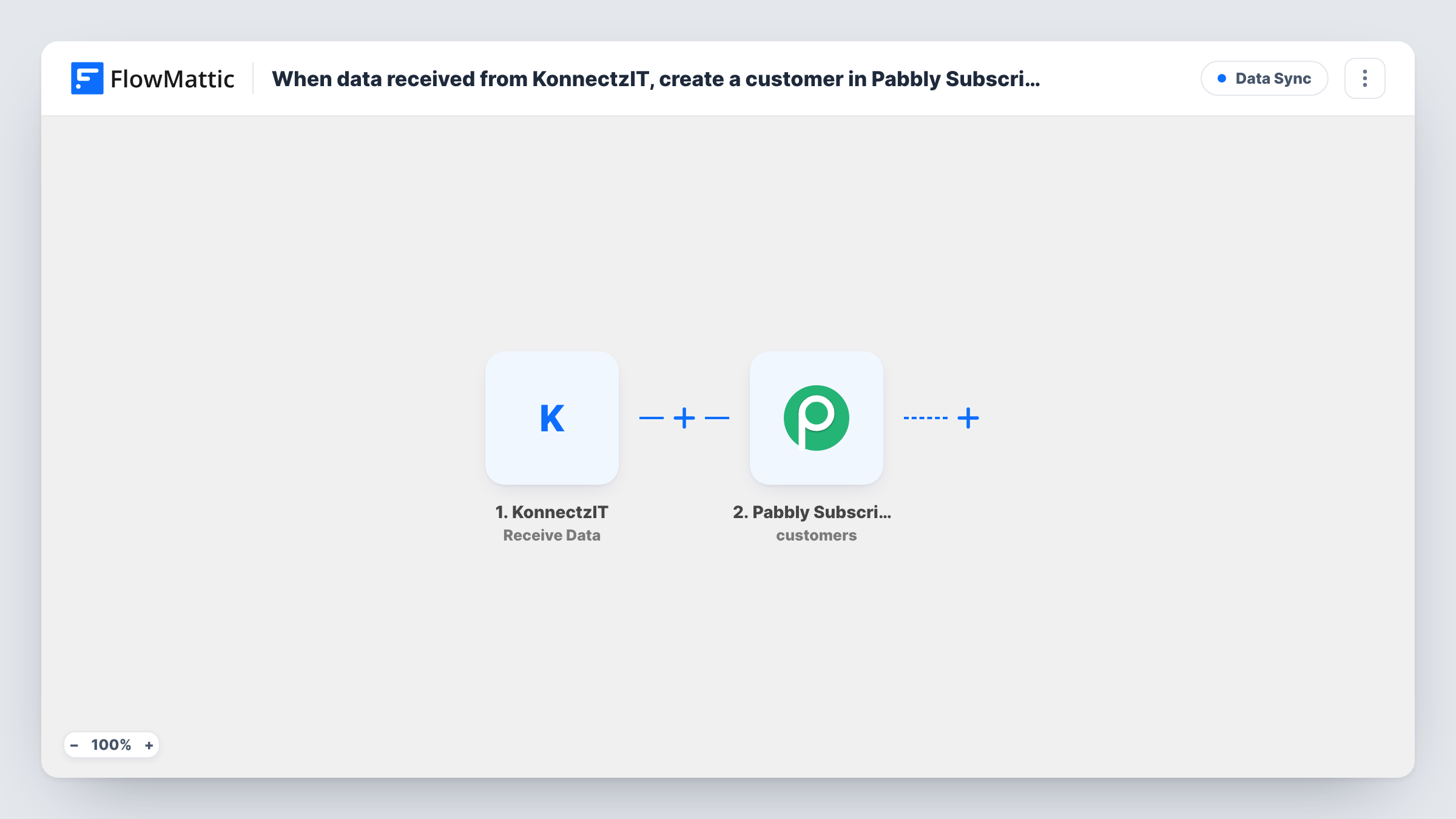
When a KonnectzIT konnect sends data to FlowMattic, a new customer is created in Pabbly Subscriptions from the email and name in that request, ready for a plan or invoice.
 KonnectzIT
 Pabbly Subscriptions
2 steps Setup ~5 min Used on 2.2k sites Free to import
What this workflow does
KonnectzIT connects to plenty of apps that FlowMattic may not watch directly. When one of those apps is where a new client shows up, and your recurring billing lives in Pabbly Subscriptions, this workflow closes the gap: KonnectzIT forwards the client's details and FlowMattic creates the Pabbly customer.
The run begins at the KonnectzIT Receive Data trigger. FlowMattic provides an address for KonnectzIT to post to, and each request starts one run. The payload holds only what your KonnectzIT setup sends, so post a sample request before you map anything and check the fields that arrive.
From there, the Pabbly Subscriptions Create Customer step makes the customer record. You map it after import: connect your Pabbly account, then pick the payload fields that hold the email address and the customer's first and last name.
Because the workflow creates a customer for each request without looking first, a person sent twice gets two create calls. Try it once with an email already in Pabbly Subscriptions and read the response in Task History before you rely on it.
Clients from a booking tool
A tutoring service takes first bookings in a scheduling app that KonnectzIT connects to. KonnectzIT posts each new client, and Pabbly Subscriptions gets a customer for the monthly lesson plan.
Saving KonnectzIT tasks
An agency moves the Pabbly call off KonnectzIT, so its konnect only sends one request to FlowMattic and the customer is created on the WordPress side.
Signed proposals become billing customers
A studio's proposal tool tells KonnectzIT when a client signs, and the client is waiting in Pabbly Subscriptions when the studio sets up the retainer.
How this workflow runs
What happens at each step once the workflow is on, and what you need before you import it.
 KonnectzIT Receive Data
Provides the address your KonnectzIT konnect posts data to. Each request starts one run, and its fields are what you map into Pabbly; send a sample request so FlowMattic can list them.
- Pabbly Subscriptions Create Customer
Makes a new Pabbly Subscriptions customer. The template leaves this step unmapped, so connect Pabbly and choose the KonnectzIT fields for the email, first name and last name.
What you need
- FlowMatticCore
- KonnectzIT AccountAccount
- Pabbly Subscriptions AccountAccount
After importing, map your own data. To keep the template universal, not every step is pre-filled. Open each step in the builder and connect your accounts and fields (channels, lists, sheets, recipients) before you switch the workflow on.
Make it yours
Changes worth making after you import it.
- Include the plan details in the KonnectzIT request, then add Pabbly Subscriptions' Create Subscription action after Create Customer to start the plan in the same run.
- Put a Filter between the KonnectzIT trigger and the Create Customer step on the email field, set to continue only when it isn't empty, so half-filled requests stop before Pabbly.
- If KonnectzIT sends the full name in one field, add a Text Formatter Split Text step between the trigger and Pabbly, split on the space, to get the first name.
- Keep a copy of each new customer by adding a Google Sheets Add New Row step after Create Customer, with the email and the date of the request.
Questions about this workflow
How does KonnectzIT reach this FlowMattic workflow?
Through the Receive Data trigger's address. Set up your KonnectzIT konnect to post to it, then send a sample request so FlowMattic can show you the fields.
Does the workflow check Pabbly Subscriptions for an existing customer?
No. Each KonnectzIT request goes straight to Create Customer. Send a test with an email that Pabbly already holds and read Task History to see how Pabbly handles it.
Can I add the subscription as well as the customer?
Yes. FlowMattic's Pabbly Subscriptions integration has Create Subscription for an existing customer, so add it after the Create Customer step and map the plan from the KonnectzIT data.
More Data Sync workflows
Other ready-to-import templates from the same category.






Import this workflow into your WordPress site
Download the JSON, import it from the Workflows screen and connect your accounts. Every run stays on your server, with no per-task fees.
30-day money-back guarantee Unlimited workflows and runs Self-hosted