FTP automation in WordPress: upload, download and watch folders
The FTP app uploads, downloads, moves and deletes files on FTP, FTPS and SFTP servers from any workflow, and starts workflows when…


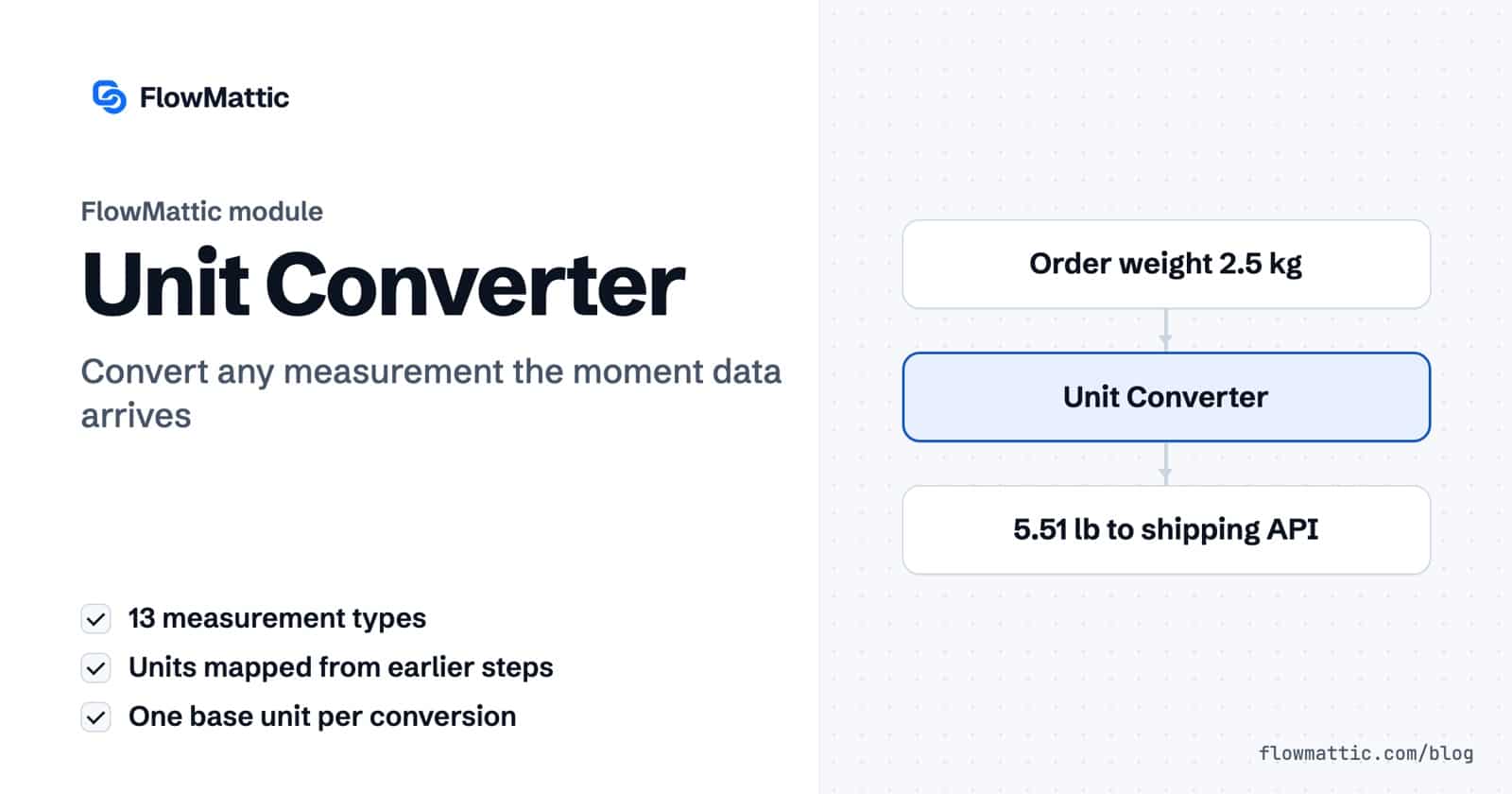
Unit converter automation means a workflow changes kilograms to pounds, Fahrenheit to Celsius or bytes to gigabytes on its own, the moment the data arrives. In FlowMattic that is one step: the Unit Converter takes a value, a from unit and a to unit, and returns the converted number for the next step to use.
It suits stores shipping across borders, agencies publishing listings for different markets, and SaaS teams reporting usage in units people read. This guide covers all thirteen conversion types, the exact unit names each one accepts, and the edge cases that trip people up.
Unit Converter by FlowMattic is a built-in action module. In the step picker it is listed under Utilities as “Convert between units of measure”, next to the other data tools. It runs on your own WordPress server and needs no external service.
Each measurement type is its own action: Length Conversion, Weight Conversion, Temperature Conversion, Volume Conversion, Area Conversion, Speed Conversion, Pressure Conversion, Energy Conversion, Power Conversion, Data Size Conversion, Angle Conversion, Frequency Conversion and Fuel Economy Conversion.
converted_value into the next step.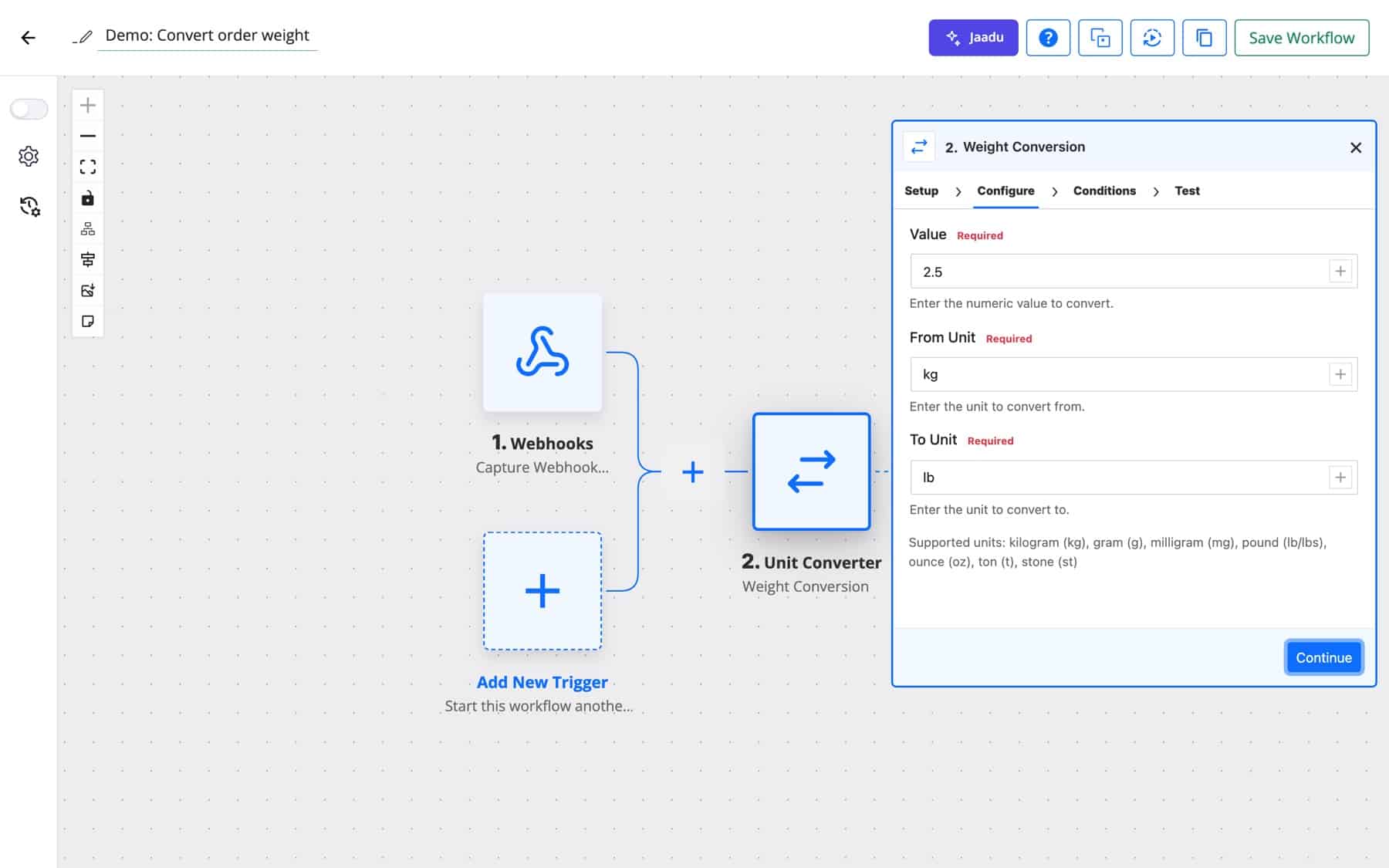
Every successful conversion returns the same fields:
{
  "status": "success",
  "converted_value": 5.511561050459444,
  "from_unit": "kg",
  "to_unit": "lb",
  "original_value": 2.5
}
Each linear conversion goes through one base unit (metres, kilograms, litres, square metres, metres per second, pascals, joules, watts, bytes, degrees or hertz). Temperature and fuel economy use their own formulas, because they aren’t simple ratios.
Units are case-insensitive and surrounding spaces are ignored, so KG, kg and kg all work. Use either the full name or the short form shown in brackets.
| Action | Units you can enter |
|---|---|
| Length Conversion | meter (m), kilometer (km), centimeter (cm), millimeter (mm), mile (mi), yard (yd), foot or feet (ft), inch (in), nautical_mile (nm) |
| Weight Conversion | kilogram (kg), gram (g), milligram (mg), pound (lb, lbs), ounce (oz), ton (t), stone (st) |
| Temperature Conversion | c, f, k |
| Volume Conversion | liter (l), milliliter (ml), gallon (gal), quart (qt), pint (pt), cup, fluid_ounce (fl_oz), tablespoon (tbsp), teaspoon (tsp), cubic_meter (m3), cubic_cm (cm3, cc) |
| Area Conversion | square_meter (sqm, m2), square_kilometer (km2), square_cm (cm2), square_mm (mm2), square_mile (mi2), square_yard (yd2), square_foot (sqft, ft2), square_inch (in2), acre, hectare (ha) |
| Speed Conversion | meter_per_second (m/s, mps), kilometer_per_hour (km/h, kmh, kph), mile_per_hour (mph), foot_per_second (ft/s, fps), knot (kn) |
| Pressure Conversion | pascal (pa), kilopascal (kpa), bar, millibar (mbar), atmosphere (atm), psi, torr, mmhg |
| Energy Conversion | joule (j), kilojoule (kj), calorie (cal), kilocalorie (kcal), watt_hour (wh), kilowatt_hour (kwh), btu, electron_volt (ev) |
| Power Conversion | watt (w), kilowatt (kw), megawatt (mw), horsepower (hp), metric_horsepower (ps), btu_per_hour (btu/h), foot_pound_per_second (ft_lb/s) |
| Data Size Conversion | bit (b), byte, kilobyte (KB), megabyte (MB), gigabyte (GB), terabyte (TB), petabyte (PB) |
| Angle Conversion | degree (deg), radian (rad), gradian (grad, gon), arc_minute (arcmin), arc_second (arcsec), turn or revolution (rev) |
| Frequency Conversion | hertz (hz), kilohertz (khz), megahertz (mhz), gigahertz (ghz), rpm, bpm |
| Fuel Economy Conversion | mpg, km/l, l/100km |
Your catalogue stores weights in kilograms, but the carrier wants pounds. Convert the order weight before the label request goes out, so nobody re-keys it.
Flow: WooCommerce new order → Weight Conversion (kg to lb) → API Request (POST)
A real estate agency receives listings in square feet and publishes for buyers who think in square metres. One step adds the second figure to the record.
Flow: Form submission → Area Conversion (sqft to sqm) → WP Tables (New Record)
A device posts temperatures in Fahrenheit to a webhook. Convert to Celsius, then let a Filter stop the run unless the reading is above your limit.
Flow: Webhook (Capture Webhook Response) → Temperature Conversion (f to c) → Filter → Send Email
Usage APIs usually report bytes. Convert to GB and round to two decimals before the monthly usage email goes to each customer.
Flow: Schedule → API Request (GET) → Data Size Conversion (byte to GB) → Number Formatter (Decimal Converter) → Send Email
An operations team with drivers in two countries can store each trip in both systems. Chain two conversions in one run.
Flow: Webhook → Length Conversion (km to mi) → Fuel Economy Conversion (l/100km to mpg) → WP Tables (New Record)
A customer asks whether a 32-inch item fits an 80 cm shelf. An AI agent can pull out the number and unit, and the converter does the arithmetic exactly, so the reply doesn’t rely on the model’s maths.
Flow: Email received → AI Agent → Length Conversion (in to cm) → Send Email
celsius return “Invalid from unit specified.”, so stick to the letters.(0 * 9 / 5) + 32.1,200 and 5 kg aren’t numeric, so the step returns the same message. Strip commas and units first with the Text Formatter.t) is the metric tonne of 1,000 kg.nm means nautical mile, not nanometre. In Data Size Conversion, b means bit, not byte, and kilobytes are 1,024 bytes.Yes. Add a Unit Converter step with Weight Conversion, map the weight into Value, and set From Unit to kg and To Unit to lb. The result is in converted_value.
Use Temperature Conversion with From Unit f and To Unit c. 98.6 becomes 37. Negative values work too, but a value of exactly 0 is rejected, so handle that case separately.
It uses 1,024. A kilobyte is 1,024 bytes, a megabyte is 1,048,576 bytes, and so on up to petabytes. 1,536 MB converts to 1.5 GB.
Yes. Value, From Unit and To Unit all accept dynamic tags. That lets one step convert whatever unit a form or an API sent, as long as it matches a name the action supports.
Unit converter automation is one of many data steps that ship with FlowMattic and run on your own site. Try FlowMattic and convert your first value in a few minutes.
The FTP app uploads, downloads, moves and deletes files on FTP, FTPS and SFTP servers from any workflow, and starts workflows when…
Share Secrets turns a password or API key into a link that expires after a set time, a set number of views,…
Generate Magic Login Link creates single-use sign-in links from any workflow, valid from 1 minute to 30 days, with a confirmation page…