

Enrich form leads with Google Maps business data
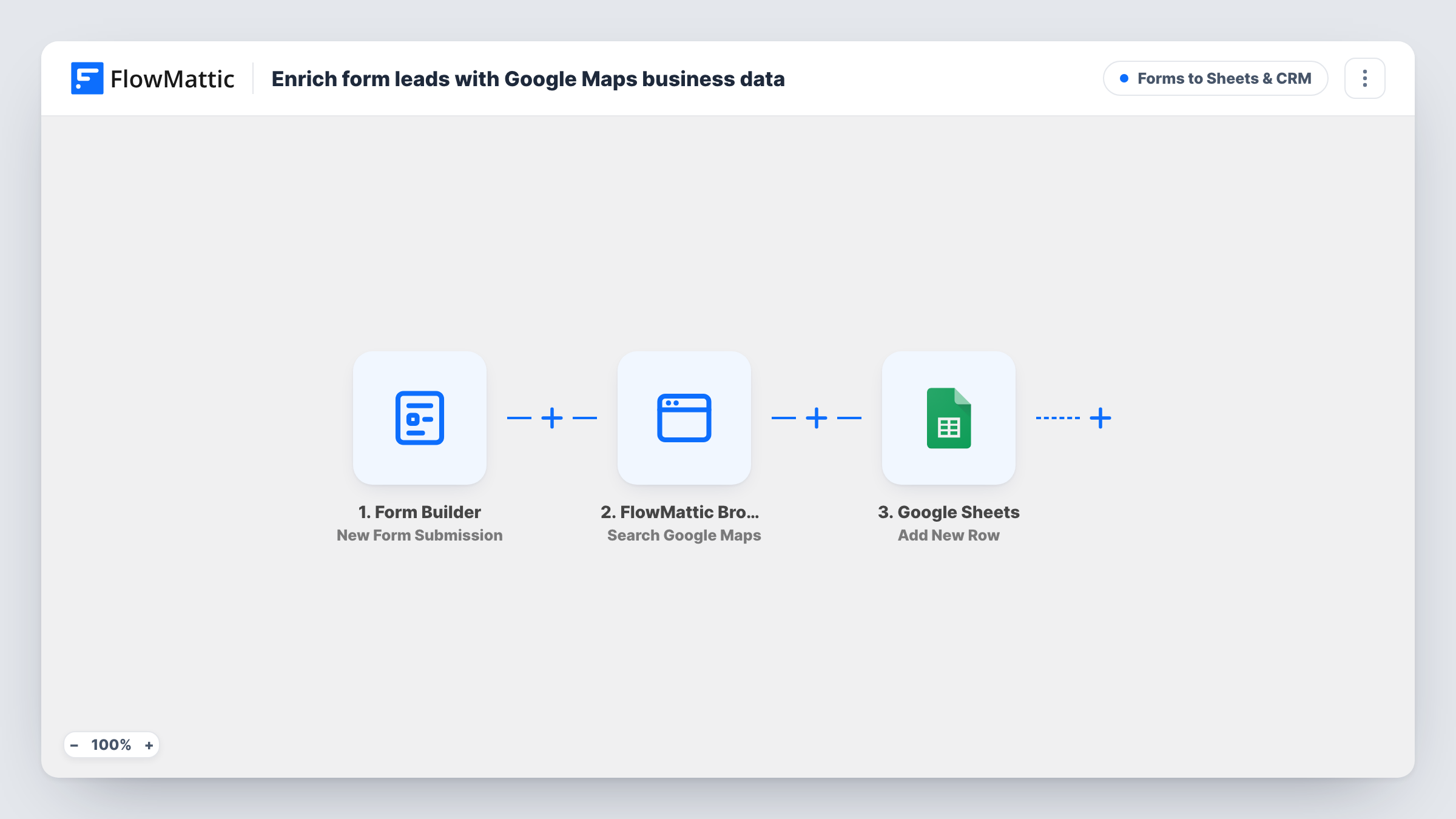
Each FlowMattic Forms lead is searched on Google Maps by FlowMattic Browser, and the business listings it finds, with address, phone, website and rating, go into a Google Sheets row with the lead.
 Form Builder
 FlowMattic Browser
 Google Sheets
3 steps Setup ~5 min Used on 1.6k sites Lead Capture Free to import
What this workflow does
A form lead that gives only a business name leaves you to look up the rest: where they are, their phone number, their website, how they are rated. Doing that for every enquiry takes time you could spend replying. This workflow runs the Google Maps search for you and puts what it finds next to the lead in a spreadsheet.
The FlowMattic Forms trigger runs on each new submission. FlowMattic Browser then searches Google Maps using the form's name field as the search term, with place details turned on. It returns up to 10 listings, each with name, rating, reviews, category, address, phone, website and Maps URL.
Everything then lands in a new Google Sheets row. Its columns ship unmapped, so you choose which form answers and which listing fields fill them, usually those of the top result. The search uses whatever text the name field holds. If your form asks for a person's name in that field and the company elsewhere, switch the search term to the company field. FlowMattic Browser needs your Cloudflare Browser Rendering credentials in FlowMattic Settings.
Local service enquiries
A marketing agency's form asks for the business name. The sheet shows each prospect's address, phone and Google rating before anyone calls them back.
Wholesale account applications
Shops applying for trade accounts give their store name, and the row adds the Maps listing so you can confirm the business has a public listing.
Partner or venue sign-ups
Venues registering for an events directory are matched to their Maps listing, giving you their website and category in the same row.
How this workflow runs
What happens at each step once the workflow is on, and what you need before you import it.
 Form Builder New Form Submission
Runs when your chosen FlowMattic form receives a submission. Every answer, including the name field used for the search, is passed to the next steps.
- FlowMattic Browser Search Google Maps
Searches Google Maps for the text in the form's name field and fetches place details. Returns up to 10 listings with name, rating, reviews, category, address, phone, website and Maps URL.
- Google Sheets Add New Row
Writes one new row per lead to your chosen sheet. Map the lead's form answers and the listing fields you want, such as the first result's address, phone and website, to your columns.
What you need
- FlowMatticCore
- Google Sheets AccountAccount
After importing, map your own data. To keep the template universal, not every step is pre-filled. Open each step in the builder and connect your accounts and fields (channels, lists, sheets, recipients) before you switch the workflow on.
Make it yours
Changes worth making after you import it.
- Add a city or postcode field to your form and include it in the search term after the business name, so Google Maps returns listings from the right area.
- Run one test submission with a real business name, then look at the Browser step's output in Task History to see how the listings are structured before you map the sheet columns.
- Add a Filter after the search that continues only when the result count is greater than 0, so leads with no Maps match don't create a half-empty row.
Questions about this workflow
Which Google Maps listing ends up in the sheet?
Whichever one you map. The search can return several listings, and the Google Sheets step uses the fields you choose, normally those of the first result. Check a test run to confirm it is the business you expected.
Do I need a Google Maps API key for the lead lookup?
No. FlowMattic Browser opens Google Maps in a headless browser through Cloudflare Browser Rendering, so you add your Cloudflare Account ID and API Token in FlowMattic Settings instead.
What if the lead types a person's name instead of a business?
The search still runs on that text and may return unrelated listings or none. Label the form field clearly, or map a separate company field as the search term.
Does every FlowMattic Forms submission get looked up?
Yes. Each submission runs the search and adds a row. Add a Filter after the trigger if only some forms or answers should be enriched.
More Forms to Sheets & CRM workflows
Other ready-to-import templates from the same category.






Import this workflow into your WordPress site
Download the JSON, import it from the Workflows screen and connect your accounts. Every run stays on your server, with no per-task fees.
30-day money-back guarantee Unlimited workflows and runs Self-hosted