

Log Gravity Forms entries to Google Sheets and alert your team in Slack
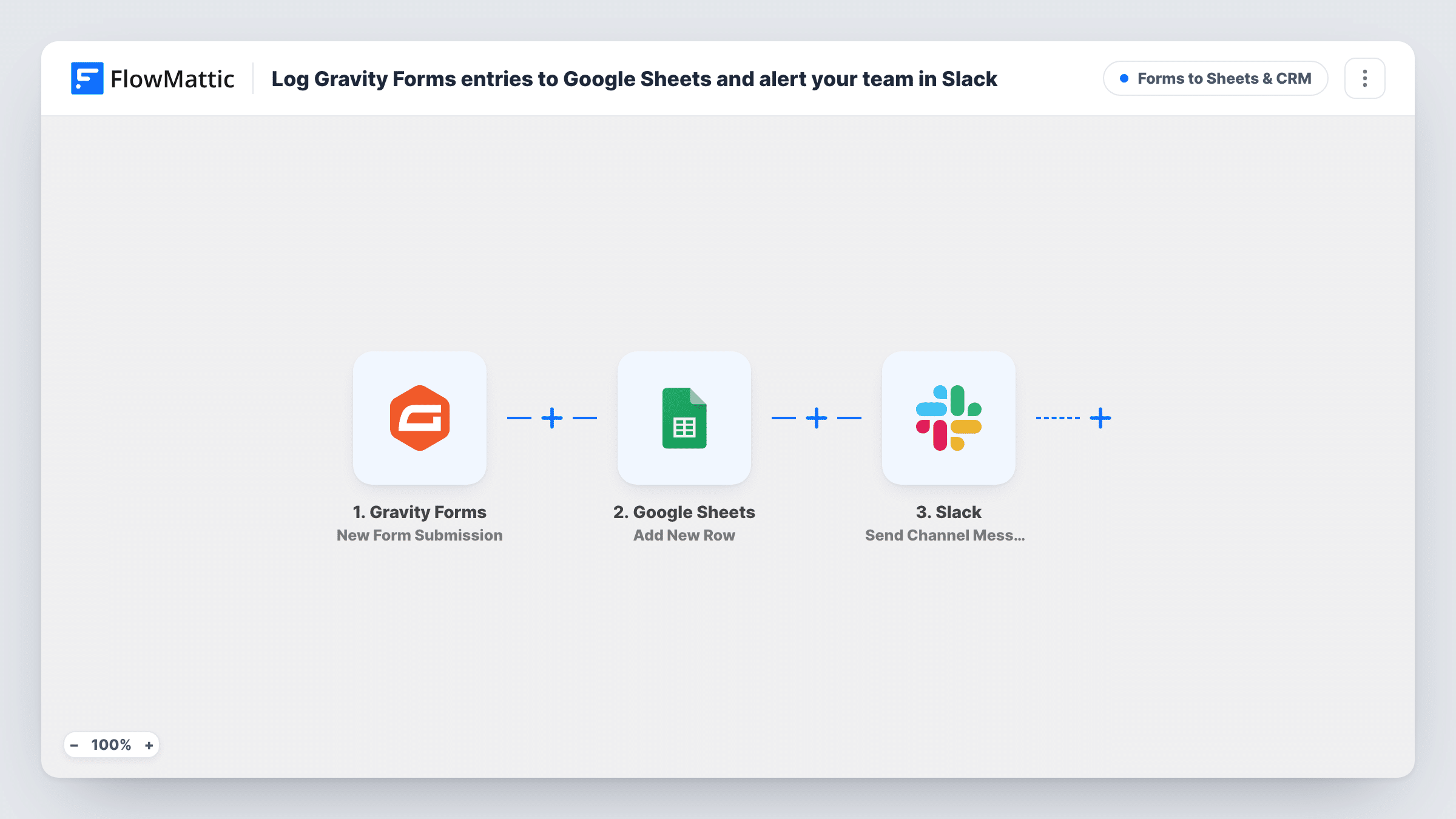
Every Gravity Forms entry is added as a new row in Google Sheets, and your team gets a Slack channel message showing who sent it, their email and their message.
 Gravity Forms
 Google Sheets
 Slack
Slack3 steps Setup ~5 min Used on 3.2k sites Lead Capture Free to import
What this workflow does
Gravity Forms keeps entries in your WordPress admin, which is not where most teams look during the day. A shared spreadsheet gives everyone a record, and a Slack message tells them something new arrived. This workflow does both for each entry.
When a visitor submits a Gravity Forms form, FlowMattic passes the entry on. The Google Sheets step appends a row to the spreadsheet you connect, with the columns you map from the entry. After that, the Slack step posts to a channel: an envelope emoji, "New Gravity Forms entry from" with the sender's name in bold and their email in brackets, then their message as a quote on the next line.
The Slack text uses fields mapped as name, email and message. Gravity Forms identifies fields by number, so after import submit a test entry and pick the right values in both steps. Entries remain in Gravity Forms as usual.
Enquiry form for a sales team
Sales reps see each new enquiry quoted in Slack and open the shared Google Sheet to note who is following it up.
Feedback form on a client site
Your client keeps a spreadsheet of all feedback, and your team's Slack channel shows each comment as it arrives.
Booking or callback requests
Requests for a callback are logged in the sheet for tracking and posted in Slack so whoever is free can call back.
How this workflow runs
What happens at each step once the workflow is on, and what you need before you import it.
 Gravity Forms New Form Submission
Runs each time a Gravity Forms form on your site is submitted. The entry's fields are available to map into Google Sheets and Slack.
- Google Sheets Add New Row
Appends a row to the Google Sheets spreadsheet you connect. Map Gravity Forms fields to its columns, and sign in to Google when you import.
- Slack Send Channel Message
Posts a Slack channel message with the sender's name in bold, their email, and their message quoted below. Connect Slack and check the channel with a test entry.
What you need
- FlowMatticCore
- Gravity Forms PluginPlugin
- Google Sheets AccountAccount
- Slack AccountAccount
After importing, map your own data. To keep the template universal, not every step is pre-filled. Open each step in the builder and connect your accounts and fields (channels, lists, sheets, recipients) before you switch the workflow on.
Make it yours
Changes worth making after you import it.
- Add a Filter before the Slack step if only some entries need the team's attention, for example ones where a Department field equals Sales. Every entry still reaches the sheet.
- Add a column for the date of each entry when you map the sheet, so you can sort and count entries by day.
- Shorten the Slack message by removing the quoted message line if entries are long, and let people read the full text in the sheet.
Questions about this workflow
My Gravity Forms fields aren't named name, email and message. What do I change?
Remap them. After a test entry, choose the correct Gravity Forms fields in the Slack message and in each Google Sheets column.
Does the Slack alert include a link to the Google Sheet?
Not as imported. Add the sheet's URL to the Slack message text yourself if you want people to jump straight to it.
Will Gravity Forms still send its notification emails?
Yes. The workflow only reads new entries. It does not change the form's own notifications.
More Forms to Sheets & CRM workflows
Other ready-to-import templates from the same category.






Import this workflow into your WordPress site
Download the JSON, import it from the Workflows screen and connect your accounts. Every run stays on your server, with no per-task fees.
30-day money-back guarantee Unlimited workflows and runs Self-hosted