

AI agent that writes a weekly data summary from your sheet
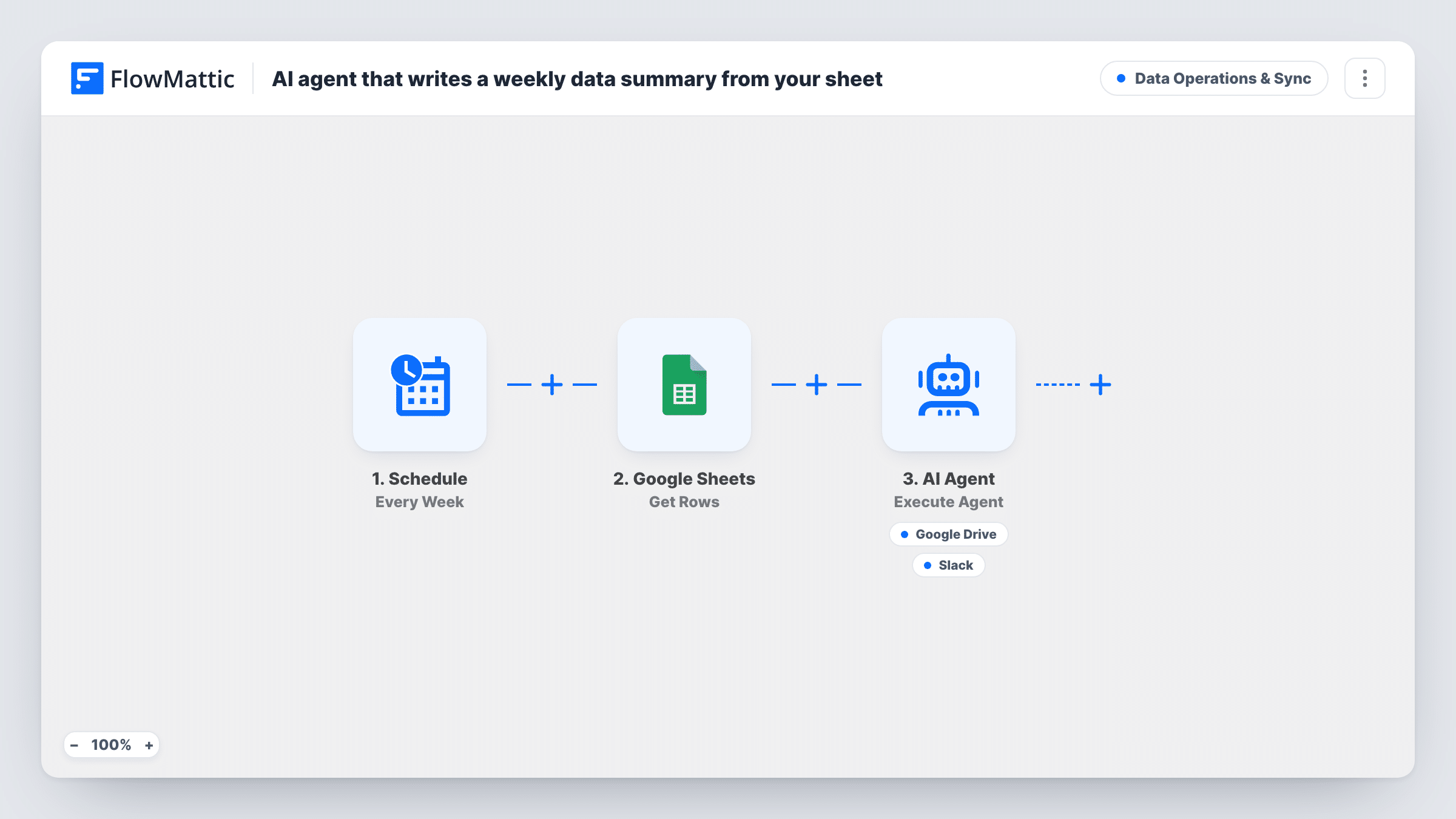
Once a week, FlowMattic reads the rows of your metrics sheet and hands them to an AI agent that writes a plain-English summary of trends and anomalies, with tools to save it to Google Drive and post the headline to Slack.
 Schedule
 Google Sheets
 AI Agent
 Google Drive
 Slack
Slack5 steps Setup ~8 min Used on 2.5k sites Data Ops Free to import
What this workflow does
A metrics sheet is easy to fill and easy to ignore. Someone has to read it each week, spot what moved and tell the team. This workflow gives that job to an AI agent, so a written summary arrives on a set schedule without anyone opening the spreadsheet.
Each week the Schedule trigger kicks off a fresh report. FlowMattic then fetches rows from Google Sheets and passes them to an AI Agent step, which is set up with OpenAI's GPT-4o. Its instructions are to summarise the week's metrics in plain English, call out trends and anomalies, save the summary to Drive and post the headline to Slack. It has two tools for that: Google Drive's Create File From Text and Slack's Send Channel Message. The agent writes the file name, file content and message itself.
Two points to know before you import. Get Rows has no filter, so each run reads the rows the step returns, not only rows added since last week. And the agent decides when to use its tools, so check Task History after the first runs to see that it saved the file and posted to Slack.
Monday notes on website traffic
You log weekly sessions, sign-ups and conversion rate in a sheet. The agent writes the short note on what changed, and the team reads the headline in Slack.
Weekly sales figures for a small shop
Revenue and order counts sit in Google Sheets. Each week the agent points out an unusual drop or spike, and the full write-up is kept as a file in Drive.
Support queue health check
A sheet tracks tickets opened, closed and response times. The summary flags a week where response times jumped, before anyone has to dig through the numbers.
How this workflow runs
What happens at each step once the workflow is on, and what you need before you import it.
 Schedule Every Week
Kicks off the weekly report run. Open the Schedule step after import and check when it fires, so the summary arrives when your team will read it.
- Google Sheets Get Rows
Fetches rows from your metrics spreadsheet in Google Sheets and passes them to the AI Agent. Connect your Google account on import and run a test to see what the step returns.
- AI Agent Execute Agent
Gives the rows to an AI agent told to summarise the week's metrics in plain English, call out trends and anomalies, then save the summary to Drive and post the headline to Slack.
- Google Drive Create File From Text
A tool the agent can call to create a Google Drive file from text. The agent writes both the file name and the content. Connect your Google Drive account on import.
- Slack Send Channel Message
A tool the agent can call to post a message to a Slack channel. The agent writes the message, meant to be the summary's headline. Connect your Slack workspace on import.
What you need
- FlowMatticCore
- Google Sheets AccountAccount
- AI ProviderAccount
- Google Drive AccountAccount
- Slack AccountAccount
After importing, map your own data. To keep the template universal, not every step is pre-filled. Open each step in the builder and connect your accounts and fields (channels, lists, sheets, recipients) before you switch the workflow on.
Make it yours
Changes worth making after you import it.
- Edit the agent's instructions to name the metrics you care about most and the tone you want, for example three bullet points and one sentence on what to watch next week.
- If the sheet holds months of history, keep the recent weekly figures in a separate spreadsheet and use that one in the Get Rows step, so the agent reads this week's numbers instead of the whole archive.
- Run the workflow once by hand after import and open Task History. The agent's response shows whether it used both tools and what it wrote.
Questions about this workflow
Which AI model writes the weekly summary?
The template's AI Agent step is set to OpenAI's GPT-4o, so you need an AI provider connected in FlowMattic before the first weekly run.
Does the agent read only this week's rows from Google Sheets?
No. Get Rows has no filter, so every run gets the rows the step returns from your sheet. The instructions ask for this week's metrics, so a sheet with a date column helps the agent tell weeks apart.
Is the Slack post guaranteed every week?
The agent is told to save the summary to Drive and post the headline to Slack, and it chooses when to call each tool. Check Task History after the first runs to confirm it does both.
Where does the summary file end up in Google Drive?
The Create File From Text tool makes the file through your connected Google Drive account, with a name the agent picks. Run a test and look in your Drive to see where it lands.
More Data Operations & Sync workflows
Other ready-to-import templates from the same category.





Import this workflow into your WordPress site
Download the JSON, import it from the Workflows screen and connect your accounts. Every run stays on your server, with no per-task fees.
30-day money-back guarantee Unlimited workflows and runs Self-hosted