

Log every booking to a Google Sheet
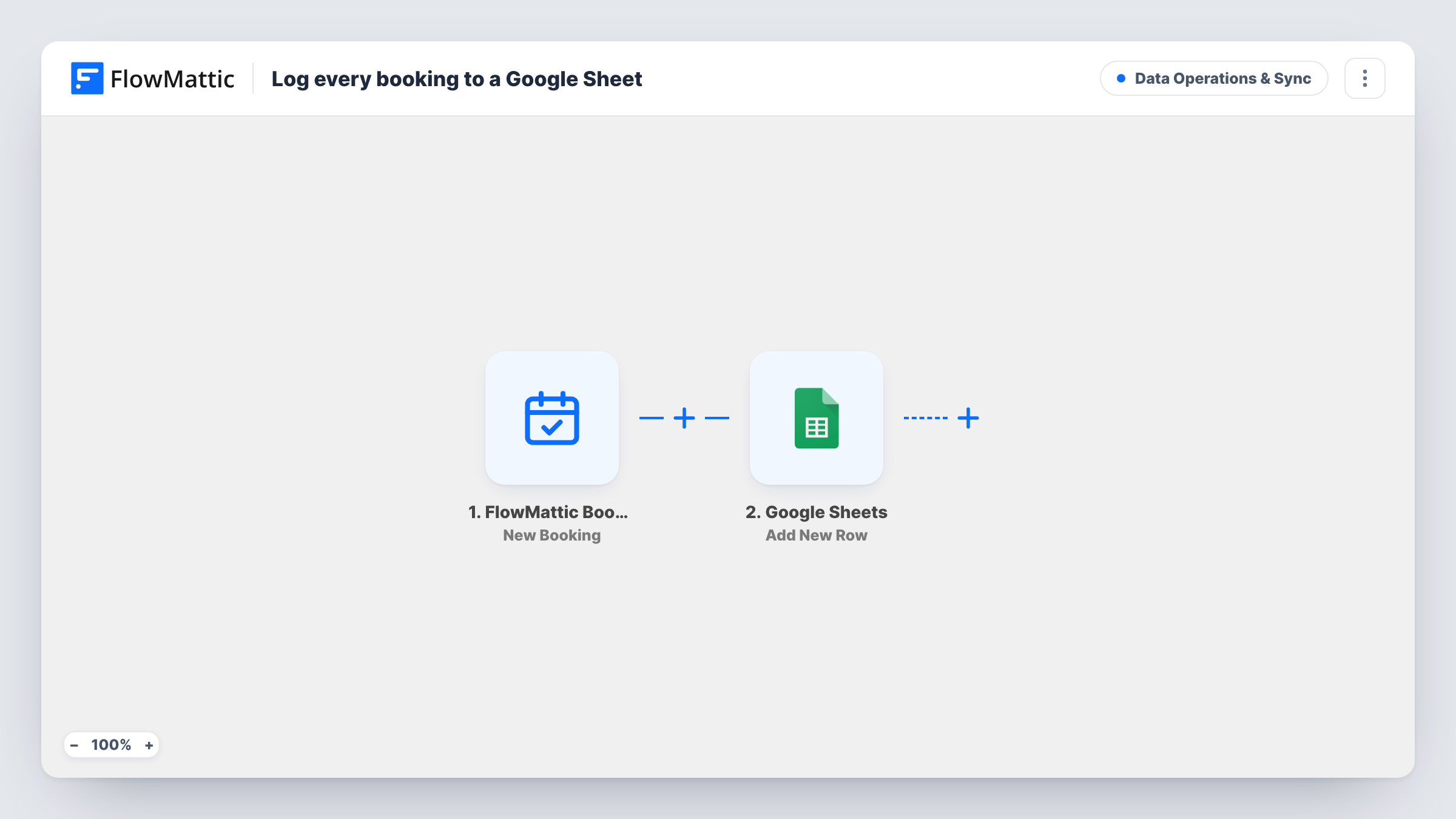
Every new booking on a FlowMattic Bookings calendar becomes a row in your Google Sheets spreadsheet, giving you a running list of appointments you can sort, chart or share.
 FlowMattic Bookings
 Google Sheets
2 steps Setup ~5 min Used on 502 sites Data Ops Free to import
What this workflow does
The bookings screen in WordPress is fine for checking today's schedule. It is less handy when you want to count bookings by calendar, plan staff hours or let someone without a site login see what is coming up. A spreadsheet handles those jobs, and this workflow keeps one filled.
Whenever a visitor books a slot, the FlowMattic Bookings trigger starts a run. FlowMattic then adds a row to the Google Sheets spreadsheet you select. The template doesn't set which booking detail goes in which column, so after import you map them yourself: the booker's name and email, the calendar, the date and the start time are the obvious ones.
Every booking adds one row and nothing in WordPress is changed. Later changes to a booking, such as a reschedule or a cancellation, don't touch rows already in the sheet. Task History lists each run with the data it sent to Google.
Weekly capacity planning
A studio manager filters the sheet by date each Monday to see how many sessions each calendar has, then sets staff rotas from that count.
Sharing the schedule with a partner
A freelancer shares a view-only copy of the sheet with an assistant who has no WordPress access, so both see the same list of booked calls.
Monthly booking reports
A pivot table on the log counts bookings per calendar per month, giving you a simple report built from the rows this workflow adds.
How this workflow runs
What happens at each step once the workflow is on, and what you need before you import it.
 FlowMattic Bookings New Booking
Fires when a new booking is made on any of your FlowMattic Bookings calendars. The booking's details, such as name, email, calendar, date and start time, are passed on for mapping.
- Google Sheets Add New Row
Adds one row to the Google Sheets spreadsheet you pick. The template ships without column mapping, so connect your Google account, choose the sheet and match each column to a booking field before you switch it on.
What you need
- FlowMatticCore
- Google Sheets AccountAccount
After importing, map your own data. To keep the template universal, not every step is pre-filled. Open each step in the builder and connect your accounts and fields (channels, lists, sheets, recipients) before you switch the workflow on.
Make it yours
Changes worth making after you import it.
- Give the sheet a header row first, for example Name, Email, Calendar, Date and Start Time, so every column has a clear label when you map booking fields to it.
- Want a status history too? Set up a second workflow on Booking Cancelled that adds a row to another tab, so cancellations sit next to the original log.
- Make one test booking after import so the trigger has real data, then map the fields and check the new row in the sheet.
Questions about this workflow
Does a rescheduled FlowMattic booking update its row in Google Sheets?
No. The workflow only adds a row when a booking is first made. A reschedule or cancellation leaves the existing row as it is.
Will my past bookings be added to the sheet?
No. Only bookings made after you switch the workflow on are logged. Earlier bookings would need to be copied into the sheet by hand.
Which booking details can I put in the spreadsheet?
Whatever the New Booking trigger hands over can go in a column. Run a test booking and look at the trigger's sample data to see every field you can map to a column.
More Data Operations & Sync workflows
Other ready-to-import templates from the same category.







Import this workflow into your WordPress site
Download the JSON, import it from the Workflows screen and connect your accounts. Every run stays on your server, with no per-task fees.
30-day money-back guarantee Unlimited workflows and runs Self-hosted