

Add every new Google Sheet row to Airtable and notify Slack
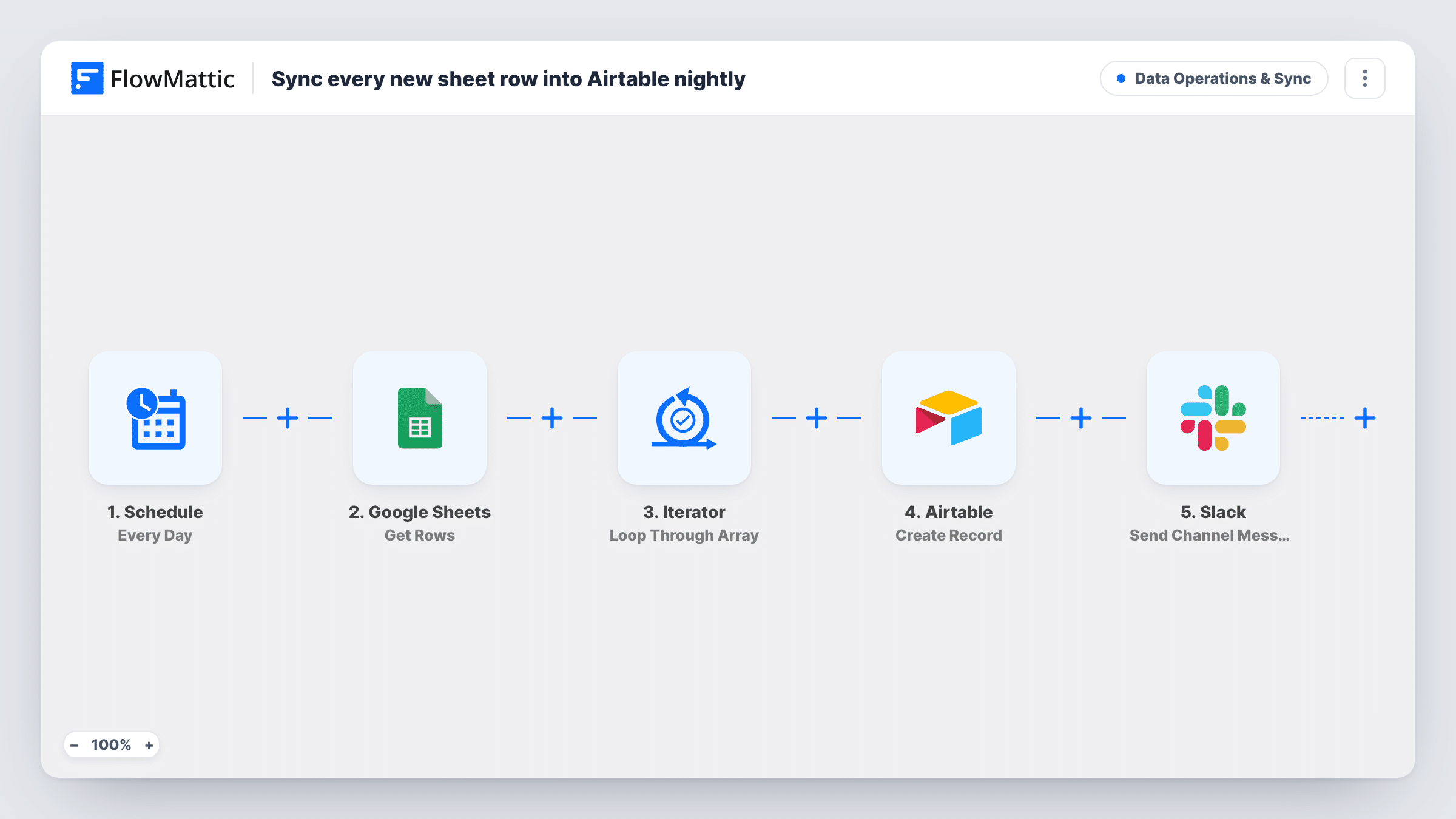
When a new row is added to your Google Sheet, FlowMattic creates a record from it in Airtable and posts a short note in a Slack channel, so both tools hold the same entries.
 Google Sheets
 Airtable
 Slack
Slack3 steps Setup ~5 min Used on 361 sites Data Ops Free to import
What this workflow does
Spreadsheets are where data often starts: a form export, a list a colleague keeps, a sheet filled in by hand. Airtable is better for linking, viewing and working on those entries. This workflow copies each new sheet row into an Airtable table as it arrives, and tells your team in Slack that it happened.
The Google Sheets New Spreadsheet Row trigger fires when a row is added to the spreadsheet you connect. Each column's value is passed on to the next step.
The Airtable Create Record step ships unmapped. After import you pick the base and table, then match each sheet column to an Airtable field. Every new row produces one new record; the workflow doesn't look for an existing record first, so a row added twice ends up in Airtable twice.
Last, a Slack message posts to the channel you choose. As imported it only says that a new sheet row was synced to Airtable, without any of the row's values. Map a few columns into the text if your team needs to know what came in.
Event sign-ups into a planning base
Registrations collected in a shared sheet become Airtable records the events team can assign, tag and link to sessions.
Inventory counts from a stock sheet
A warehouse worker logs incoming stock in Google Sheets on a tablet, and each line shows up in the Airtable inventory base the buyers work from.
Content ideas from a team sheet
Writers drop article ideas into a simple sheet, and each one appears in the editorial Airtable base with a Slack note to the editor.
How this workflow runs
What happens at each step once the workflow is on, and what you need before you import it.
 Google Sheets New Spreadsheet Row
Starts a run for each row added to the spreadsheet you link. The row's column values become available to map into Airtable and Slack.
- Airtable Create Record
Turns the row into a fresh Airtable record. Nothing is mapped in the template, so choose the base and table and match each sheet column to an Airtable field after import.
- Slack Send Channel Message
Posts a message to a Slack channel saying a new sheet row was synced to Airtable. The text has no row data until you map some in.
What you need
- FlowMatticCore
- Google Sheets AccountAccount
- Airtable AccountAccount
- Slack AccountAccount
After importing, map your own data. To keep the template universal, not every step is pre-filled. Open each step in the builder and connect your accounts and fields (channels, lists, sheets, recipients) before you switch the workflow on.
Make it yours
Changes worth making after you import it.
- Put the row's main values, such as a name or ID column, into the Slack message so the team can see what arrived without opening Airtable.
- Add a Filter between the Google Sheets trigger and the Airtable step that continues only when a required column isn't empty, so half-filled rows don't become Airtable records or Slack notes. The column is yours to choose.
- If the sheet can repeat an entry, add Airtable's Search Record between the trigger and Create Record. Check a test run for what it returns on no match, then put a Filter on that result just before Create Record.
- Format dates and numbers in the sheet the way the Airtable field expects, so values land in the right field type.
Questions about this workflow
Does editing an existing Google Sheets row update the Airtable record?
No. The trigger fires on new rows only, and the action always creates a record. Changes to rows already copied stay in the sheet.
Will rows already in my sheet be copied to Airtable?
No. Rows already in the sheet when you switch the workflow on stay where they are. Import the existing rows into Airtable once by hand.
Which Airtable fields are filled in for each new row?
Only the ones you map. Create Record ships without mapping, so after import you pick the table and match sheet columns to its fields.
Can the Slack note say which row was synced to Airtable?
Yes. Edit the message text in the Slack step and map in column values from the sheet trigger, such as the name or reference number.
More Data Operations & Sync workflows
Other ready-to-import templates from the same category.








Import this workflow into your WordPress site
Download the JSON, import it from the Workflows screen and connect your accounts. Every run stays on your server, with no per-task fees.
30-day money-back guarantee Unlimited workflows and runs Self-hosted