

AI agent that reconciles conflicting field updates against the stored record
When a field change arrives by webhook, this workflow reads your stored records from Google Sheets and has an AI agent decide the correct value, write the reconciled record back to the sheet and explain its choice in Slack.
 Webhook
 Google Sheets
 AI Agent
 Slack
Slack5 steps Setup ~8 min Used on 896 sites Data Ops Free to import
What this workflow does
When two systems update the same record, the last write is not always the right one. An older app might send a blank field over a good value, or a stale copy might overwrite a newer edit. This workflow puts a judgement step between the incoming change and your stored data in Google Sheets.
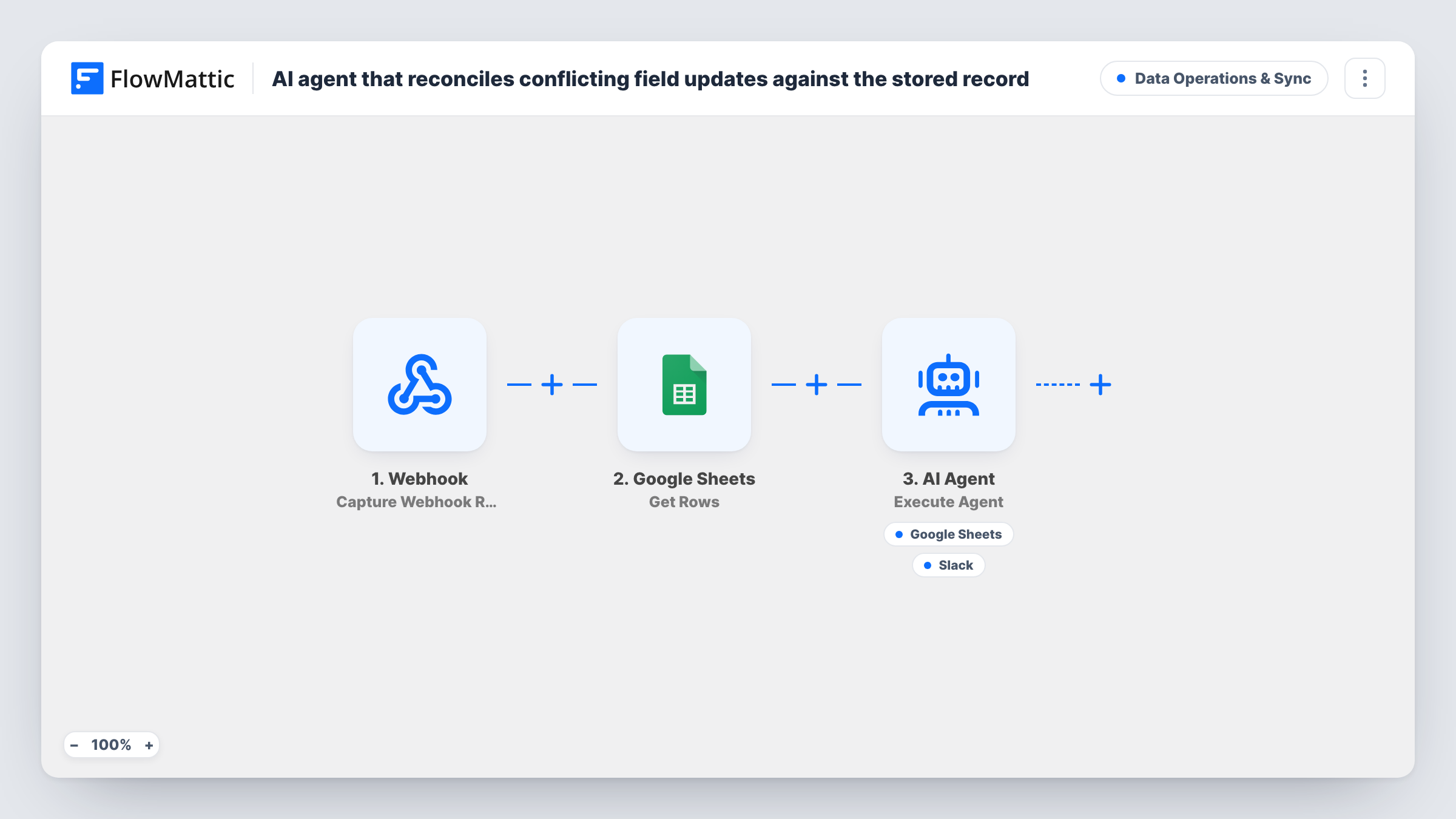
The source app posts each change to a FlowMattic Webhook as a field name and a value. FlowMattic then reads the rows of your record sheet with the Google Sheets Get Rows action. Both go to an AI Agent told to compare the incoming change with the stored record, decide the correct value using recency and completeness, and write the reconciled record back to the sheet. The template runs it on GPT-4o through OpenAI.
The agent holds two tools. Update Row writes the reconciled record to Google Sheets, with the row data supplied by the agent. Send Channel Message posts to Slack so your team sees what was decided and why. Because the agent picks when to use each tool, a run can end without a write or a message; Task History shows which tools were called.
This is a template to adapt. Give the agent a clear rule for your data, and test it on a copy of the sheet before you let it change records you depend on.
Two apps editing the same customer list
A billing tool and a support desk both send customer changes. The agent keeps the more complete phone or address instead of letting a blank value from one app wipe the other.
Product data from several suppliers
Suppliers post price or stock updates by webhook. The agent weighs each change against the stored row and notes in Slack when it kept the old value.
Contact updates from forms and staff
Customers correct their own details in a form while staff edit the same sheet. Each change passes through the agent, and Slack keeps a running explanation of what was kept.
How this workflow runs
What happens at each step once the workflow is on, and what you need before you import it.
 Webhook Capture Webhook Response
Gives you a webhook URL for the app that sends changes. The template reads a field name and a value from the payload, so capture a sample that includes both.
- Google Sheets Get Rows
Reads the rows from the Google Sheets spreadsheet that holds your stored records, so the agent can compare the incoming change with what is already there. Connect Google and choose the sheet.
- AI Agent Execute Agent
Runs an AI agent on the incoming change and the stored rows. It is told to pick the correct value using recency and completeness, then write the reconciled record back and explain it.
- Google Sheets Update Row
A tool the agent can call to write the reconciled record back to Google Sheets. The agent fills in the row data, so check that it targets the right sheet and row with a test run.
- Slack Send Channel Message
A tool the agent can call to post its reasoning to a Slack channel, so someone can review each reconciliation. The agent writes the message, and you link your Slack workspace and target channel during setup.
What you need
- FlowMatticCore
- Google Sheets AccountAccount
- AI ProviderAccount
- Slack AccountAccount
After importing, map your own data. To keep the template universal, not every step is pre-filled. Open each step in the builder and connect your accounts and fields (channels, lists, sheets, recipients) before you switch the workflow on.
Make it yours
Changes worth making after you import it.
- Add a record ID to the webhook payload and to the agent's user input, so it can match the change to the right row instead of guessing from the field values.
- Spell out your tie-break rule in the system prompt, for example that a value is never replaced with a blank, or that one source always wins for prices.
- If the sheet is large, add a Filter or a lookup step before the agent so it receives only the matching record rather than every row.
- Run the workflow against a copy of your sheet for a week and compare the Slack explanations with what you would have chosen.
Questions about this workflow
Will the AI agent overwrite rows in my Google Sheets record?
It can. Its Update Row tool writes to the sheet, and the agent chooses the values. Test on a copy first, and keep version history on in Google Sheets so you can restore a row.
What does the webhook need to send?
The template reads a field and a value from the payload. Add any other details your records need, such as an ID or a timestamp, and include them in the agent's input.
How does the agent decide which value wins?
Its instructions say to use recency and completeness. It only sees the incoming change and the rows it was given, so a timestamp column in the sheet helps it judge recency.
Does Slack get a message for every change?
The agent is told to explain each reconciliation, but it decides when to call the Slack tool. Check Task History to confirm, or add a normal Slack step after the agent for a guaranteed message.
More Data Operations & Sync workflows
Other ready-to-import templates from the same category.



Import this workflow into your WordPress site
Download the JSON, import it from the Workflows screen and connect your accounts. Every run stays on your server, with no per-task fees.
30-day money-back guarantee Unlimited workflows and runs Self-hosted