

Notify your team of Calendly bookings and WhatsApp a reminder
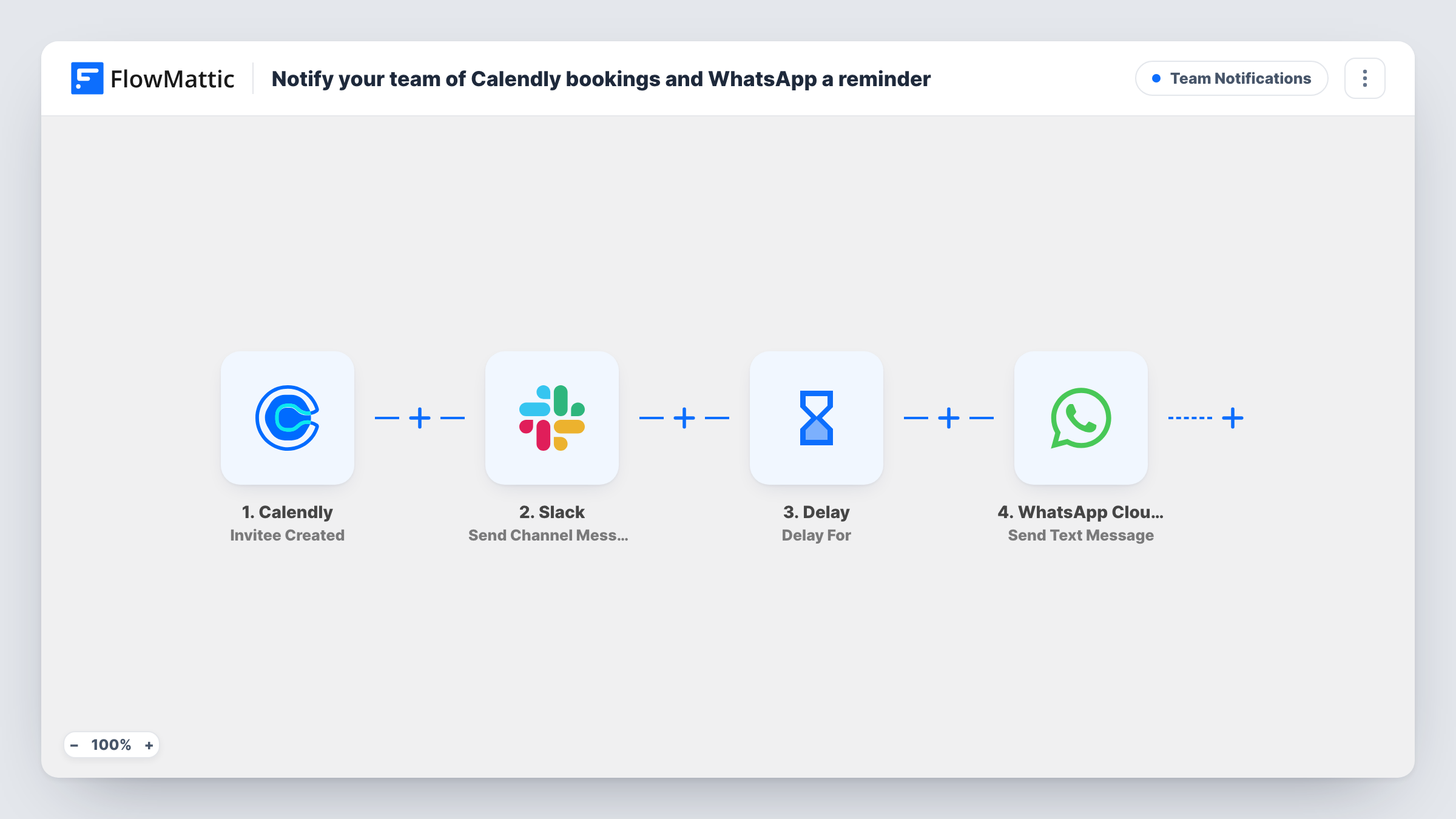
When someone books through Calendly, your team gets a Slack message with the invitee, event and start time. One day after the booking, the invitee is sent a WhatsApp reminder about the event.
 Calendly
 Slack
 Delay
 WhatsApp Cloud API
4 steps Setup ~8 min Used on 1.8k sites Ops Free to import
What this workflow does
A new booking matters to more than the person whose calendar it lands on. Colleagues who prepare for calls or cover the front desk want to know too, and the invitee benefits from a nudge before the meeting. This workflow handles both from one Calendly booking.
The Calendly trigger fires when an invitee is created, which happens when someone books one of your events. FlowMattic posts a message to a Slack channel naming the invitee, the event and its start time. A Delay then holds the run for one day. After that, the WhatsApp Cloud API step texts the invitee's phone number with a reminder that the event is coming up.
The one-day wait counts from the moment of booking, not from the meeting time. Someone who books for later today or tomorrow morning may get the reminder after the meeting has started or ended. Read the tips before you switch it on if your events are often booked at short notice. Every run, including the wait, appears in Task History.
Consultants who book a week or more ahead
Discovery calls are usually booked days in advance, so the WhatsApp text a day later reminds the client while the team sees each new call in Slack.
Clinics and studios with a shared front desk
Reception follows new appointments in a Slack channel, and clients get a WhatsApp reminder on the phone number they gave when booking.
Sales demos with several people involved
A Slack post tells the sales engineer and account manager about each demo the moment it is booked, so whoever runs it has time to prepare.
How this workflow runs
What happens at each step once the workflow is on, and what you need before you import it.
 Calendly Invitee Created
Runs when an invitee books one of your Calendly events. The invitee's name and phone, the event name and the start time are passed to the next steps.
- Slack Send Channel Message
Posts a Slack message to your channel with the invitee's name, the event name and its start time. Connect your Slack workspace on import and pick the channel your team watches.
- Delay Delay For
Waits one day after the booking before the next step runs. Change the value or unit to suit how far ahead people usually book.
- WhatsApp Cloud API Send Text Message
Sends a WhatsApp text to the invitee's phone number saying the event is coming up and greeting them by name. Connect your WhatsApp Cloud API account and edit the wording on import.
What you need
- FlowMatticCore
- Calendly AccountAccount
- Slack AccountAccount
- WhatsApp Cloud API AccountAccount
After importing, map your own data. To keep the template universal, not every step is pre-filled. Open each step in the builder and connect your accounts and fields (channels, lists, sheets, recipients) before you switch the workflow on.
Make it yours
Changes worth making after you import it.
- Make sure your Calendly event asks for a phone number with country code. Without one, the WhatsApp step has no number to send to for that booking.
- The Delay can also wait until a specific date and time. Book a test meeting and check Task History to see how the start time arrives before you try timing the reminder from it.
- Add a Filter before the Delay that continues only for event names you choose, so internal meetings get the Slack post but no WhatsApp reminder goes out.
Questions about this workflow
Is the WhatsApp reminder sent a day before the Calendly meeting?
No. As imported, it goes out one day after the booking is made. For a meeting booked a week ahead that is well before it; for one booked for the next morning it may arrive late.
What happens if the invitee cancels in Calendly?
The run that started at booking keeps going, so the reminder is still sent after the wait. The workflow does not listen for cancellations.
Can WhatsApp deliver a reminder to someone who never messaged my business number?
Free-form WhatsApp text from a business only reaches people who messaged that number in the last 24 hours; outside that window WhatsApp expects an approved template. Test with a fresh number to see how your setup handles it.
Does the Slack post include the invitee's contact details?
Not as imported. It shows the invitee's name, the event name and the start time. You can map more Calendly fields into the Slack message.
More Team Notifications workflows
Other ready-to-import templates from the same category.






Import this workflow into your WordPress site
Download the JSON, import it from the Workflows screen and connect your accounts. Every run stays on your server, with no per-task fees.
30-day money-back guarantee Unlimited workflows and runs Self-hosted