

Create a New Group in Monday.com for Every Lead from Facebook Lead Ads
When a new lead comes in from your Facebook lead ad forms, this workflow adds a Monday.com group for them, so each prospect gets a labelled section to hold their items.
 Facebook Lead Ads
 Monday.com
2 steps 2 downloads Setup ~5 min Used on 337 sites Free to import
What this workflow does
On a Monday.com board, groups split items into sections. If your team gives each prospect a group, with their calls, documents and next steps as items inside it, that group has to exist before anyone can add work. This workflow creates it for every new Facebook lead.
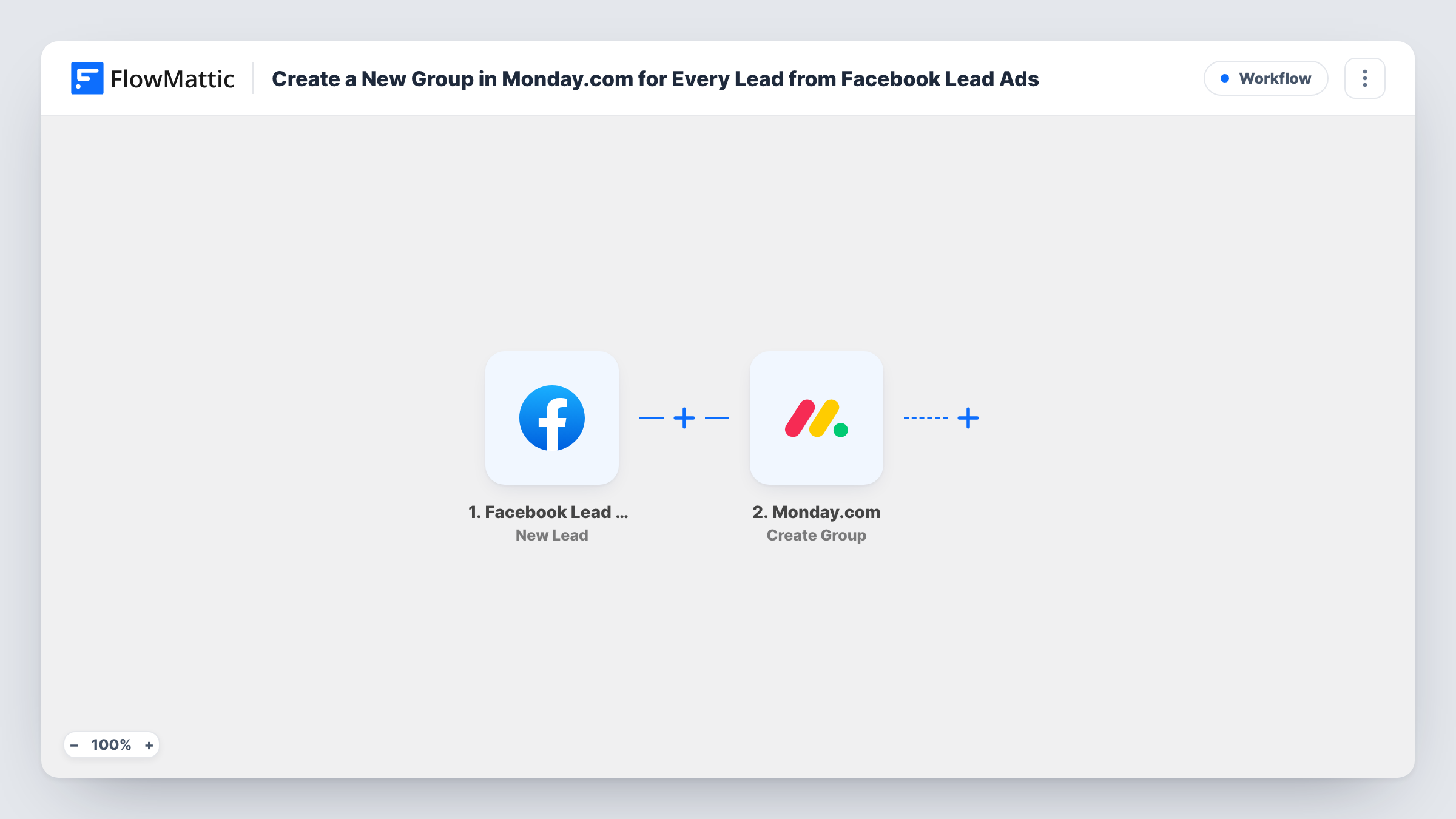
Each time someone completes one of your lead forms, the Facebook Lead Ads trigger hands their answers to FlowMattic. The Monday.com Create Group step then adds a new group for the lead. You map the lead's answers into the step, for example their name and company.
A group per lead keeps every prospect on one shared board, which is a middle ground between one item per lead and one board per lead. The new group starts empty, so items are added by your team or by a step you place after it. Task History lists each run and shows the lead data that created each group.
Account-based sales on one board
Each business that fills in your Facebook lead form gets a group on the Prospects board, where reps add items for the discovery call, proposal and contract.
Photographers booking shoots
A lead asking about a wedding shoot becomes a group for the couple, holding items for the consultation, deposit and shot list.
Admissions enquiries for a school
Each family that enquires through a lead ad gets a group on the admissions board, with items for the tour, application and follow-up added by staff.
How this workflow runs
What happens at each step once the workflow is on, and what you need before you import it.
 Facebook Lead Ads New Lead
Triggers when a new lead is submitted on any of your Facebook lead ad forms. The lead's answers are made available to the Monday.com step.
- Monday.com Create Group
Creates a group on a Monday.com board for the lead. Connect your Monday.com account, map lead answers such as name and company into the step, and send a test lead to see the result.
What you need
- FlowMatticCore
- Facebook Lead Ads AccountAccount
- Monday.com AccountAccount
After importing, map your own data. To keep the template universal, not every step is pre-filled. Open each step in the builder and connect your accounts and fields (channels, lists, sheets, recipients) before you switch the workflow on.
Make it yours
Changes worth making after you import it.
- Add a Monday.com Create Item step after the group so each prospect starts with a First Contact item instead of an empty section. A test lead shows whether it lands in the new group.
- Use a Filter after the trigger to create groups only for leads whose answers show a real project, such as a budget above the minimum you work with.
- Map the submission date into the Create Group step too, so anyone scanning a busy board can tell at a glance when each prospect first got in touch.
Questions about this workflow
Why a group instead of an item?
A group can hold several items, so each lead gets room for separate pieces of work. If one row per lead is enough, an item-based template is simpler.
Does the group contain the lead's contact details?
Only the answers you map into the Create Group step. Add a Create Item step after it and map the email, phone and other answers into that item to keep them.
Can groups go on different boards?
As imported, there is one Create Group step, so every group goes to the same board. Use a Router with a second Monday.com step to send some leads to another board.
What does a second submission from the same lead do?
It creates a second group. The workflow runs once per submission and does not check the board for an existing group with that name.
More Project Management workflows
Other ready-to-import templates from the same category.





Import this workflow into your WordPress site
Download the JSON, import it from the Workflows screen and connect your accounts. Every run stays on your server, with no per-task fees.
30-day money-back guarantee Unlimited workflows and runs Self-hosted