

Render a daily leaderboard image from Google Sheets
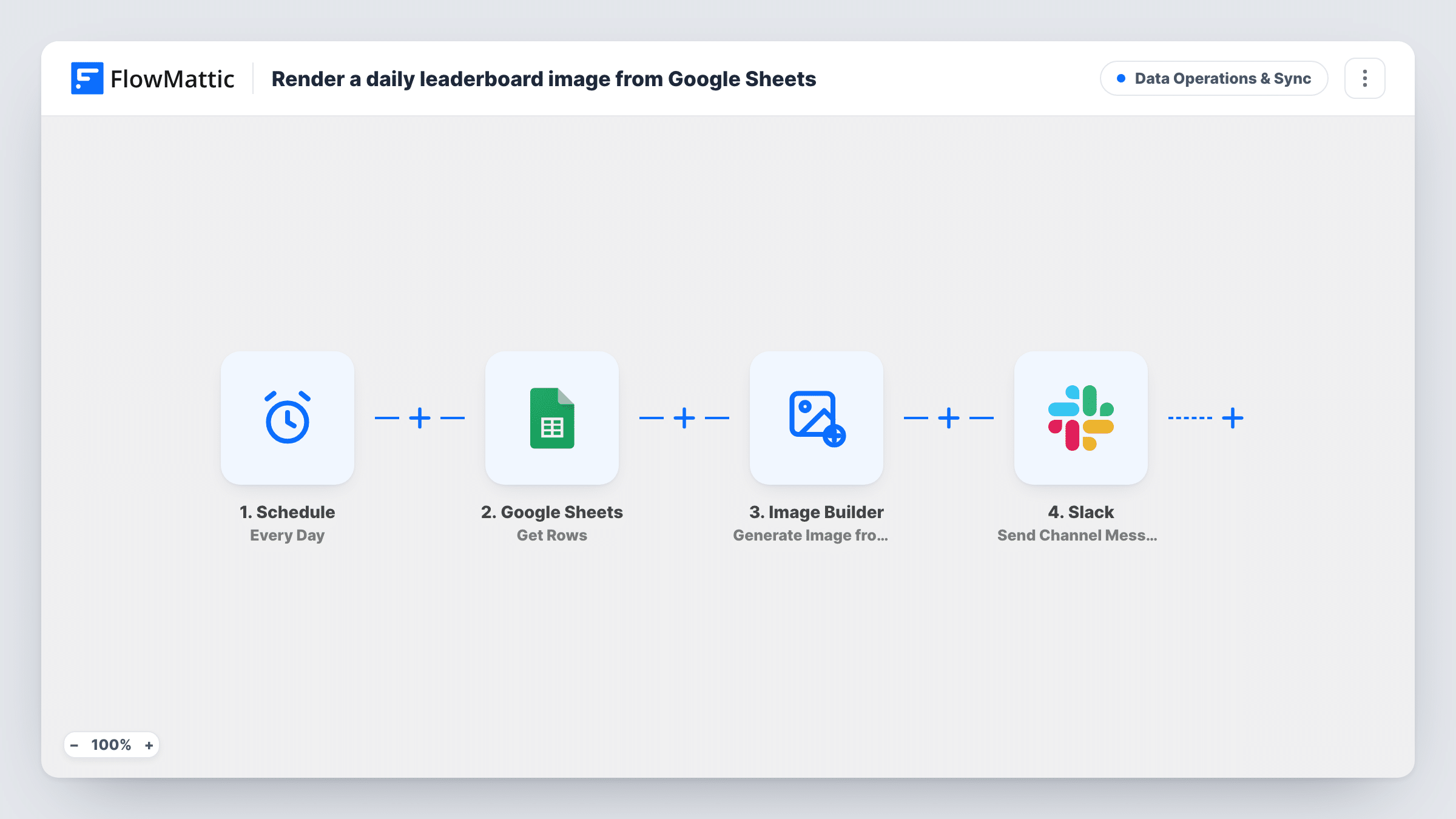
Each day, FlowMattic reads your standings from Google Sheets, renders them into an Image Builder template as a PNG, and posts the image link to a Slack channel so the team sees the latest leaderboard.
 Schedule
 Google Sheets
 Image Builder
 Slack
Slack4 steps Setup ~8 min Used on 2.6k sites Data Ops Free to import
What this workflow does
A leaderboard only motivates people if they actually see it. Sharing a spreadsheet link rarely gets opened, while an image in the team's Slack channel does get noticed. This workflow turns the sheet into a picture every day and posts it.
A Schedule trigger set to Every Day starts the run. Google Sheets Get Rows then reads the spreadsheet and sheet you choose and returns the rows as JSON. Whatever the sheet holds at that moment is what the image shows, so keep it sorted the way the leaderboard should read.
The Image Builder step renders a saved image template through Cloudflare Browser Rendering and saves a PNG named leaderboard to your Media Library. It points at template ID 8 and has no sheet data mapped, so select your own template and map the rows into its tokens. Last, Slack posts "Today's leaderboard" with the image's URL to the channel you pick.
Sales contest standings
Reps' deal totals are kept in a Google Sheet, and the sales channel gets a fresh leaderboard image each day of the contest.
Support team ticket counts
A support lead tracks tickets closed per agent in a sheet and shares the daily ranking as an image in the team's Slack channel.
Fitness or reading challenge at work
Colleagues log steps or pages in a shared sheet, and the challenge channel shows the day's standings as a single image.
How this workflow runs
What happens at each step once the workflow is on, and what you need before you import it.
 Schedule Every Day
Begins a run every day on FlowMattic's schedule. No outside event is involved, so the leaderboard is rebuilt daily whether or not the sheet changed.
- Google Sheets Get Rows
Pulls the rows of the Google Sheets spreadsheet and sheet you select and hands them on as JSON. Connect your Google account and choose the file after import.
- Image Builder Generate Image from Template
Renders your saved Image Builder template into a PNG named leaderboard in the Media Library, using Cloudflare Browser Rendering. Replace template ID 8 with yours and map the sheet rows into its tokens.
- Slack Send Channel Message
Posts a short Today's leaderboard message with the image URL to the Slack channel you choose. Connect Slack and edit the text if you want more context.
What you need
- FlowMatticCore
- Google Sheets AccountAccount
- Slack AccountAccount
After importing, map your own data. To keep the template universal, not every step is pre-filled. Open each step in the builder and connect your accounts and fields (channels, lists, sheets, recipients) before you switch the workflow on.
Make it yours
Changes worth making after you import it.
- Sort the sheet by score, or keep a tab that does, so Get Rows returns the standings in leaderboard order and the template shows them top to bottom.
- Add the date to the Image Builder filename so each day's PNG is saved under its own name instead of reusing leaderboard.
- Test the Image Builder step after mapping and open the PNG, so you can see how the rows fill the template before the first daily run.
Questions about this workflow
Do I need Cloudflare Browser Rendering for the leaderboard image?
Yes. Image Builder renders its HTML templates through Cloudflare Browser Rendering, so that needs to be set up for FlowMattic before this step can produce a PNG.
Does the Slack post include the image itself?
The message contains the image's Media Library URL. How Slack displays that link depends on your workspace, so post a test to see it.
Will the leaderboard post every day even if scores haven't changed?
Yes. The schedule runs daily and nothing checks for changes, so the same standings are posted again if the sheet is unchanged.
Which Image Builder template does it use?
It ships pointing at template ID 8, which won't match your site. Create a leaderboard template in Image Builder, select it, and map the Google Sheets rows into its tokens.
More Data Operations & Sync workflows
Other ready-to-import templates from the same category.






Import this workflow into your WordPress site
Download the JSON, import it from the Workflows screen and connect your accounts. Every run stays on your server, with no per-task fees.
30-day money-back guarantee Unlimited workflows and runs Self-hosted