

Add each new Nutshell person to a Mailchimp audience for nurturing
Whenever a person is created in Nutshell, this workflow adds them to the Mailchimp audience you choose, or updates their member record if they are already on it, ready for your nurture emails.
 Nutshell
 Mailchimp
2 steps Setup ~5 min Used on 1.3k sites Free to import
What this workflow does
Sales teams add people to Nutshell all day, from calls, meetings and imports. Marketing then has to export those people and upload them to Mailchimp before any nurture email can reach them, and the gap grows with every week that nobody does it. This workflow copies each new Nutshell person into Mailchimp when the record is created.
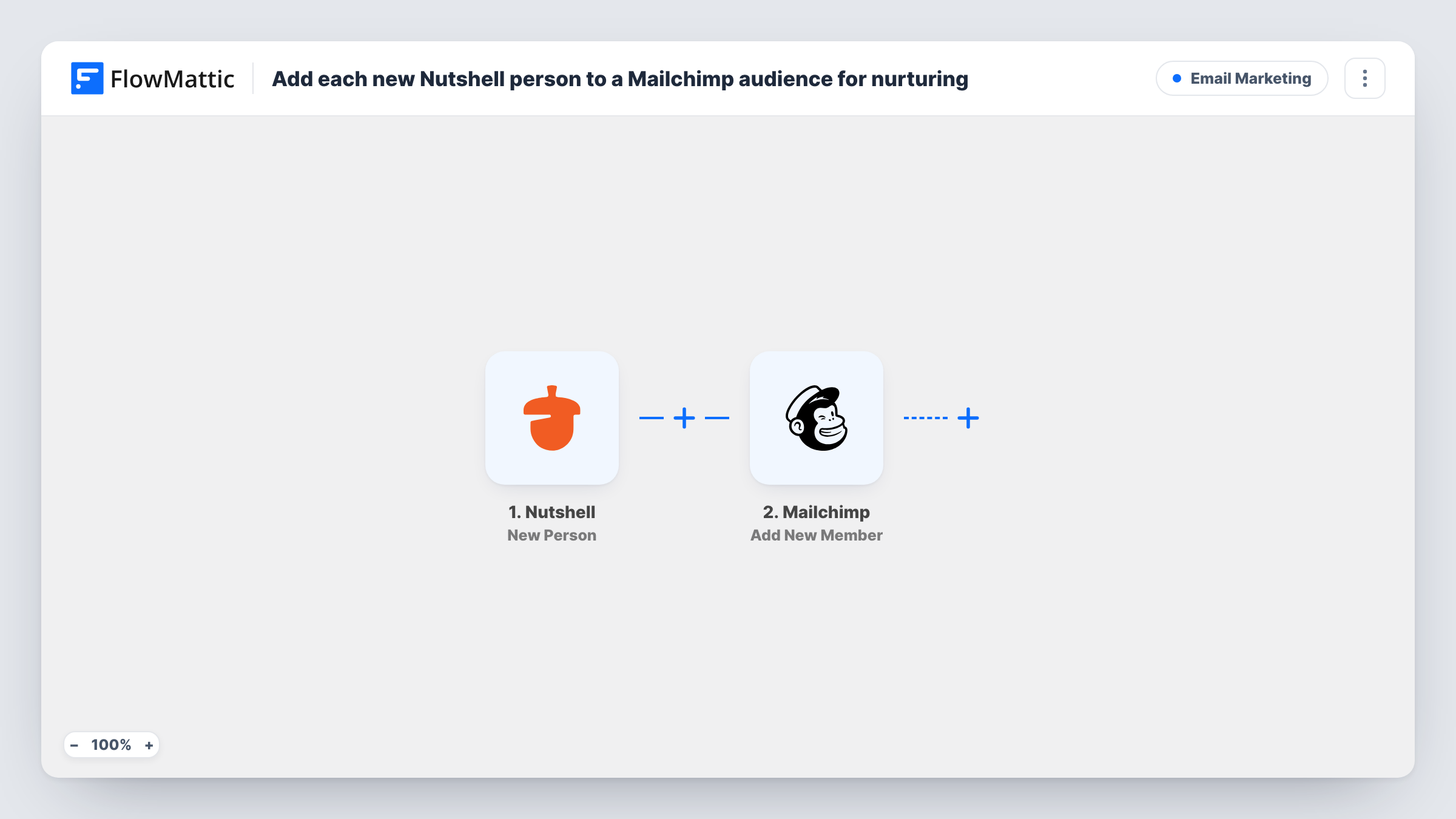
The Nutshell trigger fires when a new person is created in your Nutshell account. FlowMattic passes that person's details to Mailchimp, where the Add New Member action adds them to your chosen audience, or updates them if their address is already a member.
Mailchimp needs an email address, so a Nutshell person saved with only a name or phone number can't be added; that run shows Mailchimp's error in Task History. Edits made in Nutshell later don't fire this trigger, so a changed email address isn't passed on. Make sure the people your reps record in Nutshell have agreed to hear from you by email before you turn this on.
Leads from trade show scans
Reps enter booth visitors as people in Nutshell, and each one joins the Mailchimp audience that receives your post-event email series.
Inbound enquiries logged by sales
When a rep creates a person after a discovery call, that contact is in Mailchimp in time for the next product newsletter.
Keeping one audience for the whole company
Marketing builds every campaign from a single Mailchimp audience, and Nutshell people flow into it without a weekly export.
How this workflow runs
What happens at each step once the workflow is on, and what you need before you import it.
 Nutshell New Person
Fires each time a new person record is created in your Nutshell account. The person's details are passed on for mapping in the Mailchimp step.
- Mailchimp Add New Member
Adds the person to your Mailchimp audience, or updates their member record if the address is already there. Connect Mailchimp, choose the audience and map the person's email address and any other details you want stored.
What you need
- FlowMatticCore
- Nutshell AccountAccount
- Mailchimp AccountAccount
After importing, map your own data. To keep the template universal, not every step is pre-filled. Open each step in the builder and connect your accounts and fields (channels, lists, sheets, recipients) before you switch the workflow on.
Make it yours
Changes worth making after you import it.
- Add a Filter after the trigger that continues only when the email address from Nutshell is not empty, so people without an address don't produce failed runs.
- Follow the Mailchimp step with Mailchimp's member tag action to mark the person as coming from Nutshell, so you can build a segment for your sales-sourced contacts.
- Create a test person in Nutshell after import, map the fields the trigger returns, and check the member appears in the right Mailchimp audience.
Questions about this workflow
What happens if the Nutshell person is already in my Mailchimp audience?
Add New Member adds new people and updates existing members, so Mailchimp keeps one record for that address and refreshes the mapped details.
Does updating a person in Nutshell change them in Mailchimp?
No. The trigger is New Person, so only newly created people start a run. Later edits in Nutshell stay in Nutshell.
Are Nutshell companies or leads added to Mailchimp?
No. Nutshell has separate triggers for companies and won leads, and this template uses only New Person.
More Email Marketing workflows
Other ready-to-import templates from the same category.




Import this workflow into your WordPress site
Download the JSON, import it from the Workflows screen and connect your accounts. Every run stays on your server, with no per-task fees.
30-day money-back guarantee Unlimited workflows and runs Self-hosted