

Add leads from Continually to HubSpot CRM
Each lead that Continual.ly posts to your FlowMattic webhook URL becomes a new contact in HubSpot CRM, so chat prospects reach your sales records without anyone copying them over.
 Webhook
 HubSpot CRM
2 steps Setup ~5 min Used on 2.8k sites Free to import
What this workflow does
If your sales team works in HubSpot, a lead that sits only in Continual.ly is a lead they may never see. Typing each one into the CRM is slow and invites mistakes in names and email addresses. This workflow creates the HubSpot contact for you from the data Continual.ly sends.
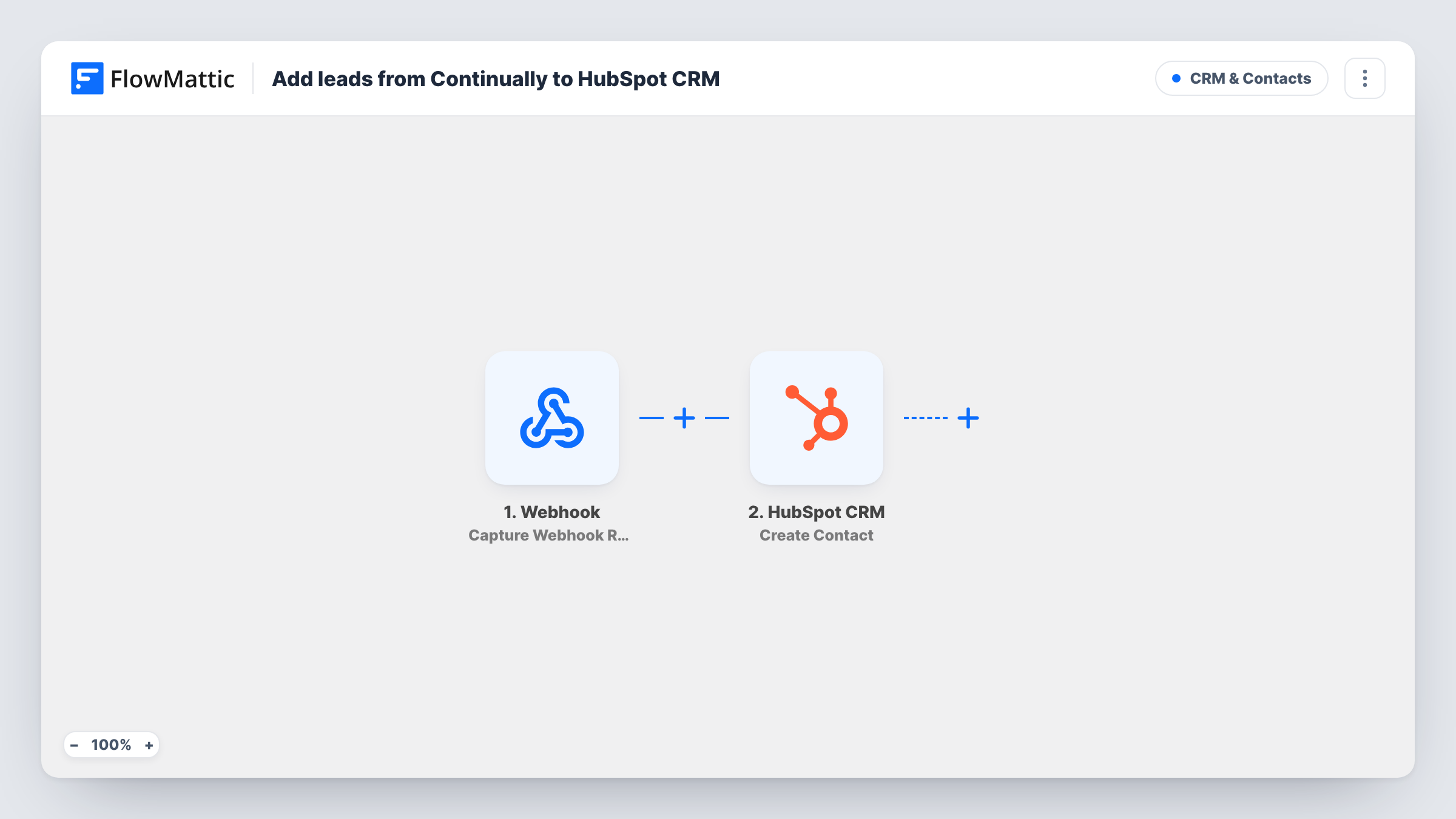
Step one is a Webhook trigger that listens on a URL FlowMattic generates. Continual.ly has to be set up to post each new lead to that URL. FlowMattic's only Continual.ly trigger, External API Request, is a receiver of the same kind, which is why the generic webhook fits here. The fields in each request are captured for mapping.
Step two sends those fields to HubSpot CRM with the Create Contact action. You choose which webhook fields fill the contact's email, name and any other details you want. Create Contact only creates, so a lead whose email is already in HubSpot may be refused. Task History shows HubSpot's response for every run.
Chat leads for a HubSpot sales team
Reps who live in HubSpot see each lead Continual.ly posts to the webhook as a contact, ready to assign and follow up from their usual pipeline.
Agency handing leads to a client
You run Continual.ly on a client's site. Their HubSpot account receives each new lead as a contact, and they never need access to the chat tool.
Weekend chats waiting on Monday
Visitors talk to Continual.ly while your office is closed. Their contacts are already in HubSpot when the team logs in, instead of sitting in the chat tool's inbox.
How this workflow runs
What happens at each step once the workflow is on, and what you need before you import it.
 Webhook Capture Webhook Response
Waits on a unique webhook URL from FlowMattic. Configure Continual.ly to post every new lead to it. Each incoming request starts a run, and its fields can be mapped in the HubSpot step.
- HubSpot CRM Create Contact
Creates a new contact in HubSpot CRM from the lead data. Connect your HubSpot account, then map the webhook's email field and any name or other lead fields Continual.ly sends.
What you need
- FlowMatticCore
- HubSpot CRM AccountAccount
After importing, map your own data. To keep the template universal, not every step is pre-filled. Open each step in the builder and connect your accounts and fields (channels, lists, sheets, recipients) before you switch the workflow on.
Make it yours
Changes worth making after you import it.
- Right after import, have Continual.ly send one test lead to the webhook URL. The captured request shows the exact field names, which makes mapping the HubSpot contact straightforward.
- Insert a Filter after the webhook so the run continues only when an email is present. A contact without an email is hard to match or follow up later.
- Add a Google Sheets Add New Row step after HubSpot to keep a plain log of every Continual.ly lead, including any that HubSpot did not accept.
Questions about this workflow
Why isn't there a native Continual.ly trigger in this HubSpot workflow?
FlowMattic's one Continual.ly trigger, External API Request, simply waits for Continual.ly to send data, which is what the Webhook trigger does. Give Continual.ly the webhook URL and the workflow behaves the same.
What if the Continual.ly lead is already a HubSpot contact?
The step uses Create Contact, which only creates contacts. HubSpot may refuse a duplicate email, and that run's response appears in Task History so you can check it.
Do I need a HubSpot account to use this?
Yes. The Create Contact step runs through the HubSpot account you connect after import, and the contact is created there.
Which Continual.ly details end up on the HubSpot contact?
Only the fields Continual.ly puts in its request to the webhook URL, and only the ones you map. Run a test lead and map what you see in the captured data.
More CRM & Contacts workflows
Other ready-to-import templates from the same category.





Import this workflow into your WordPress site
Download the JSON, import it from the Workflows screen and connect your accounts. Every run stays on your server, with no per-task fees.
30-day money-back guarantee Unlimited workflows and runs Self-hosted