

Create new Brilliant Directories leads from Facebook Lead Ads
Each new lead from a Facebook Lead Ads form is added to your Brilliant Directories website as a lead record, so ad enquiries sit with the rest of your directory’s leads.
 Facebook Lead Ads
 Brilliant Directories
2 steps Setup ~5 min Used on 1.3k sites Free to import
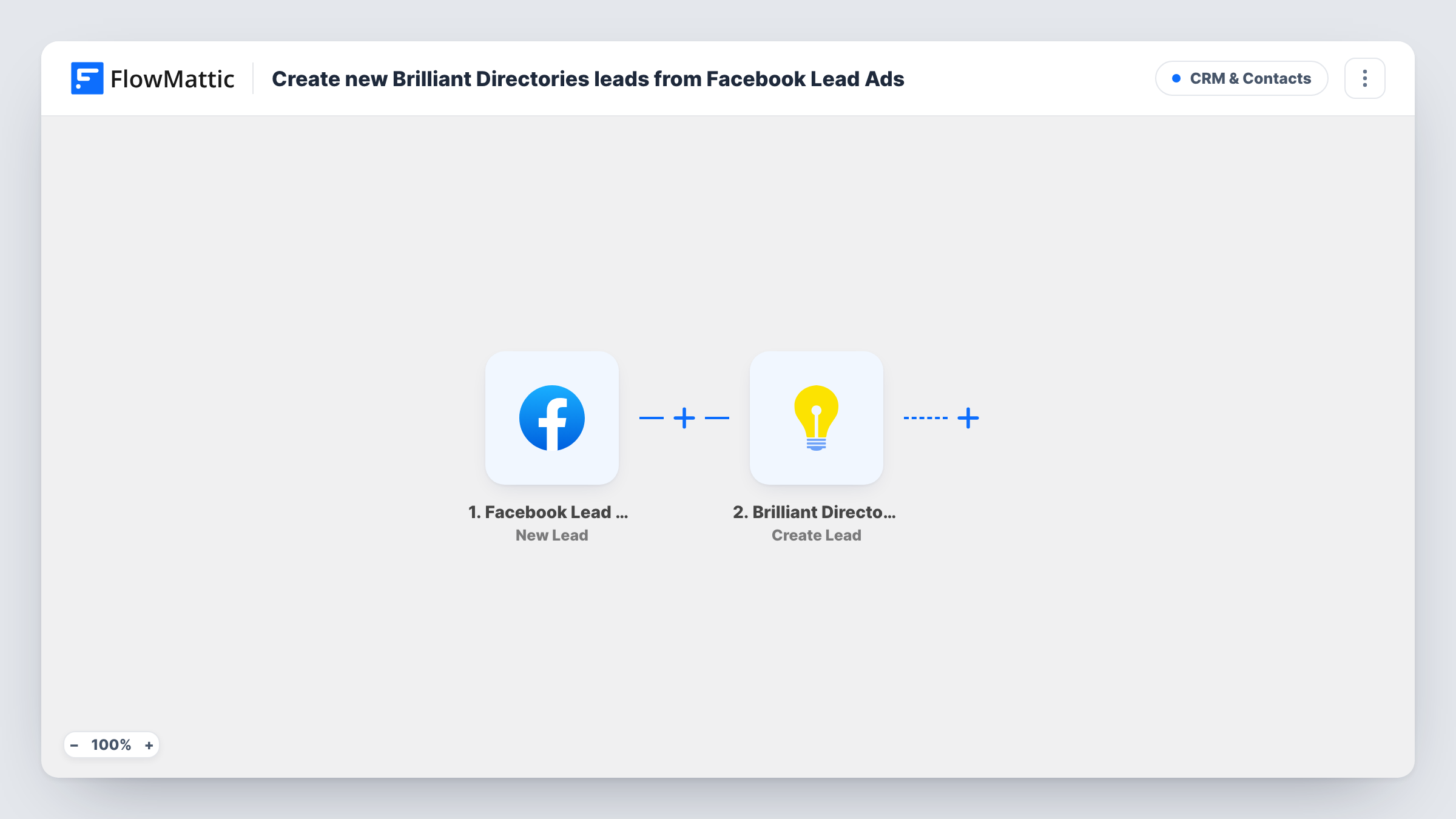
What this workflow does
Directory owners often run Facebook lead ads to find people looking for a listed service. Those leads stay inside Facebook until someone downloads them, and by then they may be days old. This workflow sends each one to your Brilliant Directories site when it comes in.
The Facebook Lead Ads trigger runs once for every lead that arrives on your connected form. FlowMattic receives the answers the person submitted. The Brilliant Directories step then creates a new lead record in your website database, with the Facebook answers mapped into it.
Every lead is created as a fresh record. The template doesn't check whether that person already sent a lead, so someone who fills in the form twice appears twice. Once the lead is in Brilliant Directories, it is handled by whatever you have set up there. Task History lists each lead FlowMattic passed on and the response from your site.
Local services directory
A home-services directory runs a Facebook ad asking what job people need done, and each answer becomes a Brilliant Directories lead ready to match with listed members.
Professional listings site
A directory of accountants collects enquiries through a Facebook lead form, and the leads join those submitted on the website itself.
Testing a new ad audience
You run a lead ad aimed at a new city, and every response lands in Brilliant Directories, where you can see the volume next to your usual leads.
How this workflow runs
What happens at each step once the workflow is on, and what you need before you import it.
 Facebook Lead Ads New Lead
Fires when a new lead is created on your connected Facebook Lead Ads form. The person's answers become fields you can map into the next step.
- Brilliant Directories Create Lead
Creates a new lead record in your Brilliant Directories website database. Map the Facebook answers into it and connect your Brilliant Directories account.
What you need
- FlowMatticCore
- Facebook Lead Ads AccountAccount
- Brilliant Directories AccountAccount
After importing, map your own data. To keep the template universal, not every step is pre-filled. Open each step in the builder and connect your accounts and fields (channels, lists, sheets, recipients) before you switch the workflow on.
Make it yours
Changes worth making after you import it.
- Map the name of the Facebook form or ad campaign into the lead if you can, so you can tell ad leads apart from leads submitted on your site.
- Send a test lead with Facebook's lead ads testing tool after import, so FlowMattic captures the form's fields before you map them.
- Add a Filter after the trigger if the form has a qualifying question, so only leads with the answer you want reach Brilliant Directories.
Questions about this workflow
Do I need a Facebook Page with a lead form?
Yes. The trigger reads leads from a Facebook Lead Ads form on a Page you manage, which you connect when you set up the trigger.
What if the same person submits the Facebook form twice?
Each submission creates its own Brilliant Directories lead. The template does not look for an existing lead first.
Are leads from before I import the workflow added to Brilliant Directories?
No. Only leads created after the workflow is on are sent. Download older leads from Facebook and add them another way.
More CRM & Contacts workflows
Other ready-to-import templates from the same category.





Import this workflow into your WordPress site
Download the JSON, import it from the Workflows screen and connect your accounts. Every run stays on your server, with no per-task fees.
30-day money-back guarantee Unlimited workflows and runs Self-hosted