

Add leads to campaigns on LeadConnector from new Facebook Lead Ads leads
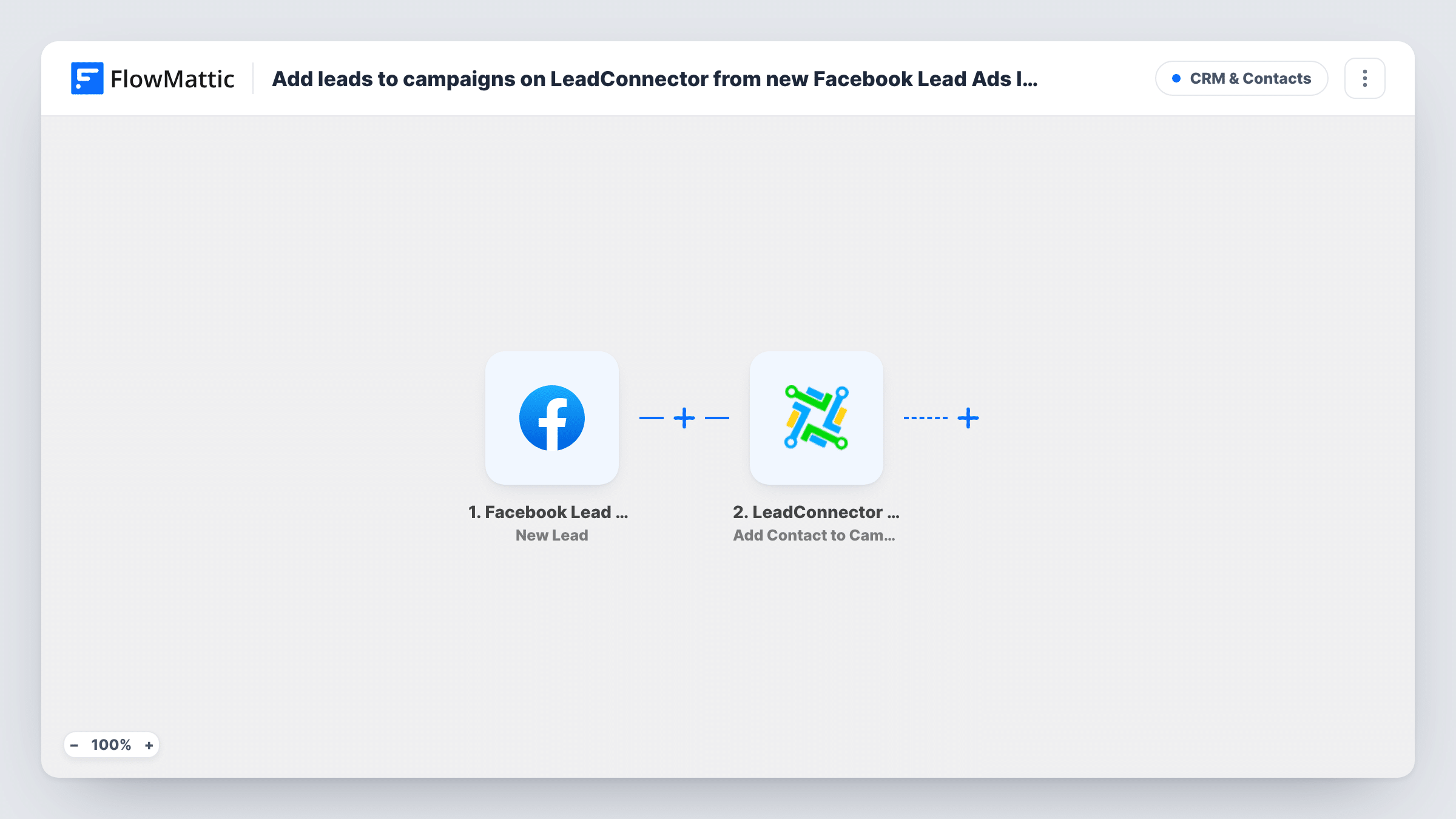
Each new Facebook Lead Ads lead is created or updated as a LeadConnector V2 contact with their name and email, then added to the LeadConnector campaign you pick for follow-up.
 Facebook Lead Ads
 LeadConnector V2
3 steps Setup ~5 min Used on 3.0k sites Free to import
What this workflow does
Leads from Facebook instant forms go cold fast, and downloading them from Meta's tools by hand adds a delay. This workflow moves each lead into LeadConnector, the CRM behind GoHighLevel, and puts the contact into a campaign, so your existing follow-up sequence there takes over.
A run starts whenever Facebook Lead Ads records a new lead from your instant form. The first LeadConnector V2 step creates or updates the contact at sub-account level. The template already maps the lead form's email and full name fields into it.
The second step adds that contact to a campaign. Its contact ID is already mapped from the contact step, so after import you only choose the campaign. The campaign must already exist in your sub-account; FlowMattic describes this action as adding contacts to an existing campaign.
The mapping assumes your lead form uses Facebook's standard email and full name questions. If yours uses other questions, such as a phone number, map them into the contact step too. Submit a test lead and check Task History to see what each step received and returned.
Real estate buyer enquiries
An estate agent's Facebook lead ad for a new development feeds every enquiry into a LeadConnector campaign that sends viewing slots.
Gym trial offers
A gym runs a free-week lead ad, and each sign-up joins the campaign that texts and emails them to book their first session.
Agency client campaigns
A GoHighLevel agency connects a client's lead form to that client's sub-account, so new leads start the client's nurture campaign.
How this workflow runs
What happens at each step once the workflow is on, and what you need before you import it.
 Facebook Lead Ads New Lead
Fires when a new lead is created on your Facebook Lead Ads form. The lead's answers, including the email and full name questions, are passed to LeadConnector.
- LeadConnector V2 Create or Update a Contact
Creates or updates a LeadConnector V2 contact in your sub-account. The lead form's email and full name are already mapped; add the phone or any other answers you collect.
- LeadConnector V2 Add Contact to Campaign
Adds the contact to an existing LeadConnector campaign. The contact ID from step 2 is already mapped, so you only choose the campaign after import.
What you need
- FlowMatticCore
- Facebook Lead Ads AccountAccount
- LeadConnector V2 AccountAccount
After importing, map your own data. To keep the template universal, not every step is pre-filled. Open each step in the builder and connect your accounts and fields (channels, lists, sheets, recipients) before you switch the workflow on.
Make it yours
Changes worth making after you import it.
- Map the phone question from your lead form into the contact step, so campaigns that send SMS can reach the lead.
- To send leads to different campaigns, put a Router between the contact step and the campaign step, move the campaign step into one route, give each other route its own copy with another campaign, and use conditions that can't both match.
- Add LeadConnector V2's Add Tags to Contact action after the campaign step to mark the contact with the ad or form name for reporting.
Questions about this workflow
Do I need an existing campaign in LeadConnector?
Yes. The Add Contact to Campaign step adds contacts to a campaign that already exists in your sub-account, so create it there before you set up the step.
What if the Facebook lead is already a LeadConnector contact?
The contact step creates or updates, so LeadConnector updates the existing contact and the campaign step then adds that contact to the campaign.
Which Facebook lead form fields are mapped as imported?
Email and full name. If your form asks other questions, map those answers into the contact step yourself after import.
Can I use a LeadConnector workflow instead of a campaign?
Yes. FlowMattic's LeadConnector V2 integration also has Add Contact to Workflow. Swap it in for the campaign step and map the same contact ID.
More CRM & Contacts workflows
Other ready-to-import templates from the same category.






Import this workflow into your WordPress site
Download the JSON, import it from the Workflows screen and connect your accounts. Every run stays on your server, with no per-task fees.
30-day money-back guarantee Unlimited workflows and runs Self-hosted