

When a new OfficeRnD member joins, add them to HubSpot CRM and send a welcome email via Gmail
When a new member is added in OfficeRnD, this workflow creates a contact for them in HubSpot CRM and sends them a welcome email from your Gmail account, so onboarding starts on day one.
 OfficeRnD
 HubSpot CRM
 Gmail
Gmail3 steps Setup ~5 min Used on 802 sites Free to import
What this workflow does
A new member in your coworking or flex space usually means two jobs: putting them in the CRM your team uses for sales and account management, and sending a welcome note with the practical details. This workflow does both from the moment you add the member in OfficeRnD.
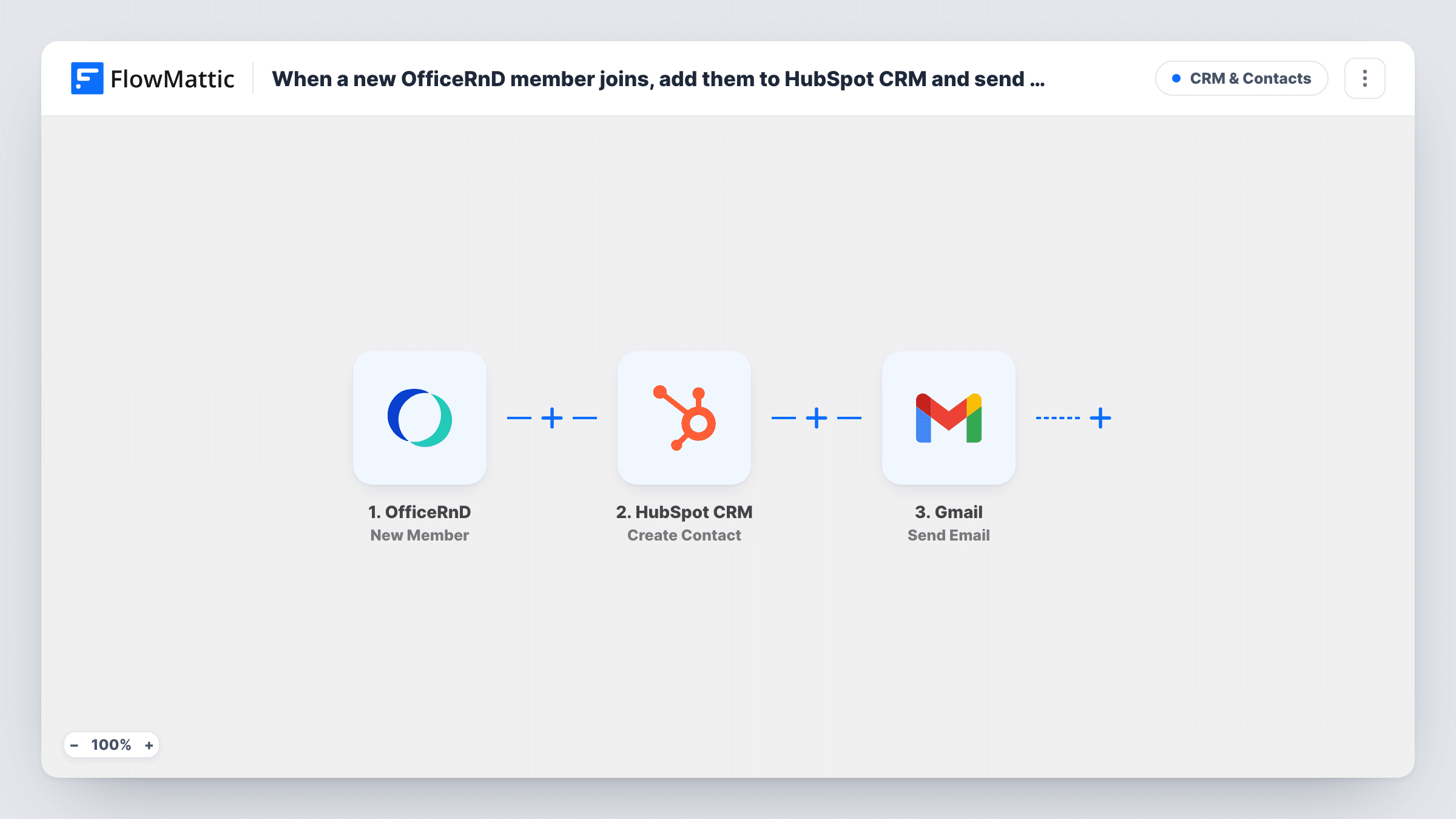
A run starts as soon as a member record is added in OfficeRnD. FlowMattic sends the member's details to HubSpot CRM, which creates a contact. The run then moves to Gmail, which sends an email from your connected account to the address you map, usually the member's own.
You write the welcome email in the Gmail step: subject, body and any member details you want to include, such as their name. HubSpot's Create Contact only creates contacts, so a member whose email is already in HubSpot may be refused there. The Gmail step still runs, and Task History shows the HubSpot response.
Welcome note with access details
Each member added in OfficeRnD gets a Gmail message with opening hours, Wi-Fi details and who to ask at the front desk, while the community manager gets a HubSpot contact to work from.
Upsell tracking for meeting rooms and offices
New members become HubSpot contacts, so your sales team can later offer private offices or meeting room packages from the CRM.
Multi-location operators
Every new member across your sites lands in one HubSpot account, and each receives the same welcome email from your team's Gmail address.
How this workflow runs
What happens at each step once the workflow is on, and what you need before you import it.
 OfficeRnD New Member
Starts the workflow whenever your team adds a member in OfficeRnD. The member's details are passed to the HubSpot and Gmail steps for mapping.
- HubSpot CRM Create Contact
Creates a contact in HubSpot CRM from the OfficeRnD member data. Map the member's email and name, and connect your HubSpot account. The action creates contacts only and doesn't update existing ones.
- Gmail Send Email
Emails the new member through the Gmail account you link. Map the member's email as the recipient, write the subject and body, and insert member details from the trigger where you want them.
What you need
- FlowMatticCore
- OfficeRnD AccountAccount
- HubSpot CRM AccountAccount
- Gmail AccountAccount
After importing, map your own data. To keep the template universal, not every step is pre-filled. Open each step in the builder and connect your accounts and fields (channels, lists, sheets, recipients) before you switch the workflow on.
Make it yours
Changes worth making after you import it.
- Add a Delay before the Gmail step if you would rather send the welcome email a few hours after the member is added, for example once their access is set up.
- Add a member with your own email address in OfficeRnD as a test, then check the HubSpot contact and the email you receive before you turn the workflow on.
- Add a Filter after the trigger if some OfficeRnD members, such as staff or test accounts, shouldn't get a HubSpot contact or a welcome email.
Questions about this workflow
What if the new OfficeRnD member is already a contact in HubSpot?
The HubSpot step can't update an existing record, so a member whose address is already a contact may be refused. Task History shows the response on that step. The welcome email is still sent.
Whose mailbox sends the OfficeRnD welcome message?
It goes out from whichever Google account you link on import. Use a shared team mailbox if you want replies to reach the whole community team.
Are existing OfficeRnD members sent a welcome email?
No. Only members added after you turn the workflow on start a run. Members already in OfficeRnD are not contacted.
Can I send a different welcome email for each OfficeRnD plan?
Yes, after import. Replace the Gmail step with a Router whose routes check the plan in the member data, then give each route its own Gmail step.
More CRM & Contacts workflows
Other ready-to-import templates from the same category.




Import this workflow into your WordPress site
Download the JSON, import it from the Workflows screen and connect your accounts. Every run stays on your server, with no per-task fees.
30-day money-back guarantee Unlimited workflows and runs Self-hosted